
 Need help?
Do you have a question about the Docomo Prime SH-06A and is the answer not in the manual?
Capture wide panoramic photos by stitching together multiple shots.
Securely lock your FOMA terminal remotely to prevent unauthorized access if lost.
Search locations, view maps, and navigate to destinations using the built-in GPS function.
Learn how to make, receive, and manage voice and videophone calls.
Manage contacts, add entries, search, and edit phonebook information.
Customize sound, display, and lighting settings for your FOMA terminal.
Configure security codes, lock functions, and other measures to protect your device.
Learn how to compose, send, receive, and manage i-mode mail and SMS.
Access online services, browse websites, and use internet features.
Explore services for viewing motion pictures, i-channels, and personalized concierge information.
Learn how to use the camera for shooting still and moving pictures.
Find helpful reference information, troubleshooting tips, and specifications.
Set alarms to ring at specified times or days of the week.
Understand the procedures and available services for using your phone abroad.
Guidance on resolving common issues and error messages.
Critical warnings about potential severe injury or damage from improper use.
 General
| Brand | Docomo |
|---|---|
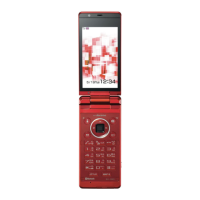
| Model | Prime SH-06A |
| Category | Cell Phone |
| Language | English |


 To Next Page