
 Need help?
Do you have a question about the Docomo DIGNO KY-41B and is the answer not in the manual?
Details about the Quick Start Guide and Instruction Manual formats.
Essential safety instructions and warnings for proper handset use.
Information on the handset's resistance to water, dust, and impact.
Guidelines for cleaning and maintaining the handset's appearance.
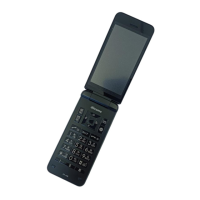
Identifies and describes the various parts and buttons of the handset.
Explains how to navigate and select items using cursor keys.
Instructions for entering text using the handset's input methods.
Step-by-step guide on how to initiate a phone call.
Information on how to contact emergency services.
Instructions for receiving an incoming phone call.
Managing contacts, including adding, editing, and searching.
Sending and receiving emails using the DOCOMO mail service.
Sending and receiving text messages.
Instructions for browsing websites and navigating online content.
Managing schedules and events using the calendar application.
Setting and managing alarms for specific times.
Backing up and restoring data using a microSD card.
Overview of the handset's settings menu for configuration.
Managing screen locks, passwords, and security codes.
Configuring Wi-Fi, Bluetooth, mobile networks, and VPN.
Checking battery status and managing power saving settings.
Procedures for resetting network settings or the entire device.
Categorizing, viewing, and managing files on handset memory or microSD.
Connecting the handset to a PC for data transfer.
Enabling wireless connection with Bluetooth devices.
Registering and checking safety information during disasters.
Receiving alerts for natural disasters and warnings.
Initial steps for diagnosing and resolving handset issues.
Explanation of common error messages and their solutions.
Steps for downloading and installing software updates.
Technical details and specifications of the handset.
Guidelines for considerate use of the handset in public spaces.
Contact information for support when overseas or experiencing loss/theft.
 General
| Brand | Docomo |
|---|---|
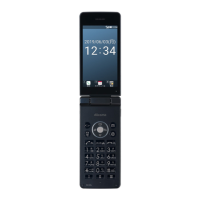
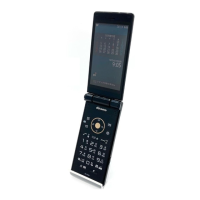
| Model | DIGNO KY-41B |
| Network | GSM / HSPA / LTE |
| SIM | Nano-SIM |
| Display Type | IPS LCD |
| Resolution | 720 x 1280 pixels |
| Main Camera | 13 MP |
| Loudspeaker | Yes |
| 3.5mm jack | Yes |
| USB | USB Type-C 2.0 |
| OS | Android 11 |
| CPU | Octa-core (2x2.0 GHz Kryo 460 & 6x1.8 GHz Kryo 460) |
| GPU | Adreno 619 |
| Card slot | microSDXC |
| WLAN | Wi-Fi 802.11 b/g/n |
| Positioning | GPS |
| Battery | 3000 mAh |
| Chipset | Qualcomm Snapdragon |
| External Storage | microSDXC |
| Colors | Black, White, Blue |



 To Next Page