EasyManua.ls Logo

Docomo SH-11C - User Manual

Default Icon
17 pages
Print Icon
To Next Page IconTo Next Page
Loading...
◎公共の場所で携帯電話をご利用の際は、周囲の方への心くばりを忘れずに。
●紛失・盗難などにあわれたら、速やかに利用中断手続きをお取りください。
●お客様が購入されたFOMA端末に故障が発生した場合は、ご帰国後にドコモ指定の故障取扱窓口へご持参ください。
環境保全のため、不要になった電池は
NTTドコモまたは代理店、リサイクル
協力店などにお持ちください。
再生紙を使用しています
ユニバーサルナンバー用
国際識別番号
滞在国の国際電話
アクセス番号
-81-3-6718-1414
(無料)
-8005931-8600
*一般電話などでかけた場合には、日本向け通話料がかかります。
※SH-11Cからご利用の場合は、+81-3-6718-1414でつながります。
(「+」は「0」ボタンを1秒以上押します。)
*滞在国内通話料などがかかる場合があります。
※主要国の国際電話アクセス番号/ユニバーサルナンバー用国際識
別番号については、ドコモの「国際サービスホームページ」をご
覧ください。
一般電話などからの場合
ドコモの携帯電話からの場合
海外での故障について
<ネットワークオペレーションセンター>
(24時間受付)
<ユニバーサルナンバー>
*滞在国内通話料などがかかる場合があります。
※主要国の国際電話アクセス番号/ユニバーサルナンバー用国際識
別番号については、ドコモの「国際サービスホームページ」をご
覧ください。
*一般電話などでかけた場合には、日本向け通話料がかかります。
※SH-11Cからご利用の場合は、+81-3-6832-6600でつながります。
(「+」は「0」ボタンを1秒以上押します。)
-8000120-0151
ユニバーサルナンバー用
国際識別番号
-81-3-6832-6600
(無料
滞在国の国際電話
アクセス番号
海外での紛失、盗難、精算などについて
<ドコモ インフォメーションセンター>
(24時間受付)
ドコモの携帯電話からの場合
一般電話などからの場合
<ユニバーサルナンバー>
一般電話などからはご利用になれません。
(局番なしの)113(無料)
■ドコモの携帯電話からの場合
一般電話などからはご利用になれません。
(局番なしの)151(無料)
■ドコモの携帯電話からの場合
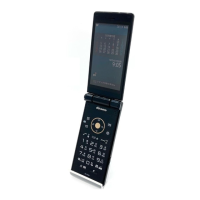
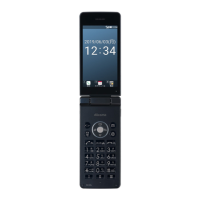
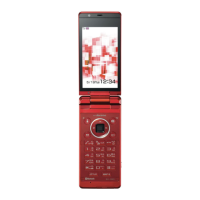
SH-11C
取扱説明書
’11.
故障お問い合わせ先
※一部のIP電話からは接続できない場合があります。
0120-800-000
■一般電話などからの場合
受付時間 24時間 (年中無休)受付時間 午前9:00~午後8:00 (年中無休)
※一部のIP電話からは接続できない場合があります。
0120-800-000
■一般電話などからの場合
総合お問い合わせ先
<ドコモ インフォメーションセンター>
●番号をよくご確認の上、お間違いのないようにおかけください。
各種手続き、故障・アフターサービスについては、上記お問い合わせ先にご連絡いただくか、ドコモホームページ、iモードサイト
にてお近くのドコモショップなどにお問い合わせください。
ドコモホームページ http://www.nttdocomo.co.jp/
iモードサイト ⅰMenu お客様サポート ドコモショップ
取扱説明書
SH-11C
1
11* **.* ** MS124
TINSJA821AFZZ
’11.(1版)
’11.
Question and Answer IconNeed help?

Do you have a question about the Docomo SH-11C and is the answer not in the manual?

Summary

FOMA Terminal Safe Handling and Precautions

Prohibitions and Safety Instructions

Covers essential safety warnings and prohibited actions during terminal use.

Terminal Usage Precautions and Environmental Conditions

Handling Precautions and Temperature Limits

Advises on using specified accessories, temperature, and humidity ranges.

Getting Started: Initial Setup

Inserting the UIM Card

Step-by-step guide for correctly inserting the User Identity Module card.

Attaching the Battery Pack

Instructions for securely connecting the battery pack to the terminal.

Charging the FOMA Terminal

FOMA Terminal Part Names and Functions

Overview of Terminal Components

Identifies key external parts of the FOMA terminal.

Detailed Part Identification and Descriptions

Provides a comprehensive list and descriptions of all numbered components.

Basic Operations and Display Information

Customization, Security, and Communication Settings

Terminal Security and Lock Management

Details on changing security codes, passwords, and implementing various lock functions.

Advanced Security Features and Call Management

Various Lock Functions Explained

Details on Auto-key lock, Keypad dial lock, Personal data lock, and Omakase Lock.

Communication and Media Functions

Media Playback, Network Services, and Mobile Payments

Device Specifications and RF Exposure Compliance

Regulatory Compliance and Customer Support

Overseas Support and Incident Reporting

Docomo SH-11C Specifications

General IconGeneral
ManufacturerSharp
ModelSH-11C
GPRSYes
EDGEYes
StatusDiscontinued
SIMMini-SIM
PhonebookYes
Call recordsYes
LoudspeakerYes
3.5mm jackYes
Bluetooth2.1, A2DP
GPSYes
USBmicroUSB 2.0
2G bandsGSM 900 / 1800 / 1900
Announced2011
Display typeTFT
Display size3.4 inches
Display resolution480 x 854 pixels
Main Camera8 MP
BatteryRemovable Li-Ion battery

Related product manuals