9
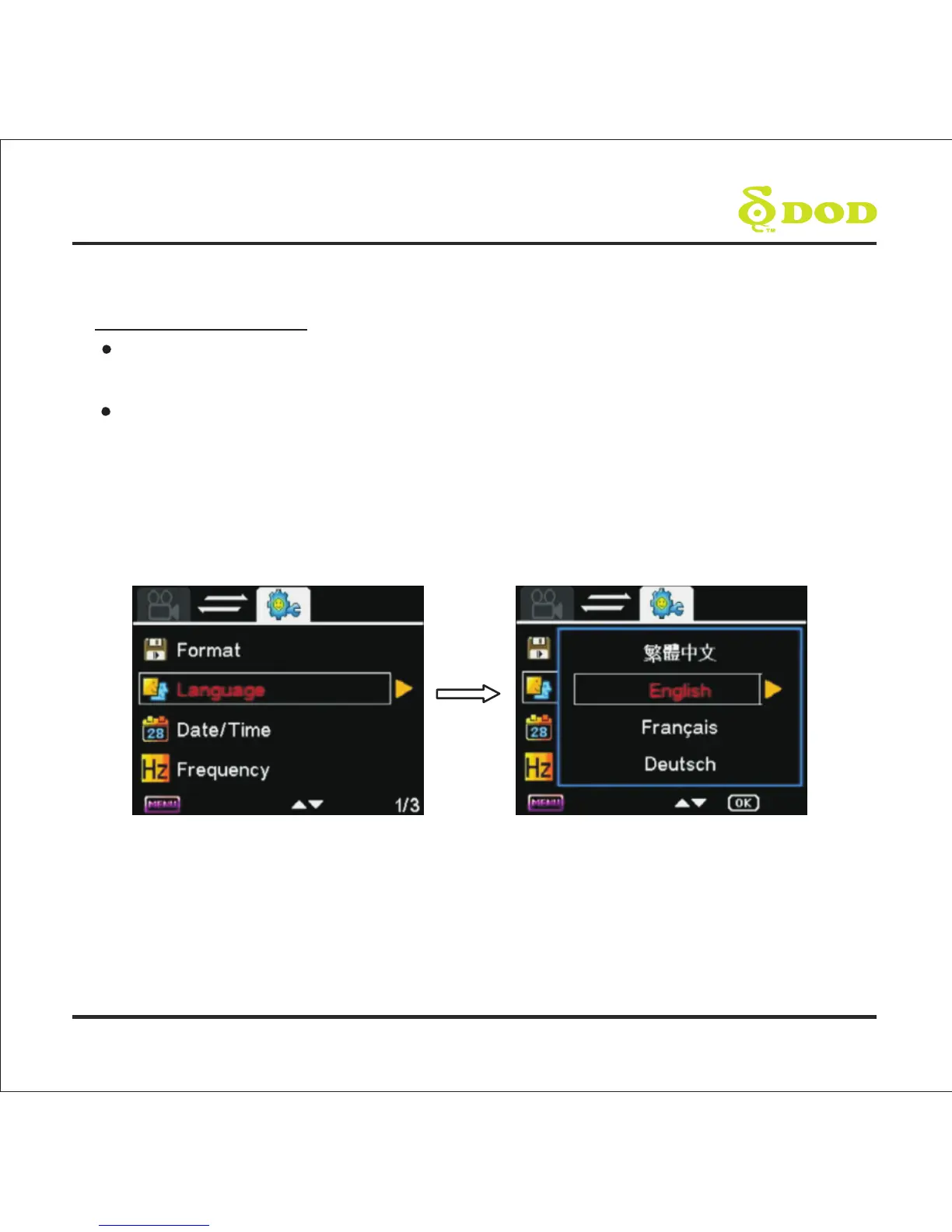
3. Select language
Press [MENU] to enter menu setting, and then Press [RIGHT] to enter system
setting. Select [DOWN] to Language setting.
Press [UP] or [DOWN] to move to Language, and then press[OK] to select the
desired language.
[MENU] is not activated when the unit is on Recording Mode, please press [ ] to stop
recording and return to Standby Mode.
*
GETTING START
●



 To Next Page