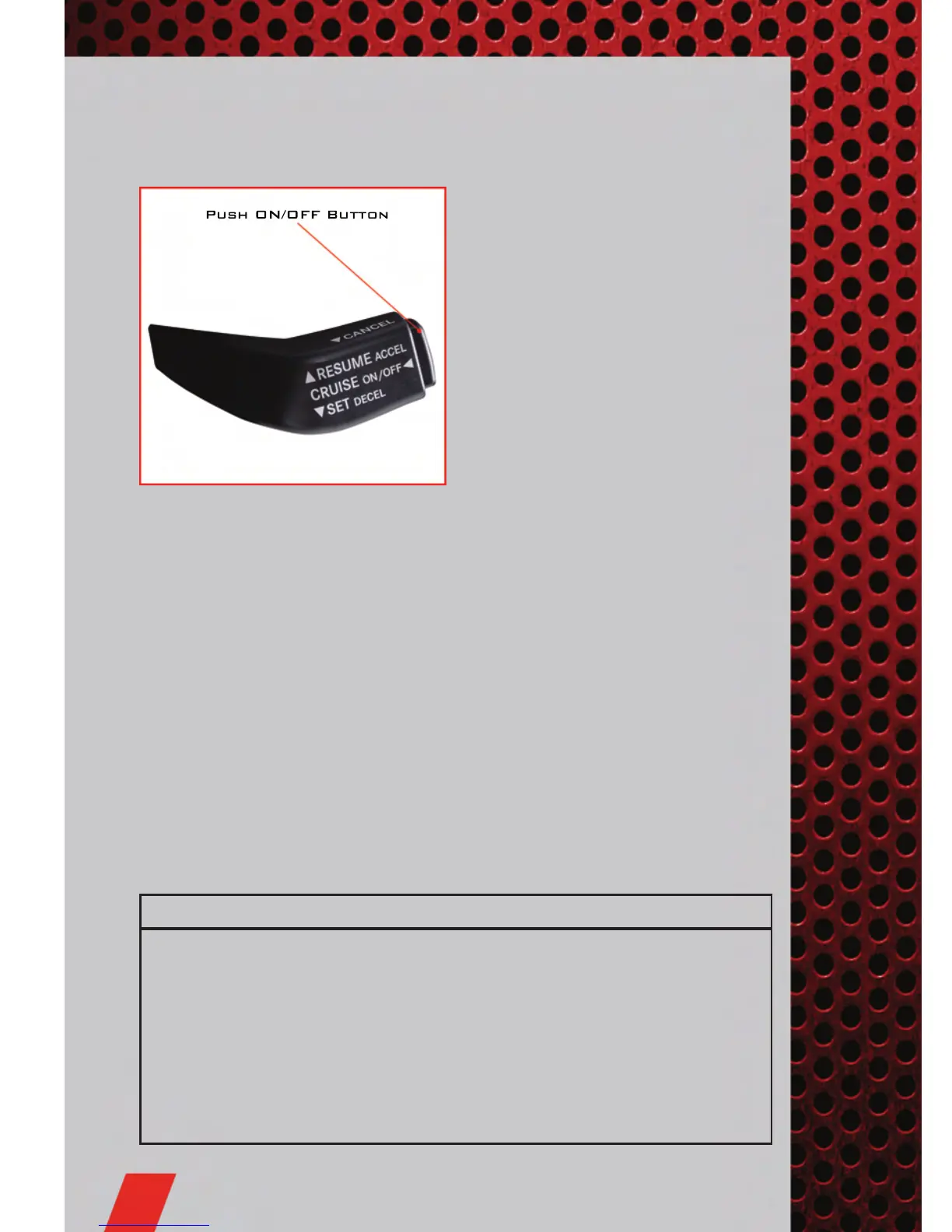
SPEED CONTROL LEVER
Cruise ON/OFF
• Push the ON/OFF button to activate
the Speed Control.
• CRUISE will appear on the instrument
cluster to indicate the Speed Control is
on.
• Push the ON/OFF button a second time
to turn the system off.
Set
• With Speed Control on, push down and
release the lever to set a desired
speed.
Accel/Decel
• Push and hold the lever up to accelerate or down to decelerate the vehicle; release
the lever to save the new set speed.
• Once a speed is set, tapping the lever up or down will increase or decrease the set
speed approximately 1 mph (2 km/h).
• Push and hold the lever up to accelerate in 5 mph (8 km/h) increments or push
and hold the lever down to decelerate in 5 mph (8 km/h) increments; release the
lever to save the new set speed.
Resume
• To resume a previously selected speed in memory, push the lever up and release.
Cancel
• Pull the lever toward you, push the clutch pedal or apply the brakes to cancel the
set speed and maintain the set speed in memory.
• Push the ON/OFF button to turn the system off and erase the set speed memory.
WARNING!
• Leaving the Electronic Speed Control system on when not in use is
dangerous. You could accidentally set the system or cause it to go faster than
you want. You could lose control and have a collision. Always leave the
Electronic Speed Control system off when you are not using it.
• Electronic Speed Control can be dangerous where the system cannot
maintain a constant speed. Your vehicle could go too fast for the conditions,
and you could lose control. A collision could be the result. Do not use
Electronic Speed Control in heavy traffic or on roads that are winding, icy,
snow-covered or slippery.
OPERATING YOUR VEHICLE
20










 To Next Page