Bluetooth
®
Streaming Audio (Media Center 430/430N/230/130 only)
If equipped with Uconnect™ Voice Command, your bluetooth-equipped iPod
®
devices,
cellphones or other media players, may also be able to stream music to your vehicle's
speakers. Your connected device must be bluetooth-compatible, and paired with your
Media Center radio (see Uconnect™ Phone for pairing instructions). Press the AUX
button on the radio faceplate until "BT" is displayed on the radio screen.
WARNING!
Do not plug in or remove the iPod
®
or external device while driving. Failure to
follow this warning could result in a collision.
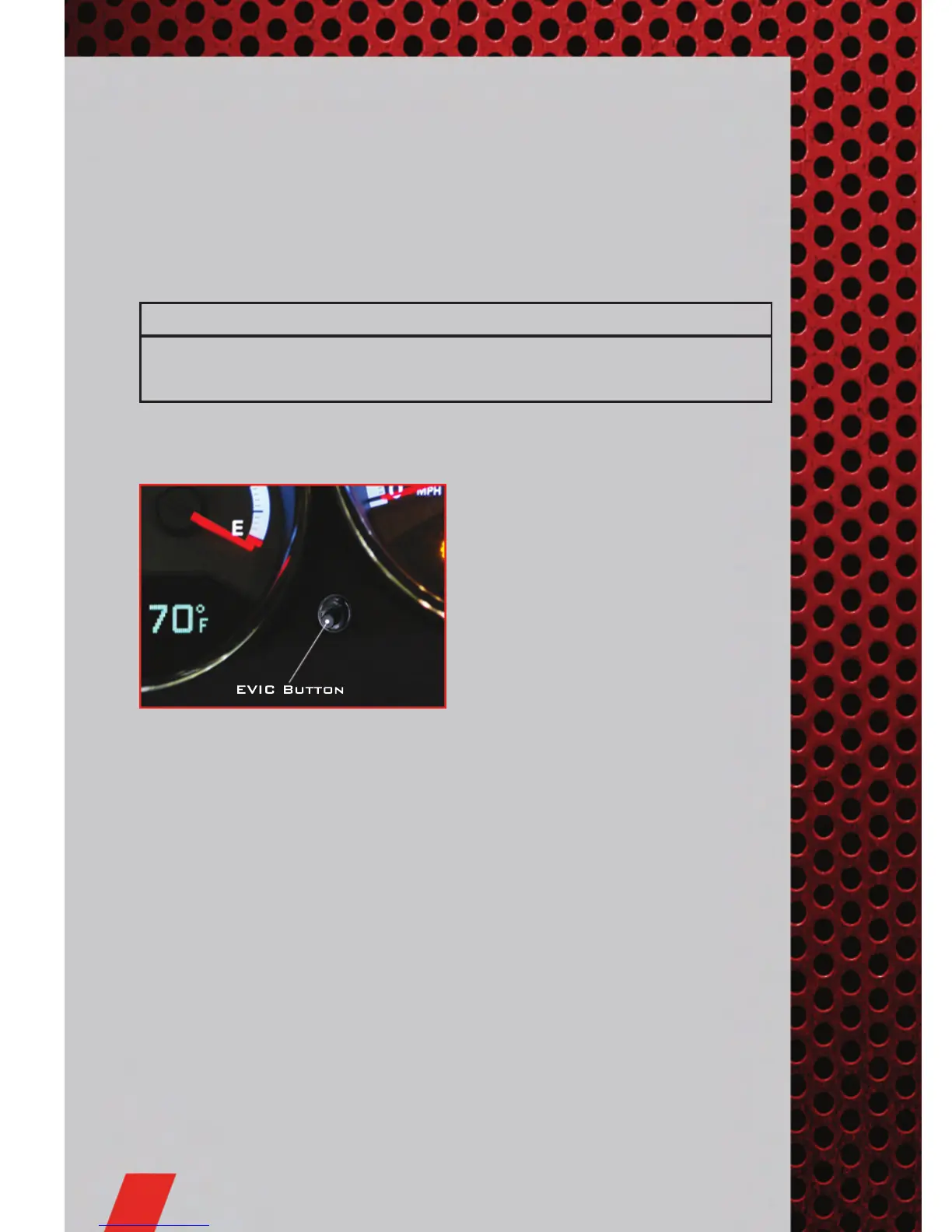
ELECTRONIC VEHICLE INFORMA TION CENTER
(EVIC)
• The EVIC features a driver interactive
display that is located in the
instrument cluster. For additional
information, refer to Programmable
Features in this guide.
• Press the EVIC button, located below
the speedometer, until one of the
following functions is displayed on the
EVIC:
• Compass/Temperature/Audio
• Average Fuel Economy
• Distance To Empty (DTE)
• Elapsed Time
• Tire Pressure Monitor (TPM)
• Personal Settings
• Pressing and holding the EVIC button once will clear the function currently being
displayed.
• To reset all resettable functions, press and release the EVIC button a second time
within three seconds of resetting the currently displayed function. Reset ALL will
be displayed during this three-second window.
ELECTRONICS
38










 To Next Page