30. Compass/Trip Computer or Electronic Vehicle
Information Center (EVIC) Display — If Equipped
When the appropriate conditions exist, this display
shows the Compass/Trip Computer or Electronic Vehicle
Information Center (EVIC) messages.
For further information, refer to “Compass/Trip Com-
puter” or “Electronic Vehicle Information Center
(EVIC)”.
31. 4WD Indicator — If Equipped
This light indicates the vehicle is in four-wheel
drive and 4LOCK. 4WD allows all four wheels
to receive torque from the engine
simultaneously.
COMPASS AND TRIP COMPUTER —
IF EQUIPPED
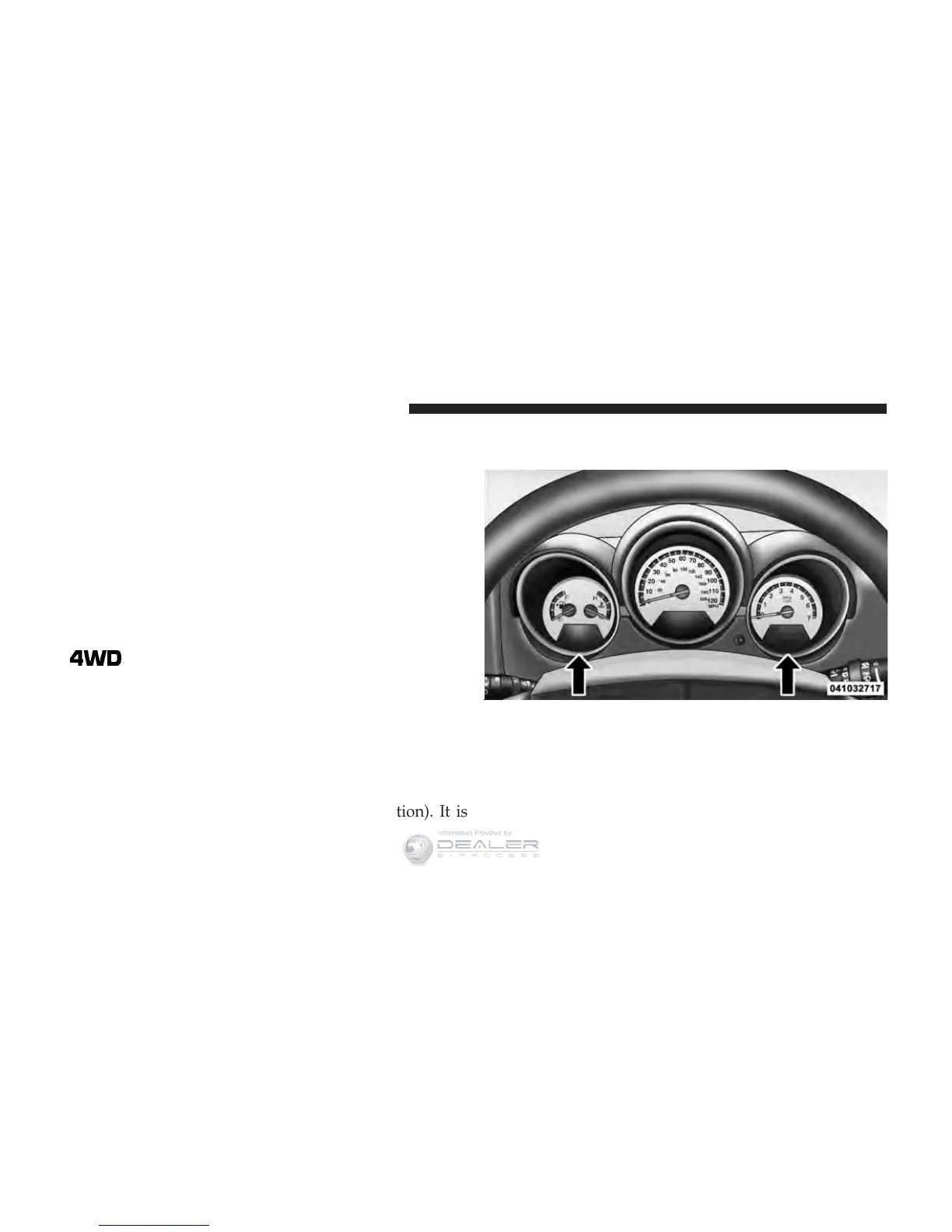
The Compass/Trip Computer features a driver-
interactive display (displays information on outside tem-
perature, compass direction, and trip information). It is
located on the lower left part of the cluster below the fuel
and engine temperature gauge, and the tachometer.
Control Buttons
Press and release the odometer/trip odometer reset but-
ton (right side of the instrument cluster) to access the
compass/trip computer displays.
Compass/Trip Computer Display
212 UNDERSTANDING YOUR INSTRUMENT PANEL















 To Next Page