Transfer Ongoing Call Between Handset And Vehicle
• During an on-going call, touch the Transfer soft-key on the Phone main screen to transfer
an on-going call between handset and vehicle.
Common Phone Commands (Examples)
“Call John Smith” “Show Missed Calls”
“Call John Smith mobile” “Show Recent Calls”
“Dial 1 248 555 12XX” “Show My Contacts:
“Call Emergency” “Redial”
“Call Towing Assistance” “Call Back”
“Redial” “Send 1234#” (only available while call is ac-
tive)
“Search for John Smith”
Phonebook
• Uconnect® radios will automatically
download your contact list from your
paired phone, if this feature is supported
by your phone. Entries are updated each
time that the phone is paired. If your con-
tact list entries do not appear, check the
settings on your phone. Some phones re-
quire you to enable this feature manually.
• Your phonebook can be browsed on your
radio screen, but editing can only be done
on your phone. To browse, touch the
Phone soft-key, then the Phonebook soft-
key.
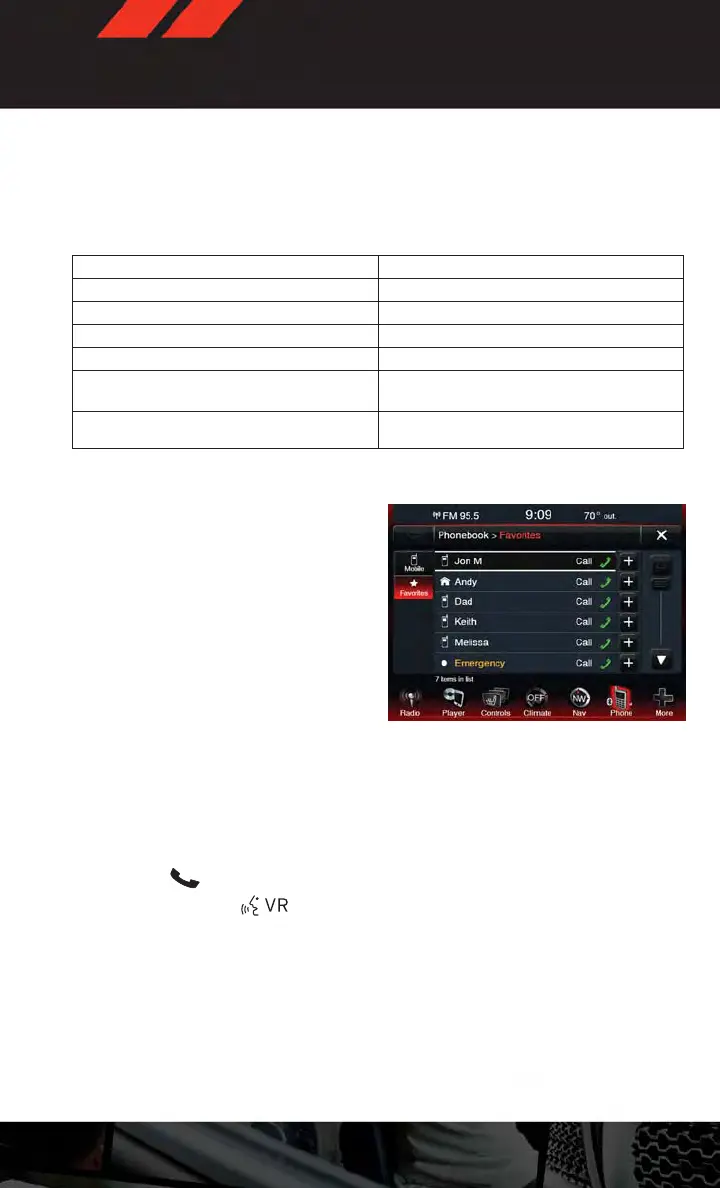
• Favorite phonebook entries can be saved as Favorites for quicker access. Favorites are
shown at the top of your main phone screen.
Voice Command Tips
• The Phone button is for placing calls, or responding to texts, or Phone controls
• The Voice Command
button is for controlling Media, such as changing broad-
cast modes, (FM, SATELLITE), or Tuning to stations (95.5 or “Symphony Hall” )
• Take care to speak into the Voice Command System as calmly and normally as possible.
The ability of Voice Command to recognize user voice commands may be negatively
affected by rapid speaking or a raised voice level.
• Use longer names that are less easily mistaken for others. For examples, say “Call John
Doe” instead of “Call John”.
• You can “chain” commands together for faster results. Say “Call John Doe, mobile”, for
example.
ELECTRONICS
63



 To Next Page
 Loading...










