SPEED CONTROL
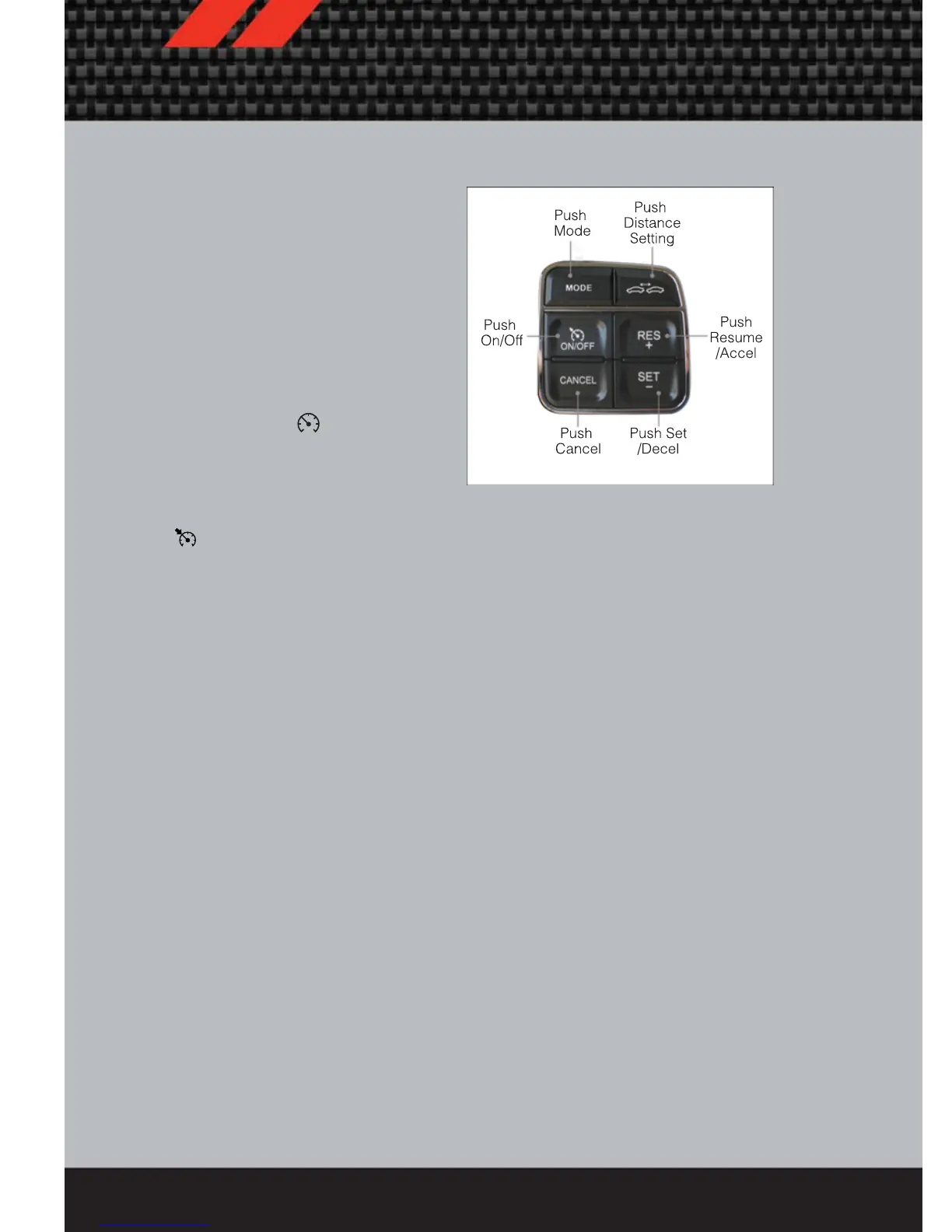
• The speed control switches are located
on the steering wheel.
NOTE: The MODE button and DISTANCE
SETTING button are only available on
vehicles equipped with Adaptive Cruise
Control (ACC).
Cruise ON/OFF
• Push the ON/OFF button to activate
the Speed Control.
• CRUISE READY
will appear on
the instrument cluster to indicate the
Speed Control is on.
• Push the ON/OFF button a second time
to turn the system off.
Set
• With the Speed Control on, push and release the SET – button to set a desired
speed.
Accel/Decel
• Once a speed is set, pushing the RES + button once or the SET – button once will
increase or decrease the set speed approximately 1 mph (2 km/h).
Resume
• To resume a previously selected set speed in memory, push the RES + button and
release.
Cancel
• Push the CANCEL button, or apply the brakes to cancel the set speed and
maintain the set speed memory.
• Push the ON/OFF button to turn the system off and erase the set speed memory.
Adaptive Cruise Control (ACC)
• If your vehicle is equipped with adaptive cruise control the controls operate exactly
the same as the standard cruise control with one difference. You can set a
specified distance you would like to maintain between you and the vehicle in front
of you.
• If the ACC sensor detects a vehicle ahead, ACC will apply limited braking or
acceleration automatically to maintain a preset following distance, while matching
the speed of the vehicle ahead.
• If the sensor does not detect a vehicle directly ahead of you, it functions like a
standard cruise control system, maintaining the speed you set.
OPERATING YOUR VEHICLE
30















 To Next Page