Instructions manual / GX Screwdrivers
9
10. Operation
10.1 Speed change in standard model ( GX___ )
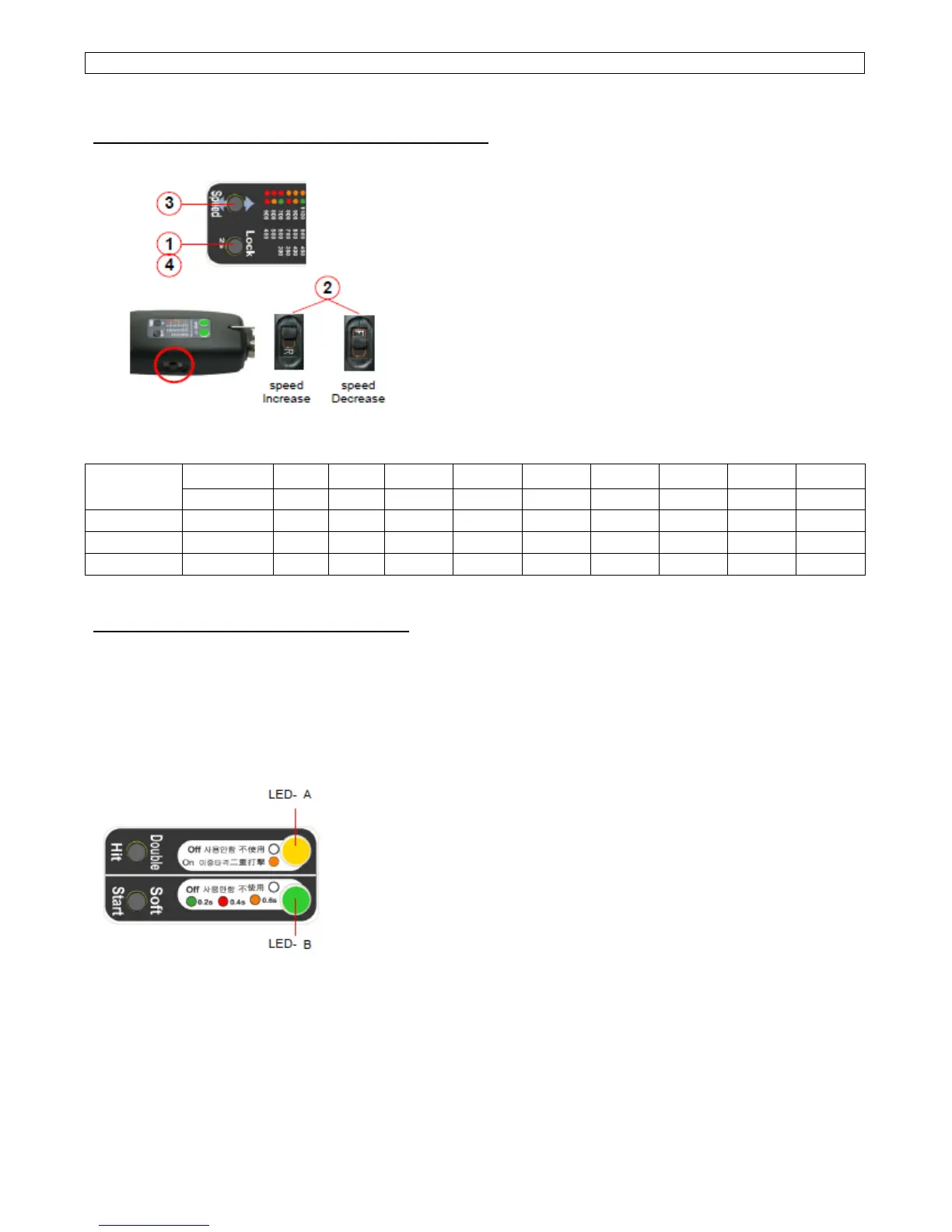
1) Keep pressing the Lock button for 2 second to visit
to PROGRAM mode. Then two LED lights will display
the set speed.
2) Select "Reverse" of F/R switch for increasing speed
or select "Forward" of F/R switch for increasing speed.
3) Press "Speed" button and select the target speed.
The set speed can be recognized by the colors of two
LED as below.
4) Keep pressing the Lock button for 2 second to go
back to operating(work) mode.
■ Speed display by two LED color (Standard model)
LED
● ● ● ● ● ● ● ● ● ● ● ● ● ● ● ● ● ●
Model
Button
1th 2nd 3rd 4th 5th 6th 7th 8th 9th
GX150
RPM 800 900 1000 1100 1200 1300 1400 1500 1700
GX220
RPM 600 650 700 750 800 900 1000 1100 1250
GX450
RPM 300 340 380 415 450 490 530 565 600
10.2 Soft start & Double hit ( GX___+ )
Model : GX150+, GX220+, GX450+, GX150P+, GX220P+, GX450P+
The Plus option drivers have the single speed of the maximum in the speed range.
■ Double Hit
When "Double Hit" is chosen by the Double Hit button, LED A will light Orange color.
During the motor run, LED A will display Green light.
■ Soft Start
The rotation speed reaches to the target speed
gradually after the soft start time as below.
● Green : 0.2 second
● Red : 0.4 second
● Orange : 0.6 second



 To Next Page