48
DESCRIPTION OF TRANSMITTER PARTS
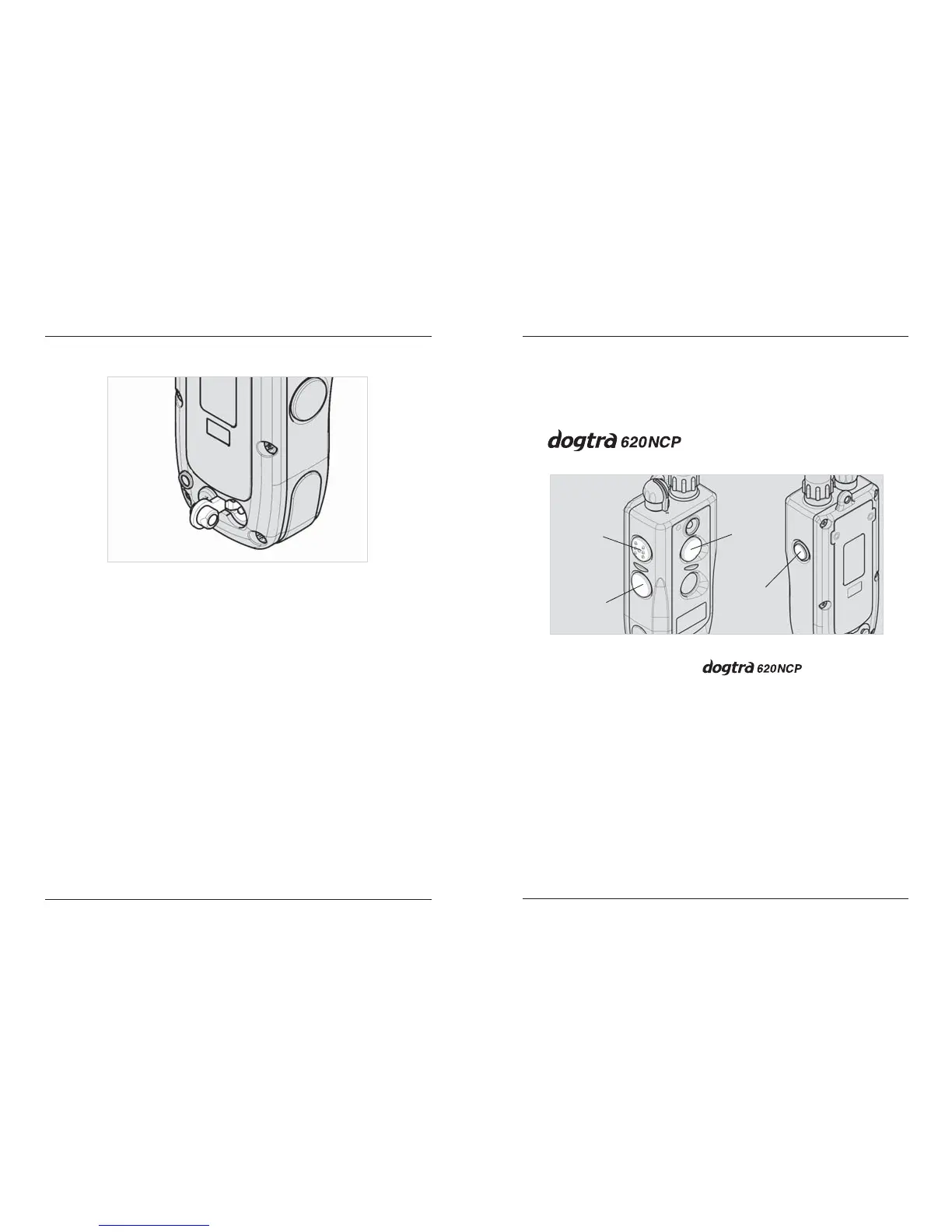
Transmitter Battery Charging Receptacle &
Rubber Plug
Located on the backside of the transmitter, the
charging receptacle is covered by a rubber plug.
Insert one end of the battery charging cable into the
receptacle to charge the battery (See Battery
Charging Procedure on page 63).
After charging is completed, close the receptacle
with its rubber plug to make sure dirt or water does
not get inside.
49
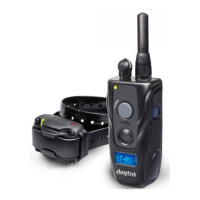
BUTTON FUNCTION
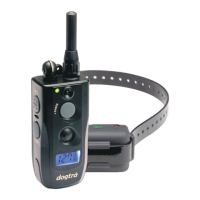
The transmitter for the
single dog unit has four buttons (one on the face of
the transmitter, two on the left side and one on the
right side).
BUTTON FUNCTION
Nick
Pager
ON/OFF Switch
Constant
(1-dog)
“Nick” Button
The “Nick” button is located on the top left. It is
imprinted with the letter “N” for an easy, clear
selection. When the “Nick” button is pushed the
receiver emits a single, rapid pulse of electrical
stimulation.


 To Next Page