54 55
8. CODE SETTING
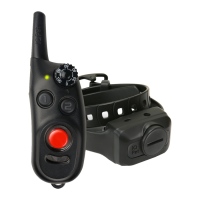
Code Setting 1st Dog Position
1. Set the Rheostat Dial on the handheld
transmitter to 0 and slide the dog
selector toggle switch left to align
with "l".
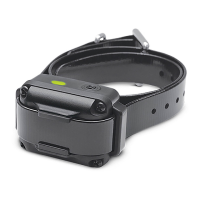
2. Starting with the receiver/collar turned
off, place the receiver/collar in code
setting mode by holding the red dot
on the transmitter to the red dot on
the receiver/collar. The LED on the
receiver/collar will rapidly blink green
when successfully in code setting
mode. Once in code setting mode,
separate the receiver/collar and the
transmitter.
on the transmitter to the red dot on
the receiver/collar. The LED on the
receiver/collar will rapidly blink green
when successfully in code setting
mode. Once in code setting mode,
separate the receiver/collar and the
transmitter.
3. While the green LED is rapidly
blinking on the receiver/collar, press
the Nick and Constant buttons on the
transmitter simultaneously. The LED
indicator on light on the receiver/collar
will blink every 4 seconds when the
coding is complete.
3. While the green LED is rapidly
blinking on the receiver/collar, press
the Nick and Constant buttons on the
transmitter simultaneously. The LED
indicator on light on the receiver/collar
will blink every 4 seconds when the
coding is complete.
Code Setting 2nd Dog Position
1. Set the Rheostat Dial on the handheld
transmitter to 0 and slide the dog
selector toggle switch left to align
with "ll".
2. Starting with the receiver/collar turned
off, place the receiver/collar in code
setting mode by holding the red dot


 To Next Page