24 25
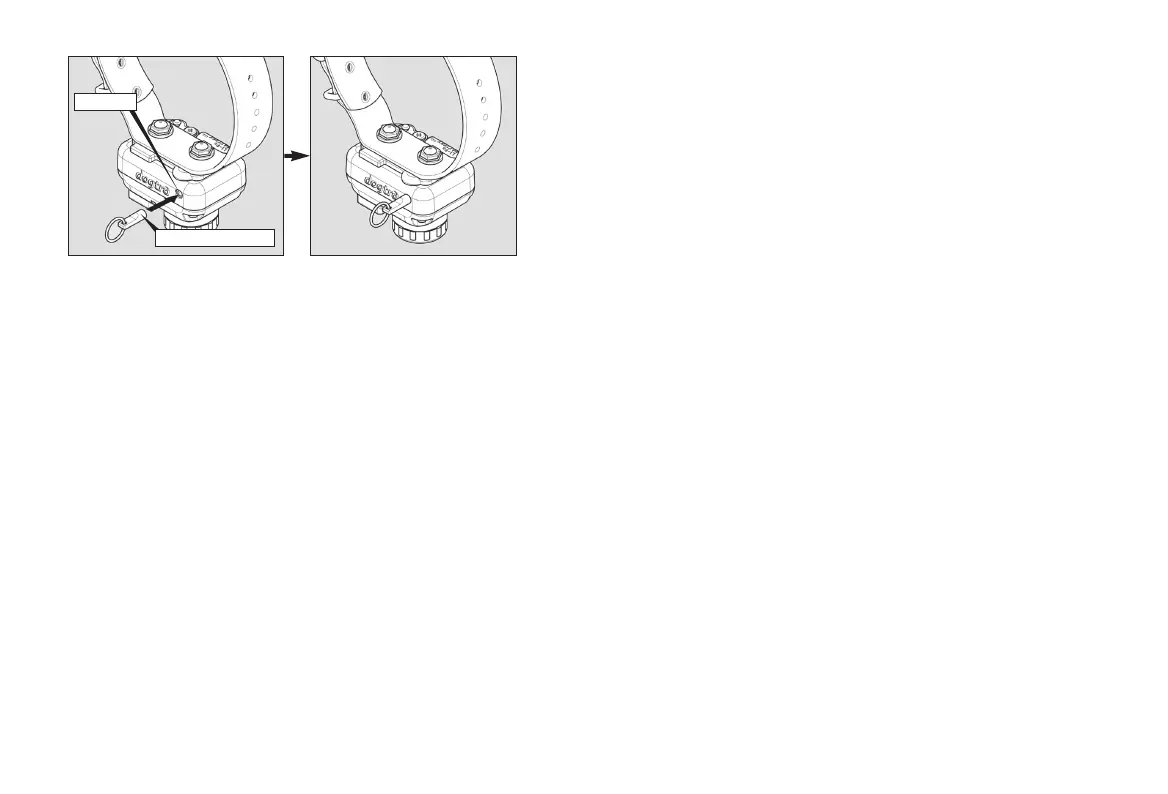
Magnet Activated Power/Mode Selection Switch (Red Dot)
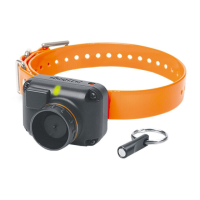
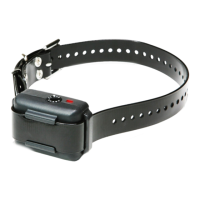
To activate the Dogtra StB-Hawk, place the activation magnet to
the red dot of the beeper collar. Hold them together for a moment
until the LED indicator light comes on. A melody will play when
the unit is activated.
The Dogtra StB-Hawk will always start in a Run/Point mode. To
select a Point Only mode, place the activation magnet to the red
dot of the beeper collar again for 0.5 to 1 second then release (First,
the beeper collar has to be turned on.).
When a Point Only mode is selected, the beeper collar will emit
a hawk or beep sound. If you want to select a Run/Point mode
again, repeat the same procedure when you select a Point Only
mode.
Red Dots
Activation Magnet
When a Run/Point mode is selected, the beeper collar will emit a
double beep.
To deactivate the Dogtra StB-Hawk, place the activation magnet
to the red dot of the beeper collar. Hold them together until the
LED indicator turn to red. A melody will play when the unit is
deactivated.



 To Next Page