
 Need help?
Do you have a question about the Dok CR08 and is the answer not in the manual?
Connects the AC/DC adapter to power the dock and operate the unit.
Details the purpose and requirements for the battery backup feature.
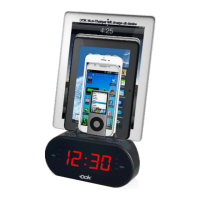
Instructions for placing and charging devices in the cradle.
Guide to setting the clock and sleep timer functions.
Instructions for tuning and managing FM radio stations.
How to select previously saved radio stations.
Connect external audio devices via the AUX IN jack.
Step-by-step guide to setting alarms and alarm types.
How to check, activate, and deactivate alarms.
How to use the snooze function to delay alarms.
 General
| Input | AC 100-240V, 50/60Hz |
|---|---|
| Output Current | 1A |
| Compatibility | AA, AAA, C, D |
| Charging Slots | 8 |
| Charging Indicator | LED light |
| Protection Features | Overcharge protection, short circuit protection |

 To Next Page