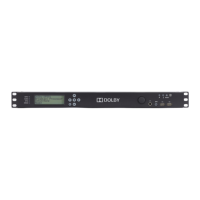
DP564 Multichannel Audio Decoder
vi
List of Figures
Figure 1-1 DP564 System Block Diagram .................................................................................. 1-3
Figure 2-1 Connection Ports for Digital Signals ......................................................................... 2-1
Figure 2-2 Connection Ports for Optical, Ethernet, Remote, and GPI/O .................................... 2-2
Figure 3-1 Front-Panel Controls .................................................................................................. 3-1
Figure 3-2 LED Indicators........................................................................................................... 3-6
Figure 4-1 Operating Mode Menu ............................................................................................... 4-1
Figure 4-2 Menu Showing Scrolling Options Available Both Above
and Below Current Visible Choices........................................................................... 4-1
Figure 4-3 Main Status Menu with a Valid Dolby Digital Input................................................. 4-3
Figure 4-4 Main Status Menu with a Valid PCM Input .............................................................. 4-4
Figure 4-5 Main Setup Menu....................................................................................................... 4-7
Figure 4-6 Save Preset Text Entry Screen ................................................................................. 4-13
Figure 4-7 Unit Name Text Entry Screen.................................................................................. 4-15
Figure 5-1 Real Time Analyzer (RTA) Display .......................................................................... 5-8
Figure 6-1 Cat. No. 549 Configuration Screen Showing Active Settings for Button 4............... 6-4
Figure 6-2 GPI/O Pin Configuration Screen Showing Default Settings for Pin 23..................... 6-5
Figure A-1 Metadata Flow from Production to Consumer......................................................... A-3
Figure A-2 DRC Profile Pattern ................................................................................................. A-8
List of Tables
Table 3-1 Special Button Functions............................................................................................. 3-6
Table 3-2 LED Status Definitions................................................................................................3-6
Table 4-1 Input Status Display for Streaming Input.................................................................... 4-5
Table 4-2 Factory-Reserved Presets .......................................................................................... 4-12
Table 6-1 Cat. No. 549 Default Button and LED Functions ....................................................... 6-5
Table 6-2 Default GPI/O Pin Assignments.................................................................................. 6-6
Table 6-3 Functions Available for Assignment to Input Pins ..................................................... 6-7
Table 6-4 Functions Available for Assignment to Output Pins................................................... 6-8
Table A-1 Metadata Parameters.................................................................................................. A-4
Table A-2 Outputs from Various Dolby Digital Signal Processing Equipment....................... A-10
Table A-3 Examples of Possible Metadata Settings................................................................. A-23
Table B-1 SMPTE-Specified Latency .........................................................................................B-2
Table B-2 IEC 61937 Specified Latency, with Respect to
Beginning of Dolby Digital (AC-3) burst payload......................................................B-3
Table B-3 Additional Latency in Silent Switch Mode ................................................................B-3



 To Next Page