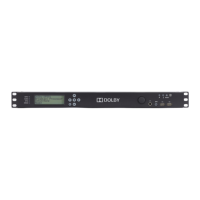
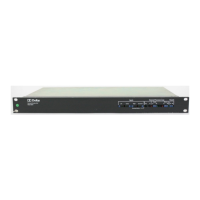
Model DP569 User’s Manual
iii
Table of Contents
List of Figures .............................................................................................................. vii
List of Tables............................................................................................................... viii
Regulatory Notices and Fuse Information .................................................................. ix
Chapter 1 Introduction .......................................................................................... 1-1
Chapter 2 Setting Up ............................................................................................. 2-1
2.1 Unpacking.................................................................................... 2-1
2.2 System Considerations................................................................ 2-1
2.2.1 Jumpers........................................................................... 2-1
2.2.2 Digital Input and Output ................................................... 2-2
2.3 Front Panel .................................................................................. 2-3
2.3.1 Front-Panel Interface ....................................................... 2-3
2.3.2 Contrast Adjust ................................................................ 2-3
2.3.3 Preset Buttons ................................................................. 2-4
2.4 Status Menu................................................................................. 2-4
2.5 Setup Menu ................................................................................. 2-4
2.5.1 Selecting Parameters ...................................................... 2-5
2.5.2 Entering Text ................................................................... 2-6
2.6 Front-Panel Indicators ................................................................. 2-7
2.6.1 Digital Input Status LEDs................................................. 2-7
2.6.2 Fault, Error, Test, Ref In, Remote, and Timecode LEDs ... 2-7
2.6.3 Channel Activity LEDs ..................................................... 2-8
2.6.4 Remote Connector........................................................... 2-8
Chapter 3 Applications.......................................................................................... 3-1
3.1 Digital Television Broadcasting.................................................... 3-1
3.1.1 Basic Integration with an MPEG Encoder or Multiplexer ... 3-1
3.1.2 Integration within a Dolby E System ................................ 3-2
3.1.3 Metadata Reversion......................................................... 3-3
3.1.4 Coding Delay and Audio/Video Synchronization.............. 3-3
3.1.5 Alarms and Monitoring..................................................... 3-4
3.1.6 Quick Start for Digital Television Broadcasting ................ 3-4
3.2 DVD Authoring............................................................................. 3-5
3.2.1 Overview.......................................................................... 3-5
3.2.2 Quick Start for DVD Authoring ......................................... 3-6
Chapter 4 Front-Panel Menus ............................................................................... 4-1
4.1 Status Menu................................................................................. 4-1
4.2 Setup Menu ................................................................................. 4-2
4.2.1 System Settings Operating Mode .................................... 4-2
4.2.2 Metadata Control ............................................................. 4-3



 To Next Page