Rebuilding the RAID with a Replacement Drive
Dolby
®
DSS200 Hard Drive Replacement Guide DRAFT 0.9 7
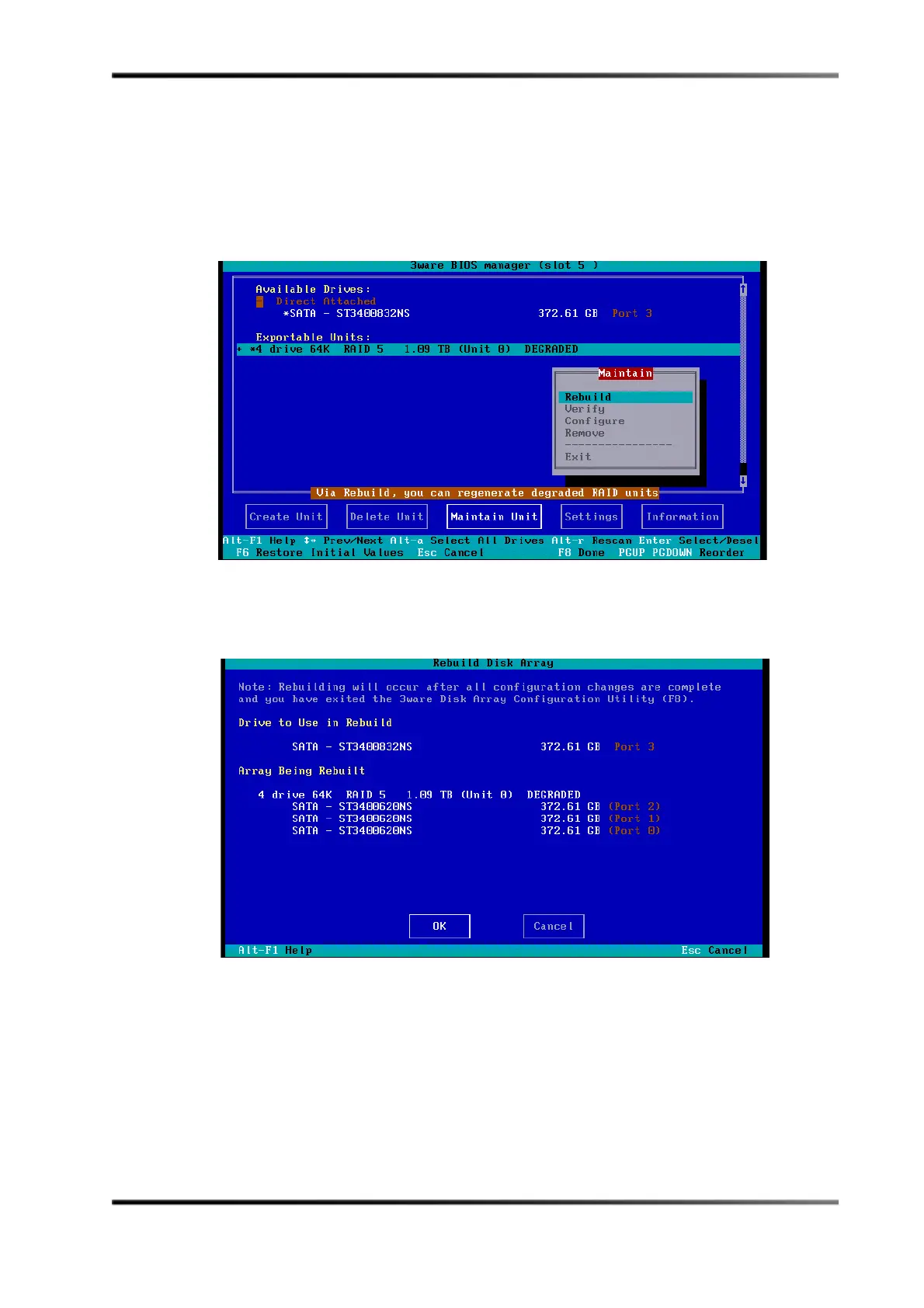
6. Usetheup/downarrowkeysonthekeyboardtohighlighttheExportable Units
(Unit 0)
line,thenpressthespacebartodisplayanasterisk(*).
7. Usethe<Tab>keytomovetotheMaintain Unitbutton,thenpress<Enter>to
displaytheMaintainpop‐upmenu,asshowninFigure 11.
8. UsethearrowkeystoselectRebuildintheMaintainmenu,asshowninFigure 11,
thenpress<Enter>.
Figure11
Figure 11 Select Rebuild in Maintain Menu
TheRebuildDiskArrayconfirmationscreenappears,asshowninFigure 12.
Figure12
Figure 12 Rebuild Disk Array Confirmation Screen



 To Next Page