6 Dolby
®
DSS200 Hard Drive Replacement Guide DRAFT 0.9
Rebuilding the RAID with a Replacement Drive
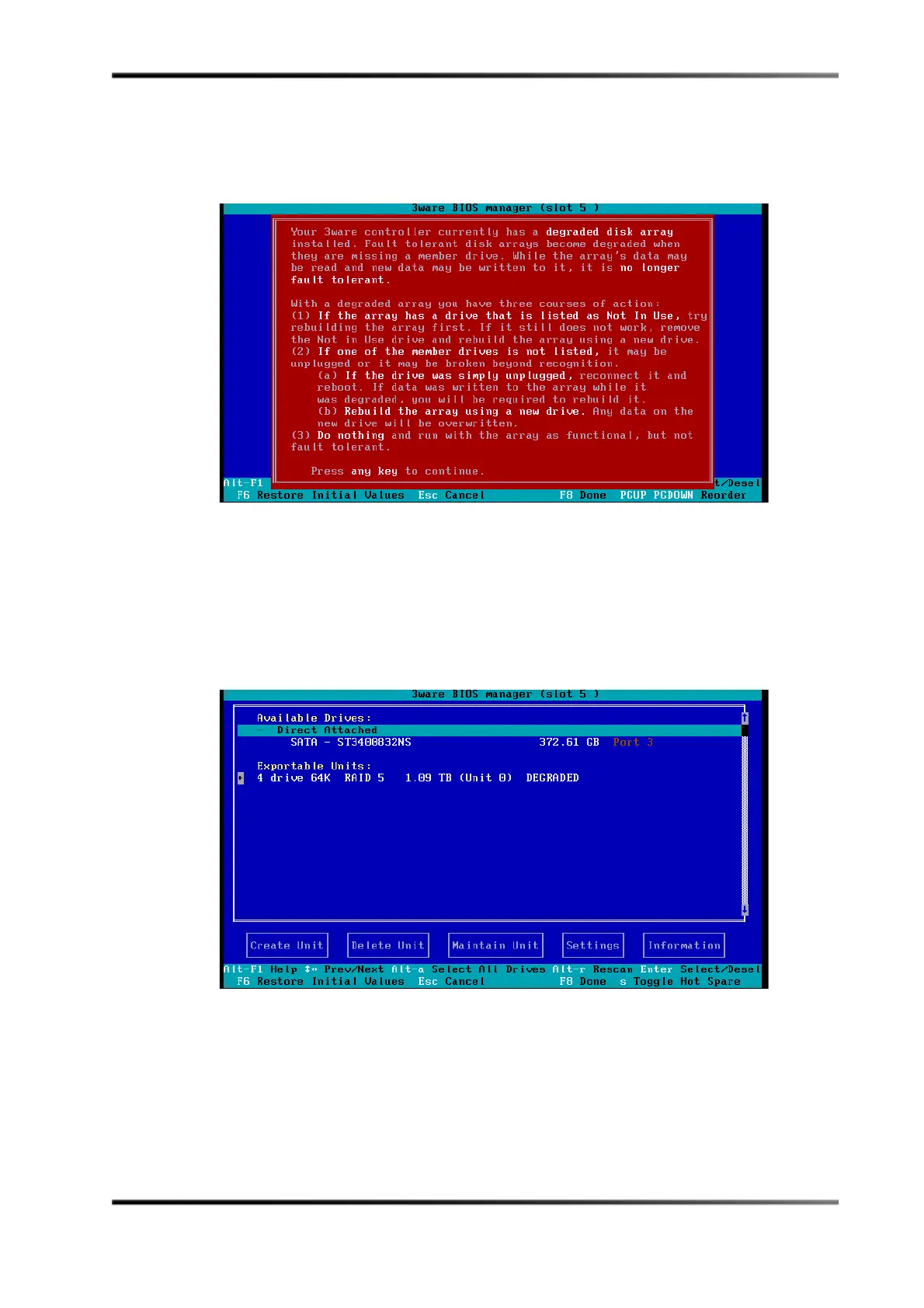
Atthispoint,the 3wareBIOSManagerlaunchesand awarningmessageinformsyou
thattheinternalRAID drivesarenowoperatinginadegradedmode,asshownin
Figure 9.
Figure9
Figure 9 Degraded RAID Warning Message
5. Pressanykeytocontinue.
Typically ,thesystemfindsthereplacementdriveunderAvailable Drives
and
showsthedegradedarrayunderExportable Units,asshownintheexamplein
Figure 10.Ifnecessary,usetheup/downarrowkeysonthekeyboardtohighlightPort
x (x=portnumberofthedriveyou’rerebuilding),thenpressthespacebartodisplay
anasterisk(
*).
Figure10
Figure 10 Degraded Drive Identified



 To Next Page