26
13 1415
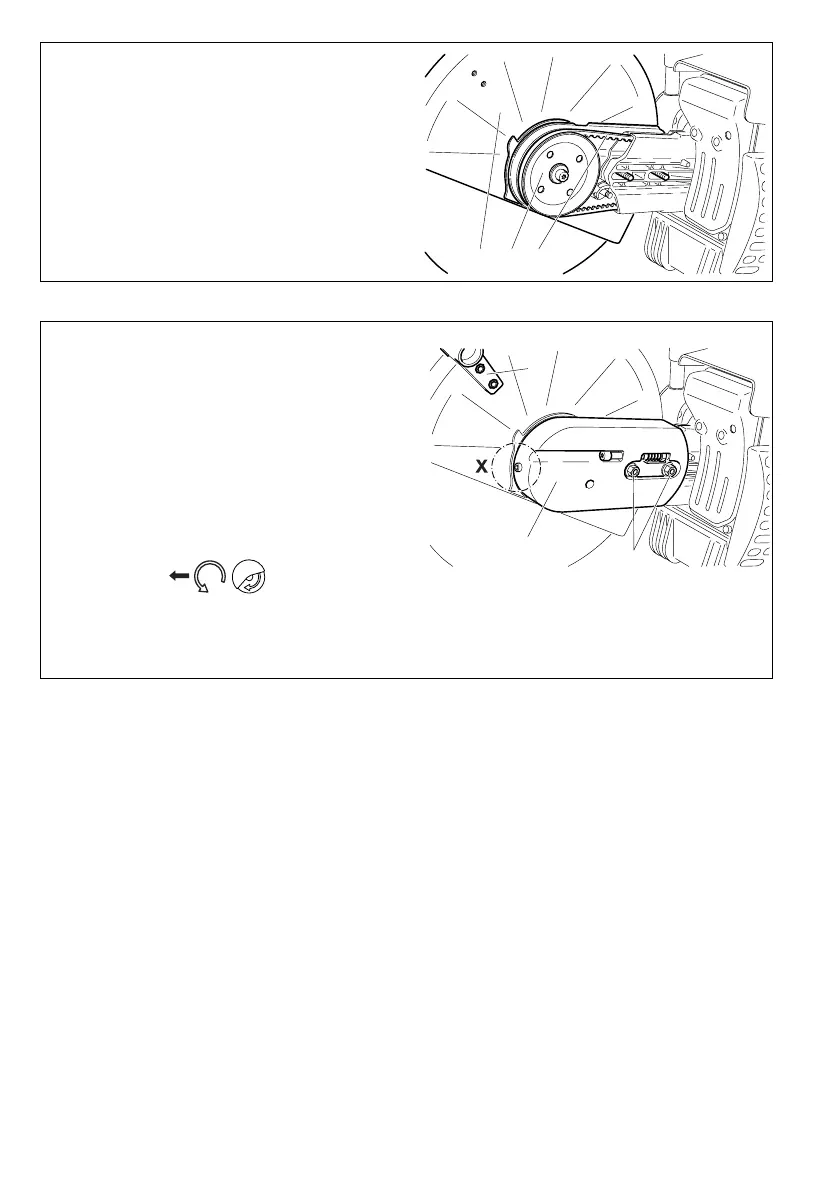
Press the cutting attachment (13) onto the drive arm in the
side position.
Guide the V-belt (14) over the V-belt pulley (15).
NOTE: The illustration shows the V-belt for models PC-6412
- 7314).
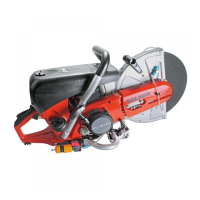
Put the guard plate (16) on.
Screw on nuts (17) and tighten by hand.
To tighten the V-belt see ”Tightening the V-belt / Checking V-
belt tension”.
Screw in and tighten the screw (detail X, only for PC-8116).
Tighten the nuts (17) Þ rmly with the combination wrench.
Replace the grip (18) as shown.
IMPORTANT:
When you reposition the cutting attachment, the direction
of rotation of the cutting wheel changes.
If a rotation direction is marked on the cutting disc, make
sure the disc turns in the right direction.
16
17
18



 To Next Page