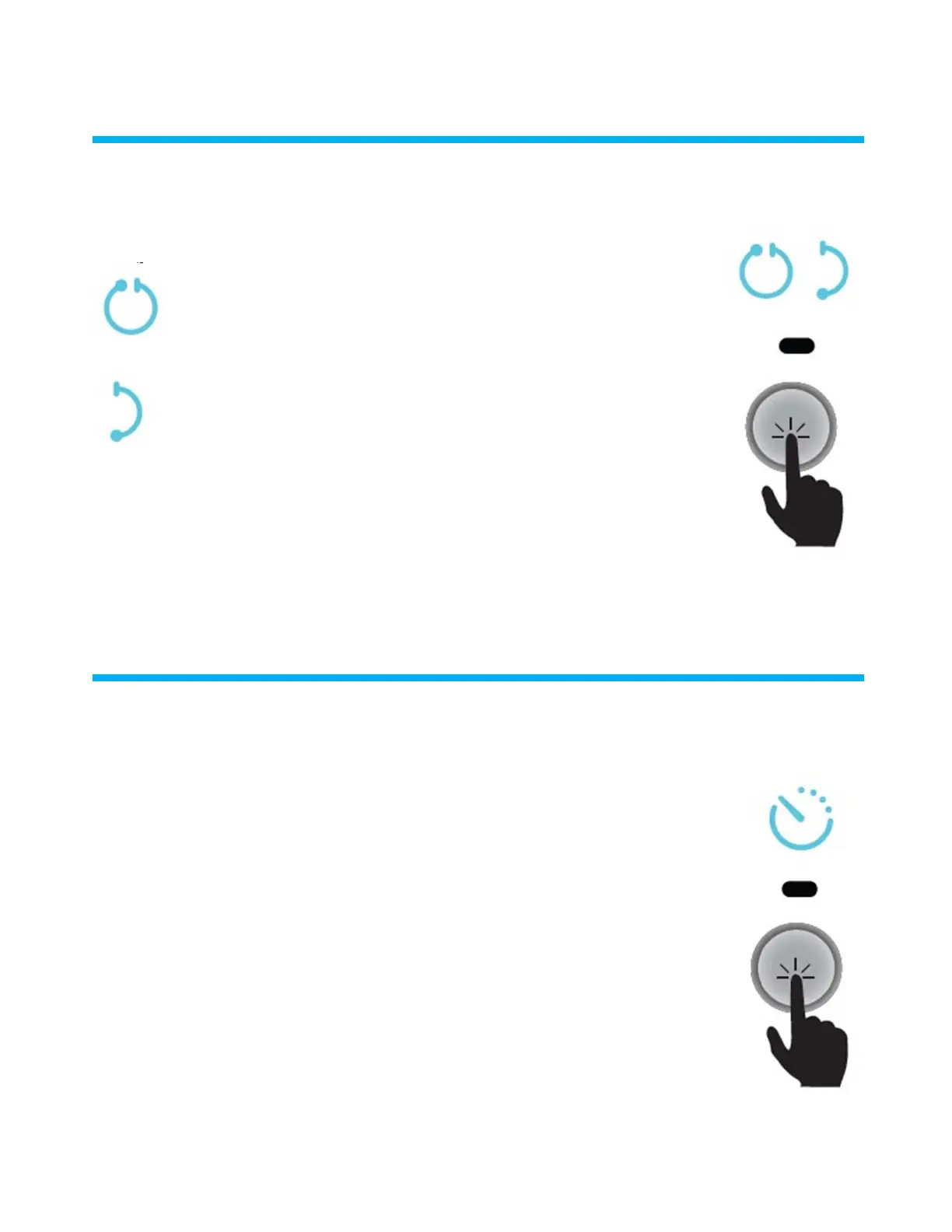
Regular/FastMode(Optional)
/
Your robot has a Fast Mode feature that enables you to select a fast cleaning cycle instead of a
standard cleaning cycle.
When the LED under the Full Cycle icon is lit: The robot will work in the
regular manner.
LED :
When the LED under the Fast mode icon is lit: The robot will
work in fast mode.
LED :
1 1 .
Note: Once Fast Mode is selected, the robot will continue to work in Fast Mode every time. To revert to the standard
cleaning method, press the button. The LED under the Full Cycle icon will light up.
:
LED
DelayedOperation(Optional)
Your robot has a Delay feature that enables you to delay the cleaning start time. This delay allows the dirt to settle
at the bottom of the pool.
When the Power supply is switched on, you can press the Delayed Operation to delay the cleaning start time.
When the LED under the Delayed Operation icon is lit:
The robot will automatically start working after a two-hour delay.
During that time, the ON button continuously blinks, waiting to start.
Once started, the ON button blinks continuously until the robot starts working.
This is a one-time operation. Delayed Operation needs to be activated each time it is required.
LED
2 .
Delay operation 1



 To Next Page