4
4) The fan will operate in
LOW, MEDLOW, MED
LOW, MEDLOW, MED
LOW, MED or
AUTOAUTO
AUTOAUTO
AUTO.
HIGHHIGH
HIGHHIGH
HIGH
speed is not selectable in the
HEAT STRIPHEAT STRIP
HEAT STRIPHEAT STRIP
HEAT STRIP mode.
The fan speed selected while in
AUTOAUTO
AUTOAUTO
AUTO is
LOWLOW
LOWLOW
LOW.
E.E.
E.E.
E.
SPECIAL CONTROL FEATURESSPECIAL CONTROL FEATURES
SPECIAL CONTROL FEATURESSPECIAL CONTROL FEATURES
SPECIAL CONTROL FEATURES
1) AUTO FAN: When selected, fan will:
a. If in COOL mode, automatically select the fan
speed depending upon the difference between
the temperature
SetpointSetpoint
SetpointSetpoint
Setpoint and the room tem-
perature.
For a temperarure difference of:
8 deg. or more - Fan operates on
HIGHHIGH
HIGHHIGH
HIGH
4 to 8 deg. - Fan operates on
MEDMED
MEDMED
MED
4 deg. or below - Fan operates on
LOWLOW
LOWLOW
LOW
b. If in
HEAT STRIPHEAT STRIP
HEAT STRIPHEAT STRIP
HEAT STRIP mode, automatically select
LOW fan speed.
c. If in
FAN ONLYFAN ONLY
FAN ONLYFAN ONLY
FAN ONLY mode, automatically select
LOWLOW
LOWLOW
LOW fan speed.
2)2)
2)2)
2)
REFRIGERANT COMPRESSOR TIME DELAY:REFRIGERANT COMPRESSOR TIME DELAY:
REFRIGERANT COMPRESSOR TIME DELAY:REFRIGERANT COMPRESSOR TIME DELAY:
REFRIGERANT COMPRESSOR TIME DELAY:
The compressor will always have a delay in
starting of approximately two minutes any time
it is required to begin the cooling cycle.
3)3)
3)3)
3)
POWER INTERRUPTIONPOWER INTERRUPTION
POWER INTERRUPTIONPOWER INTERRUPTION
POWER INTERRUPTION
In the event that power to the air conditioner or
control is interrupted, the system will restart in
the condition previously set by the user.
4)4)
4)4)
4)
ZONE CONTROLZONE CONTROL
ZONE CONTROLZONE CONTROL
ZONE CONTROL
In the event of a multiple zone installation, the
MODEMODE
MODEMODE
MODE of operation for each zone may be
independently set. If there are multiple zones,
the
LCDLCD
LCDLCD
LCD indicators
ZONEZONE
ZONEZONE
ZONE and
1,2,31,2,3
1,2,31,2,3
1,2,3 or
44
44
4 will be
illuminated. To change from one zone to an-
other, simultaneously depress the
FANFAN
FANFAN
FAN and
MODEMODE
MODEMODE
MODE pushbuttons. The indicator will change
the zone data displayed. To program each zone,
simply repeat the programming steps above in
each zone. Note, however, that the system will
prevent operating
HEATHEAT
HEATHEAT
HEAT and
COOLCOOL
COOLCOOL
COOL at the same
time.
5. MAINTENANCE5. MAINTENANCE
5. MAINTENANCE5. MAINTENANCE
5. MAINTENANCE
AIR FILTERAIR FILTER
AIR FILTERAIR FILTER
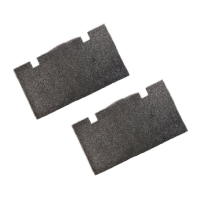
AIR FILTER: Periodically remove the return air filter. Wash
the filter with soap and warm water; let dry and then
reinstall or replace as required.
NOTE: Never run the air conditioner without return airNOTE: Never run the air conditioner without return air
NOTE: Never run the air conditioner without return airNOTE: Never run the air conditioner without return air
NOTE: Never run the air conditioner without return air
filter in place. This may plug the unit evaporator coilfilter in place. This may plug the unit evaporator coil
filter in place. This may plug the unit evaporator coilfilter in place. This may plug the unit evaporator coil
filter in place. This may plug the unit evaporator coil
with dirt and may substantially affect the performancewith dirt and may substantially affect the performance
with dirt and may substantially affect the performancewith dirt and may substantially affect the performance
with dirt and may substantially affect the performance
of the unit.of the unit.
of the unit.of the unit.
of the unit.
3) Momentarily depress the
FANFAN
FANFAN
FAN pushbutton until
the desired fan speed indicator (
LOW, MED,LOW, MED,
LOW, MED,LOW, MED,
LOW, MED,
HIGH, AUTOHIGH, AUTO
HIGH, AUTOHIGH, AUTO
HIGH, AUTO) is illuminated.
4) After 5 seconds the selected fan speed will come
on.
B.B.
B.B.
B.
COOLING MODE OPERATIONCOOLING MODE OPERATION
COOLING MODE OPERATIONCOOLING MODE OPERATION
COOLING MODE OPERATION
1) Momentarily depress the
MODEMODE
MODEMODE
MODE pushbutton until
the
COOLCOOL
COOLCOOL
COOL indicator on the LCD is illuminated.
2) Momentarily depress the UP or DOWN pushbutton
until the desired temperature Setpoint is displayed.
3) The compressor will come on after a delay of
approximately 2 minutes.
4) The compressor will cycle OFF per the tempera-
ture
SetpointSetpoint
SetpointSetpoint
Setpoint displayed. The compressor will re-
start in approximately two minutes after the con-
trol senses the need for cooling. The fan will:
a) Continue to operate in the single selected fan
speed if the
AUTOAUTO
AUTOAUTO
AUTO fan speed is not selected.
b) Cycle OFF and ON with the compressor if the
AUTOAUTO
AUTOAUTO
AUTO fan speed is selected.
C.C.
C.C.
C.
FURNACE MODE OPERATIONFURNACE MODE OPERATION
FURNACE MODE OPERATIONFURNACE MODE OPERATION
FURNACE MODE OPERATION
(If so equipped)(If so equipped)
(If so equipped)(If so equipped)
(If so equipped)
1) Momentarily depress the
MODEMODE
MODEMODE
MODE pushbutton until
the
FURNACEFURNACE
FURNACEFURNACE
FURNACE indicator on the LCD is illuminated.
2) Momentarily depress the
UPUP
UPUP
UP or
DOWNDOWN
DOWNDOWN
DOWN pushbutton
until the desired temperature
SetpointSetpoint
SetpointSetpoint
Setpoint is dis-
played.
3) The furnace will cycle ON and OFF to provide the
selected temperature.
4) The A/C fan will not operate in the
FURNACEFURNACE
FURNACEFURNACE
FURNACE
mode.
D.D.
D.D.
D.
HEAT STRIP MODE OPERATIONHEAT STRIP MODE OPERATION
HEAT STRIP MODE OPERATIONHEAT STRIP MODE OPERATION
HEAT STRIP MODE OPERATION
(If so equipped)(If so equipped)
(If so equipped)(If so equipped)
(If so equipped)
1) Momentarily depress the MODE pushbutton until
the HEAT STRIP indicator on the LCD is illumi-
nated.
2) Momentarily depress the UP or DOWN pushbutton
until the desired temperature Setpoint is displayed.
3) The electric heat strip will cycle ON and OFF per
the temperature Setpoint displayed. The fan will:
a. Continue to operate in the selected fan speed if
the AUTO fan speed is not selected.
b. Cycle OFF and ON with the heat strip if the
AUTO fan speed is selected.



 To Next Page
 Loading...