EasyManua.ls Logo

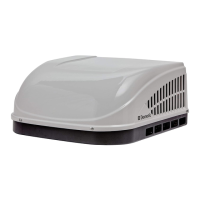
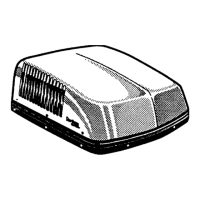
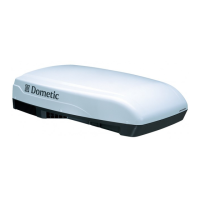
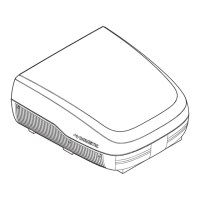
Dometic Brisk II - User Manual

Dometic Brisk II
28 pages
Print Icon
To Next Page IconTo Next Page
Loading...
CLIMATE CONTROL
AIR CONDITIONERS
Form No. 3317817.000 1/21 | ©2021 Dometic Corporation
WARNING
Cancer and Reproductive Harm
www.P65Warnings.ca.gov
Brisk Air (457915, 459516), Brisk II (B57915, B59516),
High Performance (540315, 540316), Blizzard NXT (H540315, H540316),
Penguin (640312, 640315, 640316), Penguin II (640312C, 640315C, 640316C),
FreshJet (FJX3473, FJX3573)
EN
Value Air Distribution Box,
Mechanical
Installation and Operation Manual . ........2

Questions and Answers

  • D
    Daniel ScottAug 19, 2025
    Why is my Dometic Brisk II Air Conditioner not maintaining the desired temperature?
    • J
      Judith KaufmanAug 19, 2025
      Your Dometic Air Conditioner might struggle to maintain the desired temperature if the RV is gaining heat due to high outdoor temperatures or humidity. To mitigate this, park the RV in a shaded area. Additionally, use window shades, blinds, or curtains, keep windows and doors closed or minimize their use, and avoid using heat-producing appliances inside the RV. You can also operate the product in the High Fan/Cooling mode or start the product before the outside temperature increases.
  • T
    tracymartinAug 21, 2025
    How to fix a Dometic Air Conditioner that won't turn on?
    • B
      Brian OliverAug 21, 2025
      If your Dometic Air Conditioner isn't working, check if the circuit breaker has been activated and reset it if necessary. Also, inspect the fuse and replace it if it has blown.
  • J
    Jennifer LaneAug 23, 2025
    What to do if my Dometic Air Conditioner doesn't cool enough?
    • M
      Maria FrancisAug 23, 2025
      If your Dometic Air Conditioner isn't maintaining the desired temperature, consider that the RV's heat gain could be affected by high outdoor temperatures or humidity. Try parking the RV in a shaded area. Additionally, use window shades, blinds, or curtains, keep windows and doors closed or minimize their use, and avoid using heat-producing appliances inside the RV. You can also operate the product in the Turbo Fan/Cooling mode or start the product before the outside temperature increases.
  • J
    Jennifer SantosAug 26, 2025
    What to do if frost forms on the evaporator coil of my Dometic Brisk II?
    • T
      Timothy PughAug 26, 2025
      If you notice frost forming on the evaporator coil of your Dometic Air Conditioner, it could be due to very cold output at a very low air speed, or the outside temperature may be relatively low. First, inspect and clean the filter. Then, open the air vents and remove any obstructions. Confirm that a minimum of two distribution vents, or the quick cool vent and one vent, are open. Adjust the thermostat control knob to a warmer setting (counterclockwise). You can also operate the product on any Fan Only setting until the coil is free of frost.
  • C
    Colleen GuzmanAug 27, 2025
    How to prevent condensation forming on ceilings from Dometic Air Conditioner?
    • M
      Mary JohnsonAug 27, 2025
      To reduce condensation forming on ceilings, windows, or other surfaces when using your Dometic Air Conditioner, keep doors and windows closed when the unit is in operation. This minimizes the amount of water vapor in the air that can condense on cooler surfaces.
  • M
    Mike BirdAug 29, 2025
    Why does frost form on the evaporator coil of my Dometic Brisk II?
    • S
      Suzanne JacksonAug 29, 2025
      Frost can form on the evaporator coil of your Dometic Air Conditioner if the product is producing very cold output at a very low air speed. Inspect and clean the filter. Also, open the air vents and remove any obstructions. If the outside temperature is relatively low, adjust the thermostat control knob to a warmer setting (counterclockwise). You can also operate the product on any Fan Only setting until the coil is free of frost.
  • M
    Michele FullerSep 1, 2025
    What to do if my Dometic Brisk II Air Conditioner does not operate well when connected to the motor generator?
    • R
      roymarkSep 1, 2025
      If your Dometic Air Conditioner isn't operating well and the RV is connected to the motor generator, confirm the motor generator is running and producing power. Also, confirm the fuse or circuit breaker is open and ensure the fuse is not blown, or circuit breaker is on and not activated.
  • L
    Linda HoffmanSep 3, 2025
    How to reduce condensation forming with my Dometic Brisk II Air Conditioner?
    • E
      ernestcruzSep 3, 2025
      To reduce condensation forming on ceilings, windows, or other surfaces when using your Dometic Air Conditioner, keep doors and windows closed when the unit is in operation. This helps to reduce the amount of water vapor in the air that can condense on cooler surfaces.
  • M
    Mrs. Sabrina MayoSep 5, 2025
    What to do if Dometic Air Conditioner is not working when connected to land line?
    • R
      rebecca57Sep 5, 2025
      If your Dometic Air Conditioner isn't working or is operating poorly when connected to a land line, first confirm that the land line is plugged into the power supply and that it is properly-sized for the product's power load.
  • A
    Amanda GonzalesSep 7, 2025
    What to do if Dometic Brisk II is not working when connected to generator?
    • L
      leedarleneSep 7, 2025
      If your Dometic Air Conditioner is not working, or working poorly, when connected to the motor generator, you should confirm the motor generator is running and producing power. Also, confirm the fuse or circuit breaker is open, ensuring the fuse is not blown, or the circuit breaker is on and not activated.

Summary

Service Center & Dealer Locations

Safety Symbols and Signal Words

Recognize Safety Information

Explains the use of the safety alert symbol for potential physical injury hazards.

Understand Signal Words

Defines signal words indicating hazard degree and messages for safety and property damage.

Supplemental Safety Directives

Supplemental Directives

Directives to reduce risk of accidents and injuries during installation, operation, or service.

General Safety Messages

Provides critical warnings for electrical shock, fire, and explosion hazards during product use.

Intended Use

General Information and Components

Tools and Materials

Lists recommended tools and materials for installing the ADB.

Model Identification

Explains where to find model and serial number identification labels on the unit.

ADB Components

Identifies the main components of the Air Distribution Box (ADB) with a diagram.

Rooftop Component Dimensions - Freshjet & Brisk Air

Freshjet Dimensions

Provides external dimensions and clearance measurements for the FreshJet model.

Brisk Air Dimensions

Provides external dimensions and clearance measurements for the Brisk Air model.

Rooftop Component Dimensions - Brisk II & Blizzard NXT

Brisk II Dimensions

Details external dimensions and clearance for the Brisk II model.

Blizzard NXT Dimensions

Details external dimensions and clearance for the Blizzard NXT model.

Rooftop Component Dimensions - High Performance & Penguin

High Performance Dimensions

Provides external dimensions and clearance measurements for the High Performance model.

Penguin Dimensions

Details external dimensions and clearance for the Penguin model.

Rooftop Component Dimensions - Penguin II & ADB Dimensions

Penguin II Dimensions

Details external dimensions and clearance for the Penguin II model.

ADB Component Dimensions

Provides internal dimensions for the Air Distribution Box (ADB) component.

Placement and Tilt Requirements

Tilt Requirements

Specifies tilt allowances for rooftop component placement based on model numbers.

Product Specifications

Wiring Diagrams for All Models

Freshjet Wiring Diagram

Illustrates the wiring connections for FreshJet models.

Brisk Wiring Diagram

Shows the wiring diagram for Brisk models.

Blizzard;High Performance Wiring Diagram

Details wiring for Blizzard and High Performance models.

Penguin Wiring Diagram

Illustrates the wiring connections for Penguin models.

Pre-Installation: Cooling Needs & Roof Opening Prep

Determining Cooling Needs

Guides on factors to consider when determining cooling requirements for the RV.

Preparing the RV Roof Opening

Instructions for preparing the RV roof opening for unit installation.

Preparing the RV Roof Opening

Using Existing Roof Vent Opening

Step-by-step guide for preparing an existing roof vent opening.

Making a New Roof Opening

Instructions for cutting and preparing a new roof opening.

Routing Wiring and Positioning the Rooftop Unit

Routing the Wiring

Details how to route the 115 VAC power supply wire to the rooftop component.

Positioning the Rooftop Component

Guidance on how to correctly place the rooftop component onto the RV roof.

Interior Prep and Foam Divider Installation

Preparing for Interior Work

Steps for preparing the interior space for ADB installation.

Installing Foam Dividers

Instructions for determining and installing foam dividers based on roof thickness.

Installing Foam Dividers

Foam Divider Configuration by Roof Thickness

Foam Divider Configuration for Thicker Roofs

Securing the Unit

Wiring and Connecting the Power Supply

Wiring to Power Supply

Step-by-step guide for wiring the unit to the power supply.

Connecting the Power Supply

Instructions for making the final electrical connections for the power supply.

Finalizing Installation and Operation Overview

Finalizing the Installation

Completes the ADB installation process, including filter and control knob attachment.

Operation Overview

Introduces the section on operating the rooftop component's controls and settings.

Understanding Controls and Settings

Understanding the Controls

Explains the function of the temperature and fan control knobs on the unit.

Understanding the Settings

Details how to use the cooling and fan-only settings for optimal RV climate control.

Maintenance and Troubleshooting

Cleaning the Air Filter

Provides instructions for periodic cleaning of the air filter.

Cleaning the ADB Housing

Guides on cleaning the ADB housing and control panel.

Troubleshooting

Common issues and their suggested remedies for the product.

Disposal and Warranty Information

Disposal

Information on how to properly dispose of packaging and the product.

Limited Two-Year Warranty

Details the limited two-year warranty coverage and contact information.

Dometic Brisk II Specifications

General IconGeneral
BrandDometic
ModelBrisk II
CategoryAir Conditioner
LanguageEnglish

Related product manuals