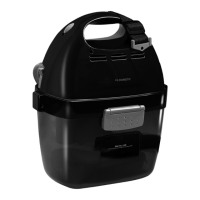
Using the vacuum cleaner CV1004
14
Connecting electrical power to the vacuum cleaner
➤ Connect the orange-coloured 24 Vg cables on the rear of the device to
the contacts on the hose socket (fig. c, page 6).
!
➤ Connect the 230 V connection cable to a suitable socket (fig. d, page 6).
8 Using the vacuum cleaner
A
8.1 Vacuuming using the central vacuum cleaner
➤ Open the sliding cover (fig. 2 2, page 3) by sliding it to the right.
➤ Insert the hose into the hose connection on the device.
➤ Set the switch to position “I” (fig. 2 1, page 3) to switch on the device.
✓ The vacuum cleaner switches on.
➤ Set the switch to position “O” (fig. 2 1, page 3) to switch off the device.
➤ Disconnect the hose from the hose connection on the device.
➤ Close the sliding cover (fig. 2 2, page 3) by sliding it to the left.
WARNING!
Danger of electrocution and serious injury.
Only use the 230 V connection cable supplied.
NOTICE!
Do not use the vacuum cleaner without a dust bag or motor
filter.
Only use spare parts and accessories recommended by the
manufacturer.


 To Next Page
 Loading...