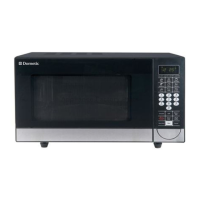
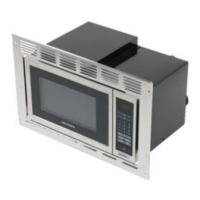
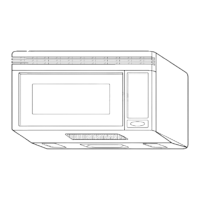
CONTROL PANEL INSTRUCTIONS
4-2
1. DISPLAY: The display includes a clock and indicators to
tell you time of day, cooking time settings, and cooking
functions selected.
2. POPCORN: Touch this pad when popping popcorn in
your microwave oven.
3. POTATO: Touch this pad to cook potatoes from 1 to 4.
4. FROZEN ENTREE: Touch this pad to cook frozen entrees
by choosing a preset weight.
5. REHEAT: Touch this pad to reheat dinner plate,
soup/sauce, casserole, roll/muffin.
6. DEFROST: Touch this pad to defrost most other frozen
foods.
7. COOK: Touch this pad to cook frozen entree, casserole,
and rice. The oven’s sensor will tell the oven how long to
cook depending on the amount of humidity it detects from
the popcorn.
8. CLOCK: Touch this pad to enter the time of day.
9. CUSTOM SET: Touch this pad to change the oven’s
default settings for sound, clock, display speed, defrost
weight.
10. EZ ON: Touch this pad to set and start quickly at 100%
power level.
11. NUMBER: Touch number pads to enter cooking time,
power level, quantities or weights.
12. TIME COOK: Touch this pad to set a cooking time.
13. POWER LEVEL: Touch this pad to select a cooking
power level.
14. START/ENTER:Touch this pad to start a function. If you
open the door after oven begins to cook, retouch
START/ENTER.
15. TURNTABLE ON/OFF: Touch this pad to turn off the
turntable. “OFF” will appear in the display.
16. OFF/CANCEL:Touch this pad to erase an incorrect
command, cancel a program during cooking, or to clear
the display.
17. LIGHT HI/LOW/OFF: Touch this pad to turn on the
cooktop/countertop light.
18. KITCHEN TIMER: Touch this pad to set the kitchen
timer.
19. VENT FAN HI/LOW/OFF: Touch this pad to turn the fan
on or off.



 To Next Page