EasyManua.ls Logo

Dometic NDS DTB01 - User Manual

Dometic NDS DTB01
212 pages
Print Icon
To Next Page IconTo Next Page
Loading...
POWER & CONTROL
DISPLAY
DTB01
EN
Display
Installation and Operating manual...............................9
DE
Display
Montage- und Bedienungsanleitung..........................17
FR
Écran
Instructions de montage et de service....................... 26
ES
Pantalla
Instrucciones de montaje y de uso............................ 35
PT
Monitor
Instruções de montagem e manual de instruções........ 44
IT
Display
Istruzioni di montaggio e d’uso................................ 52
NL
Weergave
Montagehandleiding en gebruiksaanwijzing.............. 60
DA
Display
Monterings- og betjeningsvejledning........................69
SV
Display
Monterings- och bruksanvisning............................... 77
NO
Display
Monterings- og bruksanvisning.................................85
FI
Näyttö
Asennus- ja käyttöohje.............................................93
PL
Wyświetlacz
Instrukcja montażu i obsługi.................................... 101
SK
Displej
Návod na montáž a uvedenie do prevádzky.............. 110
CS
Displej
Návod k montáži a obsluze..................................... 118
HU
Kijelző
Szerelési és használati útmutató.............................. 126
HR
Zaslon
Upute za montažu i rukovanje................................. 135
TR
Ekran
Montaj ve Kullanım Kılavuzu....................................143
SL
Zaslon
Navodila zamontažo in uporabo............................. 151
RO
Display
Manual de instalare şi de utilizare............................ 159
BG
Дисплей
Ръководство за инсталация и работа....................... 168
ET
Ekraan
Paigaldus- ja kasutusjuhend.................................... 177
EL
Οθόνη
Εγχειρίδιο
τοποθέτησης
και
χρήσης
...................185
LT
Ekranas
Montavimo ir naudojimo vadovas............................194
LV
Ekrāns
Uzstādīšanas un lietošanas rokasgrāmata..................202

Table of Contents

Question and Answer IconNeed help?

Do you have a question about the Dometic NDS DTB01 and is the answer not in the manual?

Overview

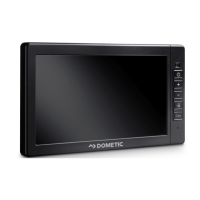
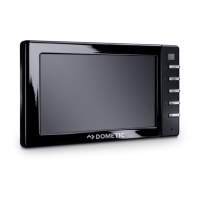
The NDS Dometic DTB01 Display is a full-color TFT 2.83" 262k touch screen designed for controlling N-BUS or CI-BUS devices and monitoring energy parameters, particularly during driving. It serves as an optional device compatible with various N-BUS or CI-BUS components such as batteries, chargers, inverters, and solar panels. The display is suitable for installation in recreational vehicles, boats, yachts, and for both stationary and mobile indoor use. It is not intended for mains operation or outdoor use.

Technical Specifications:

  • Display Type: TFT 2.83", 262k full color touch screen
  • Average Consumption (maximum brightness): 54 mA
  • Average Consumption (display off): 15 mA
  • Average Consumption (night operation): 8 mA
  • Ambient Temperature for Operation: –10 … 70 °C
  • Dimensions: 79 × 100 × 12 mm
  • Weight: 70 g
  • Certification: CE, UKCA

Function Description:

The display features a user-friendly interface with a status bar, battery state of charge (SoC) widgets, and a tab bar for navigation. The status bar shows active connections (like Bluetooth), time, and notifications. The battery state of charge is indicated in percentage and a ring diagram, along with the statuses of other connected devices. The widget section dynamically adjusts its order and form based on the connected devices.

The tab bar provides quick access to various screens via intuitive icons:

  • Home screen: The main interface for an overview of your system.
  • Settings screen: For configuring various display and device parameters.
  • Solar regulator screen: Displays information related to solar charging.
  • Battery charger screen: Shows data from the battery charger.
  • House battery screen: Provides detailed information about the connected house batteries.
  • Inverter screen: Displays data from the inverter.

Usage Features:

Upon first startup, the display automatically searches for all connected N-BUS or CI-BUS devices and presents their setup menus sequentially. Users can then navigate through various screens using selection buttons to set required data, or complete the setup later.

When the display is in use, its illumination activates for 3 minutes. If there's no further interaction within this period, the lighting automatically turns off, though the display continues to show the same content. Pressing any button reactivates the illumination, and a second press performs the button's actual function.

Displaying Data:

Users can view charging values for one or more batteries, chargers, and solar panels by pressing dedicated icons on the tab bar.

Making Settings:

From the home screen, users can access the settings screen to adjust various parameters:

  • Bluetooth: Activate or deactivate the Bluetooth connection.
  • Silent Mode: Enable or disable silent operation.
  • Display: Adjust brightness, standby time, and audio feedback.
  • Battery: Access detailed information about connected house batteries.
  • Charging Profile: View details about battery charging profiles.
  • Solar Panel: Access details about solar charging profiles.
  • Date & Time: Set the current date and time.
  • Language: Choose from supported languages (English, Italian, German, French, Spanish, Dutch).
  • N-BUS: View a list of all connected N-BUS devices.

Configuration:

The display allows for comprehensive configuration of language, time, and date. Users can select their preferred language from a list of supported options. Date and time values can be set using increment/decrement buttons, with navigation through screens via arrow icons. Advanced battery settings can be configured within the charging profile screen, where users can select battery types and capacities. Custom charging profiles can also be set up with additional parameters.

Maintenance Features:

The device is maintenance-free. For cleaning, it is recommended to occasionally wipe the product with a damp cloth.

Troubleshooting:

The manual provides a troubleshooting guide for common issues:

  • Display system not working/no states displayed:
    • Possible cause: Incorrect connection of connected devices.
    • Suggested remedy: Connect the devices properly.
    • Possible cause: Battery voltage is too low.
    • Suggested remedy: Recharge the battery.
    • Possible cause: Communication cable is not connected correctly or is defective.
    • Suggested remedy: Check the communication cable for insulation faults, breaks, or loose connections.

Safety Instructions:

The manual emphasizes several safety warnings, including:

  • Electrocution hazard: Installation, removal, and repair must be performed by qualified personnel. Do not operate if visibly damaged.
  • Fire hazard: Keep ventilation openings clear.
  • Health hazard: Can be used by children aged 8+ and persons with reduced capabilities under supervision and instruction. Children should not play with or clean/maintain the appliance unsupervised.
  • Explosion hazard: Do not store explosive substances in the device.
  • Damage hazard: Protect from heat, moisture, rain, and dust. Ensure mounting surface supports the device's weight. Use ductwork for cables through sharp edges. Fasten cables securely and do not pull them.

Dometic NDS DTB01 Specifications

General IconGeneral
BrandDometic
ModelNDS DTB01
CategoryMonitor
LanguageEnglish

Related product manuals