RH418NTE, RH418NTEG Operation
19
•Blue button (4): Medium inside temperature
With each press of the buttons on the remote control, the cooling temperature
switches between the possible values. By pressing a button, a red LED illuminates on
the remote control.
I
8
1. Remove the plastic insulation from the battery holder before initial use.
2. Align the upper side of the remote control to the LEDs of the interior light
(fig. 1 2, page 3). Maintain a distance of approx. 10 cm.
3. Press the desired button:
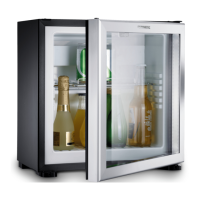
6.5 Using the minibar
A
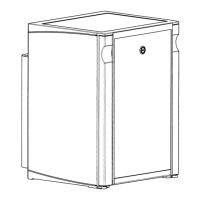
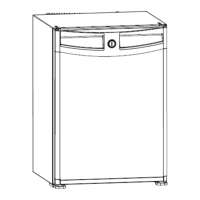
6.6 Locking the door (optional)
➤ Turn the key a quarter turn to the left to lock the cooling device (fig. g, page 9).
6.7 Switching off
1. If you wish to switch the cooling device off, pull out the connection cable.
2. Clean the interior to make sure it is dry enough.
NOTE
The red LED illuminates as soon as a signal has been sent out. Check the
batteries if the LED does not illuminate.
Button
(fig. 2 page 3)
Inside temperature LED signal
Black button (2)
Press once: Low level The LEDs of the interior light
flash at high speed.
Press twice: Lowest level (maxi-
mum performance)
Yellow button
(3)
High level (minimum perfor-
mance)
The LEDs of the interior light
flash at low speed.
Blue button
(4)
Medium level The LEDs of the interior light
flash at medium speed.
NOTICE! Damage hazard
Only store heavy objects such as bottles or cans on the bottom of the
minibar.



 To Next Page