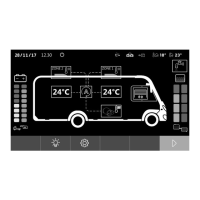
VT50WiFi Safety and installation instructions
9
2 Safety and installation instructions
The manufacturer accepts no liability for damage in the following cases:
• Damage to the product resulting from mechanical influences and excess voltage
• Alterations to the product without express permission from the manufacturer
• Use for purposes other than those described in the operating manual
Please observe the prescribed safety instructions and stipulations from the vehicle
manufacturer and service workshops.
!
WARNING!
Inadequate supply cable connections could result in short circuits, which could have as
a consequence that:
• Cable fires occur
• The airbag is triggered
• Electronic control devices are damaged
• Electric functions fail (indicators, brake light, horn, ignition, lights)
A
NOTICE!
To prevent the risk of short circuits, always disconnect the negative terminal of the
vehicle's electrical system before working on it.
If the vehicle has an additional battery, its negative terminal should also be discon-
nected.
Please observe the following instructions:
• When working on the following cables, only use insulated cable lugs, plugs and flat push-on
receptacles:
– 30 (direct supply from positive battery terminal)
–15 (connected positive terminal, behind the battery)
– 31 (return line from the battery, earth)
– L (indicator lights left)
– R (indicator lights right)
Do not use terminal strips.
• Use a crimping tool to connect the cables.
• When connecting to cable 31 (earth), screw the cable
– to the vehicle's earth bolt with a cable lug and a gear disc or
– to the sheet-metal bodywork with a cable lug and a self-tapping screw.
Ensure that there is a good earth connection.
VT50WiFi-IO-16s.book Seite 9 Freitag, 30. Juni 2017 11:04 11


 To Next Page
 Loading...