唐纳森(无锡)过滤器有限公司
Donaldson (Wuxi) Filters Co.,Ltd.
12
6.0 Control Panel
6.1 Control panel functions
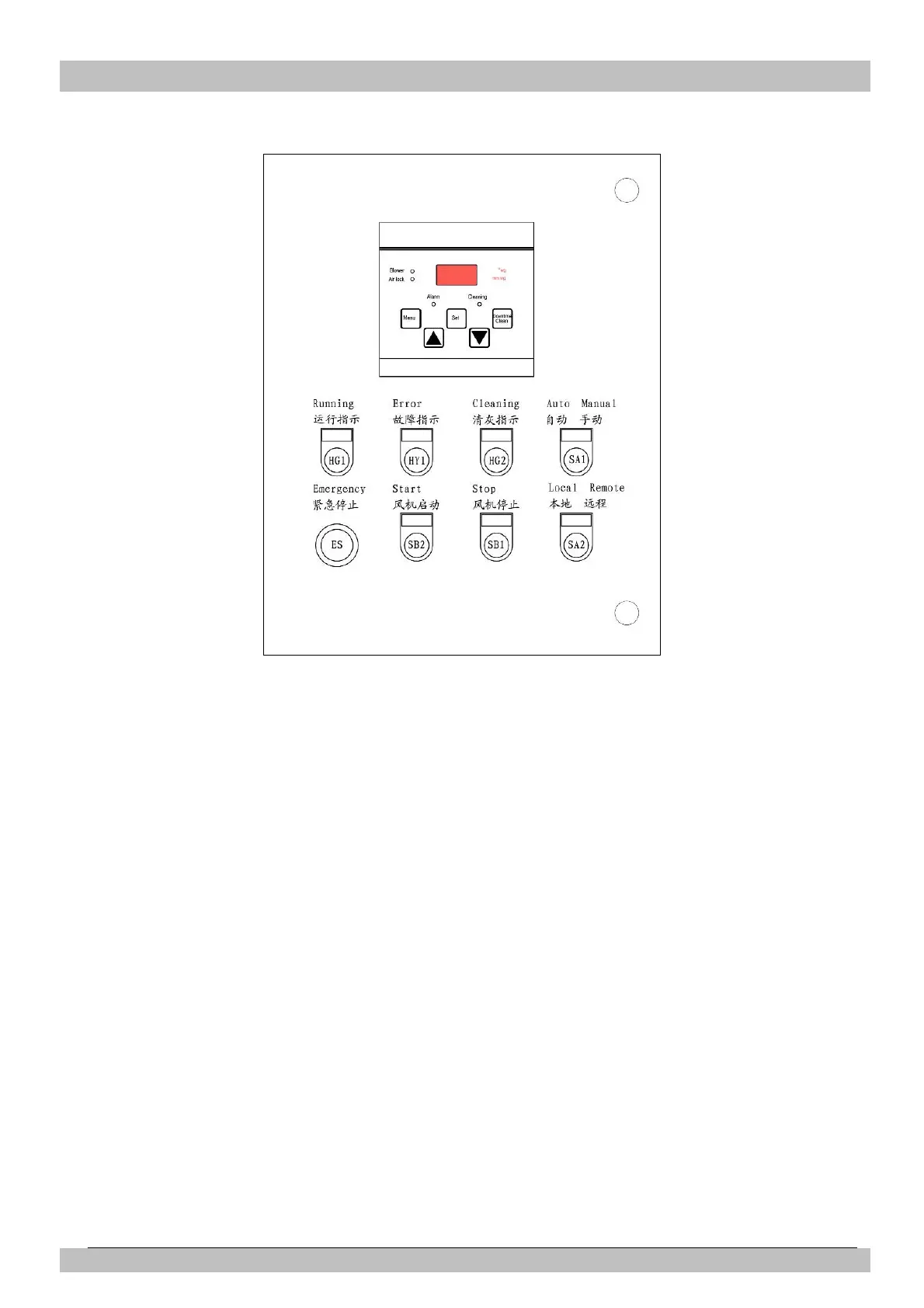
The “Local/Remote” selection switch is for
LOCAL or REMOTE fan motor on/off control
selecting. And the control panel also provides
one voltage free contact output for indication
of fan motor run/stop status.
The “Auto/Manual” selection switch for AUTO
or MANUAL cleaning control model
selecting. When the selection switch is at the
"Manual" position, the collector will clean
continually. When the selection switch is at
the "Auto" position, the collector cleaning will
controlled by the Torit Delta P-C01 controller
on the panel, and the control panel can also
provide down-time cleaning.
Fan motor overload protection and overload
indication (Error).
6.2 Operation
Ensure that the control panel is correctly
installed onto the dust collector before
starting up (check main power supply
connections, all electrical cable connections,
fan starter/fan motor connections,
solenoid/diaphragm valve connections,
compressed air tubing connections, etc.) For
safety of personnel and equipment, ensure
that the control panel is properly grounded.
Turn the main power supply switch to
"ON" position. The Torit Delta P-C01
controller will power up. All operating
instructions for the Torit Delta P-C01
controller are mentioned in a separate
manual of Delta P-C01.
Figure 6
Control Panel


 To Next Page