(P PLAY
Simultaneously press the [PLAY] key combination to start / stop playing
CLEAN
Simultaneously Press [CLEAN] key combination , according to the prompt operation can delete the currently selected user record
content; press [+] key to confirm
DEMO
(I) Simultaneously press the [DEMO] key combination to open / stop the demo song, and switch to the demo song selection status;
(2) [+/-] key adjustment; the user record, and simultaneously switch to the user record selection state, [+/-] key adjustment;
MASTER VOL
Turn the knob of total volume to adjust the main volume of the piano
RHYTHM VOL
Turn the knob of accompaniment volume to adjust the piano's accompaniment volume, demo music volume, metronome volume
SWITCH
Before opening the power switch of the host, please tune all volume down to the minimum
DEMO SONG 1 INTELLINGENT TEACHING FUNCTION
Play demo song
Digital Piano has 120 built-in demo songs, including 20 normal demo songs and 100 Cherney teaching
demo songs, used to demonstrate its rich and colorful sound and beautiful sound quality.
Users can have a preliminary understanding of this piano through the demo songs
Simultaneously press the [MEMI MEM2] and [MEMI MEM2] combination keys to start demo song
function, and the screen is shown on the right. All the demo songs will be played back in sequence. You
Song
01
Chopin Fantasie Impromptu
can press [+] or [-]key in the process to select the previous song or the next song, and the display will show the name of ihe correspond
ing track (for deiails(please refer to the demo song list on page 13). If you want to quickly select the song you can hold down the [+] or
[-] button, and at this time the track will quickly flip -When the demo song is playing, press the [TEMPO] button, then press the [+][-]
button to change the play speed of the current demo song.
Cherny teaching and practice functions
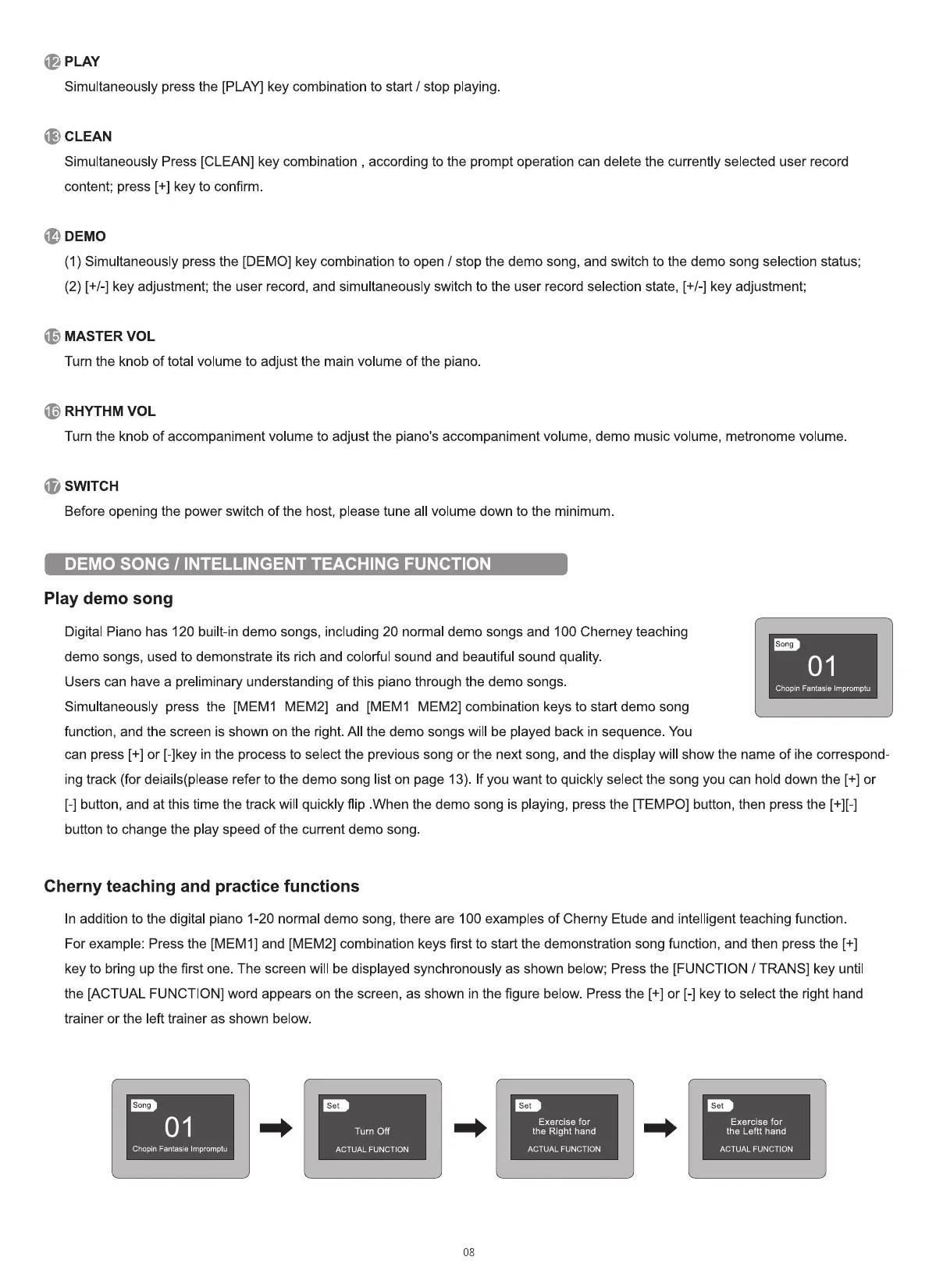
In addition to the digital piano 1-20 normal demo song, there are 100 examples of Cherny Etude and intelligent teaching function
For example: Press the [MEMI] and [MEM2] combination keys first to start the demonstration song function, and then press the [+]
key to bring up the first one. The screen will be displayed synchronously as shown below; Press the [FUNCTION / TRANS] key until
the [ACTUAL FUNCTION] word appears on the screen, as shown in the figure below. Press the [+] or [-] key to select the right hand
trainer or the left trainer as shown below.
Song
01
Chopin Fantasie Impromptu
set
Turn Off
ACTUAL FUNCTION
set
Exercise for
the Right hand
ACTUAL FUNCTION
08
set
Exercise for
the Leftt hand
ACTUAL FUNCTION


 To Next Page
 Loading...











