METRONOME
The digital piano has built-in international standard metronome, as a reference for practice or performance. Press the [METRO] button,
the metronome starts working, and the button light is on. Press the [TEMPO] button, the indicator light, and the screen shown below.
Press the [+] [-] key to speed up or slow down the metronome. Press the [FUNCTION / TRANS] button several times while the metro-
nome is working until [BEEP TYPE] appears on the screen.
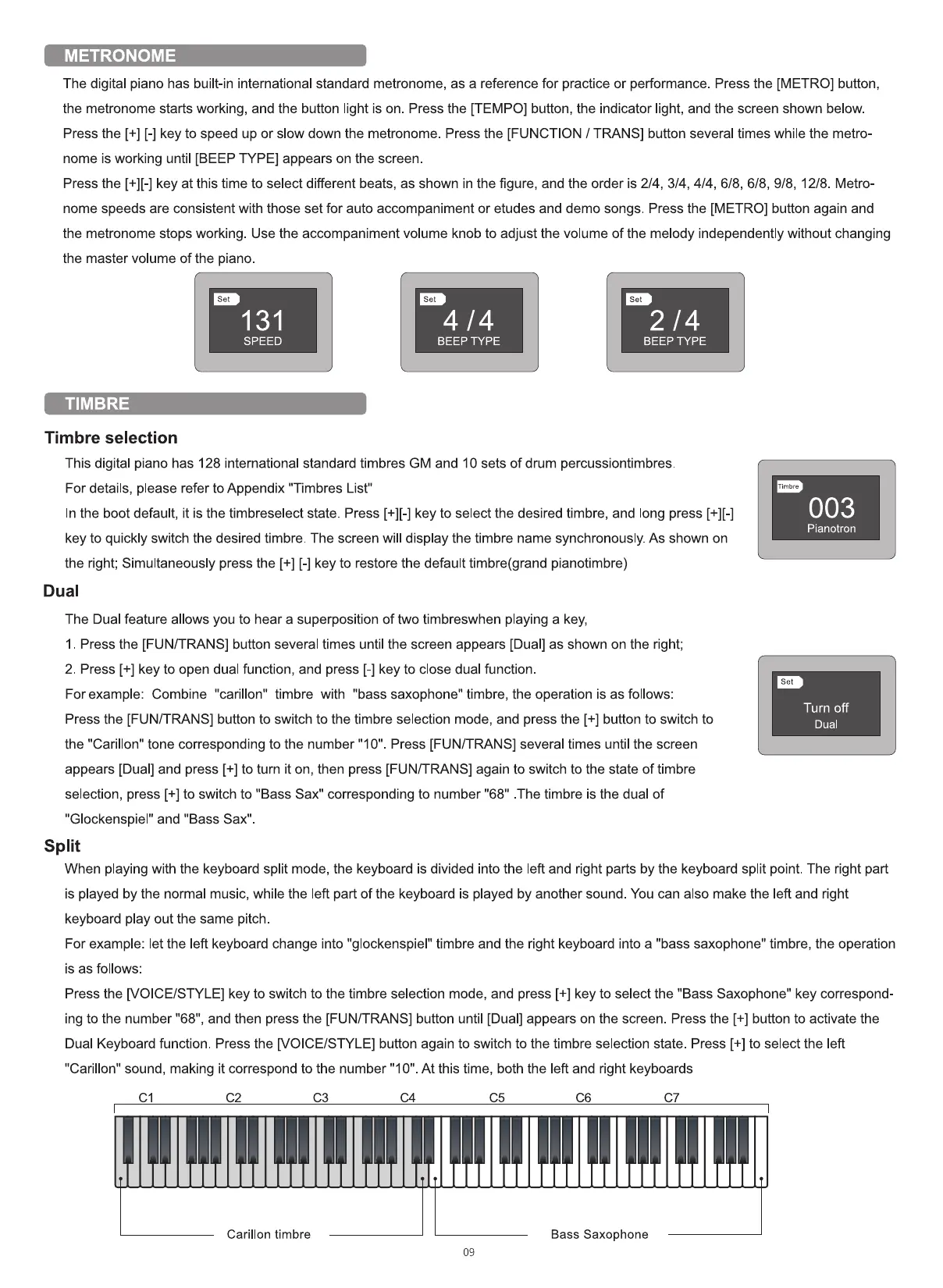
Press the [+][-] key at this time to select different beats, as shown in the figure, and the order is 2/4, 3/4, 4/4, 6/8, 6/8, 9/8, 12/8. Metro-
nome speeds are consistent with those set for auto accompaniment or etudes and demo songs. Press the [METRO] button again and
the metronome stops working. Use the accompaniment volume knob to adjust the volume of the melody independently without changing
the master volume of the piano
set
131
SPEED
TIMBRE
Timbre selection
Set
4/4
BEEp TYPE
Set
2/4
BEEp TYPE
This digital piano has 128 international standard timbres GM and 10 sets of drum percussiontimbres
For details, please refer to Appendix "Timbres List"
In the boot default, it is the timbreselect state. Press key to select the desired timbre, and long press
key to quickly switch the desired timbre. The screen will display the timbre name synchronously. As shown on
the right; Simultaneously press the [+] [-] key to restore the default timbre(grand pianotimbre)
Dual
The Dual feature allows you to hear a superposition of two timbreswhen playing a key,
I . Press the [FUN/TRANS] button several times until the screen appears [Dual] as shown on the right;
2. Press [+] key to open dual function, and press [-] key to close dual function.
For example: Combine "carillon" timbre with "bass saxophone" timbre, the operation is as follows:
Press the [FUN/TRANS] button to switch to the timbre selection mode, and press the [+] button to switch to
the "Carillon" tone corresponding to the number "10". Press [FUN/TRANS] several times until the screen
appears [Dual] and press [+] to turn it on, then press [FUN/TRANS] again to switch to the state of timbre
selection, press [+] to switch to "Bass Sax" corresponding to number "68" .The timbre is the dual of
"Glockenspiel" and "Bass Sax"
Split
Timbre
003
Pianotron
Set
Turn off
Dual
When playing with the keyboard split mode, the keyboard is divided into the left and right parts by the keyboard split point. The right part
is played by the normal music, while the left part of the keyboard is played by another sound. You can also make the left and right
keyboard play out the same pitch
For example: let the left keyboard change into "glockenspiel" timbre and the right keyboard into a "bass saxophone" timbre, the operation
is as follows:
Press the [VOICE/STYLE] key to switch to the timbre selection mode, and press [+] key to select the "Bass Saxophone" key correspond-
ing to the number "68", and then press the [FUN/TRANS] button until [Dual] appears on the screen. Press the [+] button to activate the
Dual Keyboard function. Press the [VOICE/STYLE] button again to switch to the timbre selection state. Press [+] to select the left
"Carillon" sound, making it correspond to the number "I O" At this time, both the left and right keyboards
Carillon timbre
Bass Saxophone
09


 To Next Page
 Loading...











