FUNCTION INTRODUCTION
Power Cord Connecting
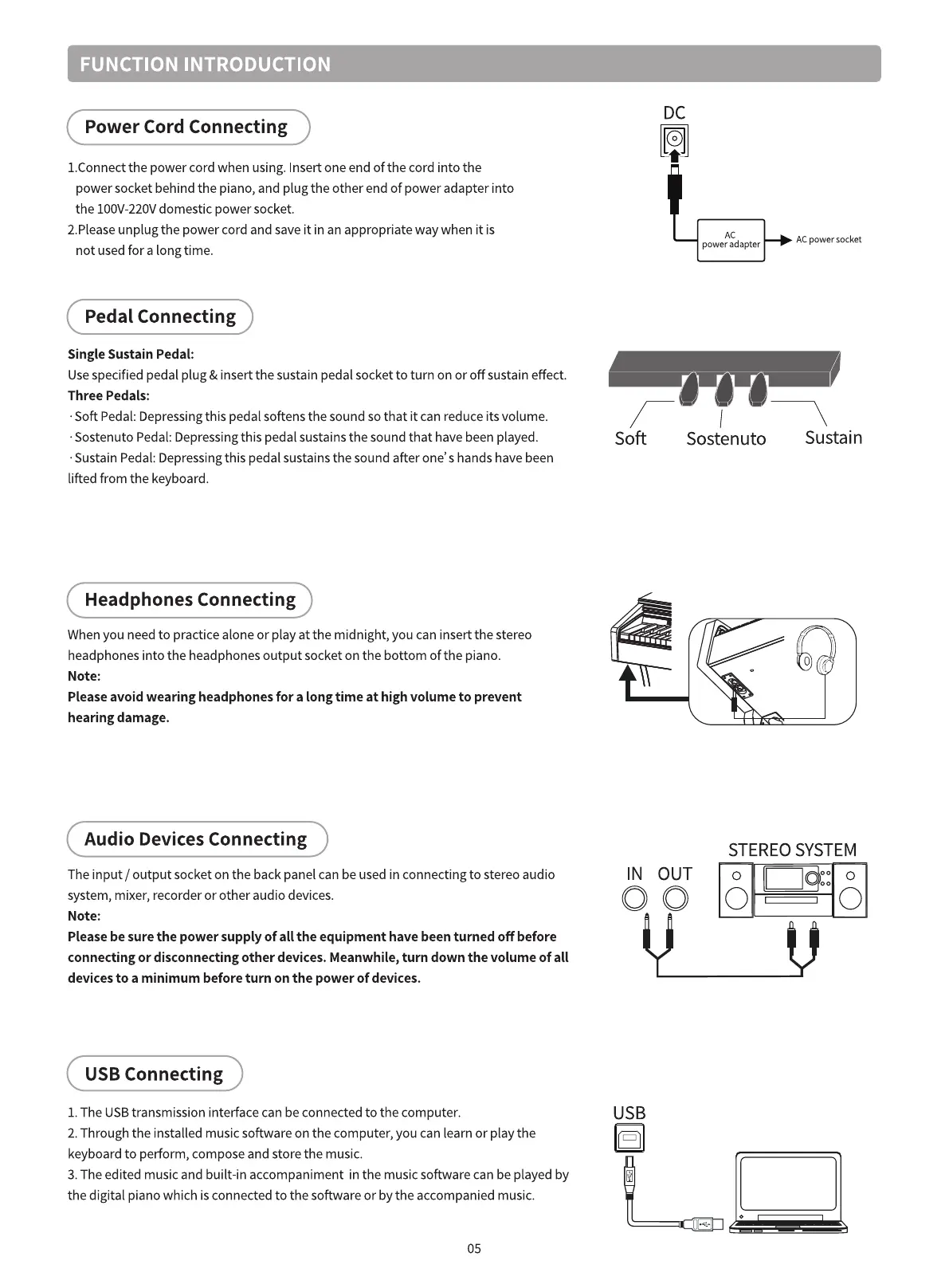
I.Connect the power cord when using. Insert one end of the cord into the
power socket behind the piano, and plug the other end of power adapter into
the IOOV-220Vdomestic power socket.
2.Pleaseunplug the power cord and save it in an appropriate way when it is
not usedfor a long time.
Pedal Connecting
Single Sustain Pedal:
Usespecified pedal plug & insert the sustain pedal socket to turn on or off sustain effect.
Three Pedals:
•Soft Pedal: Depressingthis pedal softens the sound so that it can reduce its volume.
•Sostenuto Pedal: Depressingthis pedal sustains the sound that have been played.
•Sustain Pedal: Depressingthis pedal sustains the sound after one' s hands have been
lifted from the keyboard.
Headphones Connecting
When you need to practice alone or play at the midnight, you can insert the stereo
headphones into the headphones output socket on the bottom of the piano.
Note:
Please avoid wearing headphones for a long time at high volume to prevent
hearing damage.
Audio Devices Connecting
The input / output socket on the back panel can be used in connecting to stereo audio
system, mixer, recorder or other audio devices.
Note:
Please be sure the power supply of all the equipment have been turned off before
connecting or disconnecting other devices. Meanwhile, turn down the volume of all
devices to a minimum before turn on the power of devices.
USB Connecting
I. The USBtransmission interface can be connected to the computer.
2. Through the installed music software on the computer, you can learn or play the
keyboard to perform, compose and store the music.
3. The edited music and built-in accompaniment in the music software can be played by
the digital piano which is connected to the software or by the accompanied music.
05
DC
AC power socket
power adapter
Soft
Sostenuto
Sustain
IN OUT
STEREO SYSTEM
O O



 To Next Page