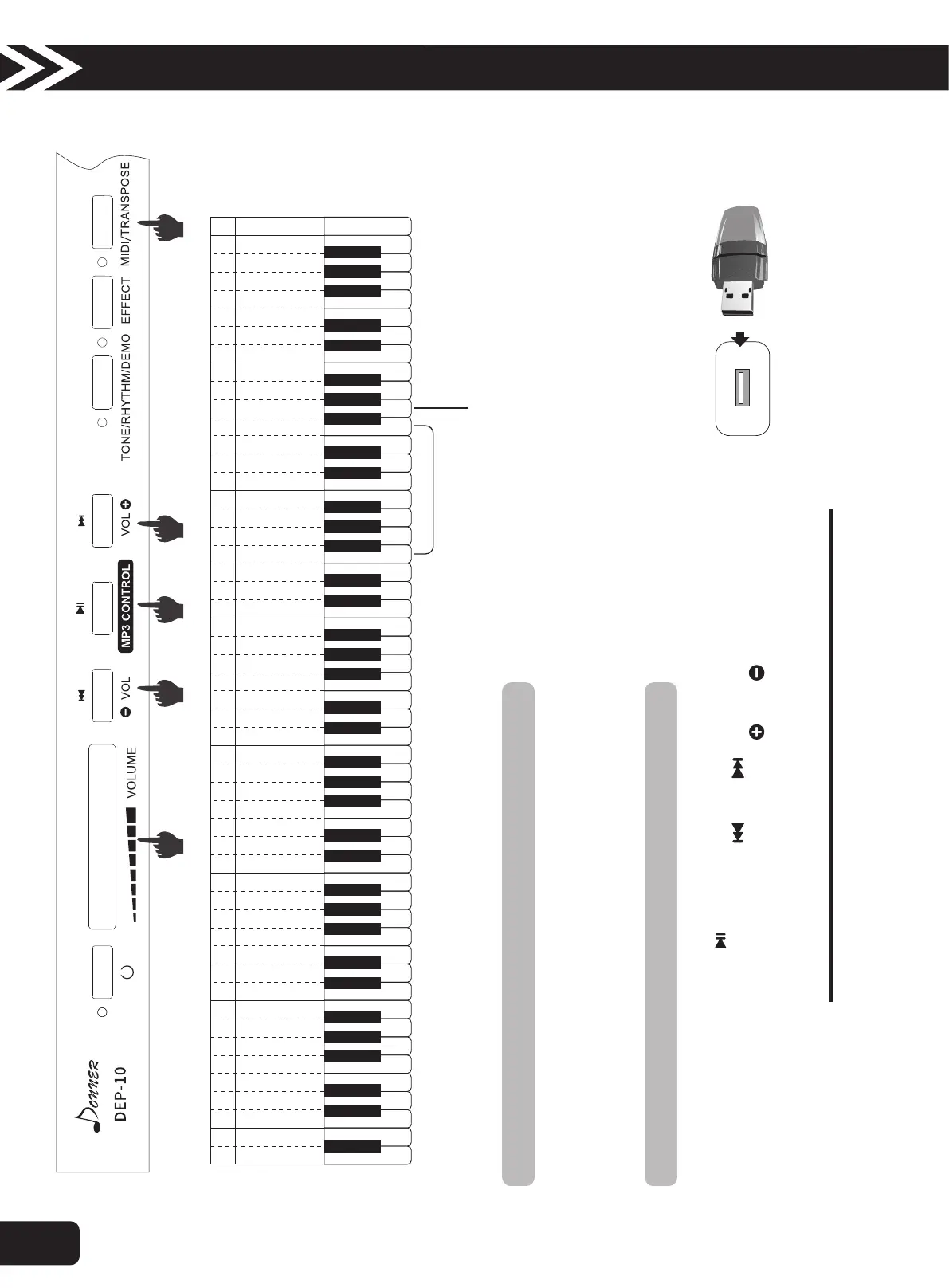
13.Transpose
The Transpose function can change the tone of the playing keyboard without changing the finger movement of the keyboard.
Ÿ 1. Press the “Transpose " button and meanwhile press the "white g3" to turn on and off the Transpose function.
Ÿ 2. Press the “Transpose " button and meanwhile press the "black & white f2-f3" in the Transpose zone to change the tone of the playing
keyboard.
A BC D E F G A BC D E F G A BC D E F G A BC D E F G A BC D E F G A BC D E F G A BC CD E F G
C
1
D
1
E
1
F
1
G
1
A
1
B
1
A
BC D E F G a bc d e f g
1 1 1 1 1 1 1 2 2 2 2 2 2 2 3 3 3 3 3 3 3 4 4 4 4 4 4 4 5
c d e f g a b c d e f g a b c d e f g a b c d e f g a b c
Transpose Switch
Transpose Selection
1. Insert the flash disk with MP3 format songs into "USB plug" and play MP3 songs in 3 seconds or so.
2. By pressing the MP3 Control " " button, MP3 songs can be paused or replayed.
3. Press once the control button of MP3 Control " " or " " lightly to select previous or next MP3 songs.
4. Adjust the volume of songs by long pressing the MP3 Volume " " or " " control button.
Ÿ The peak value of sound needs the control of main volumelever.
14.MP3 Player
Attention!
●Only support songs with MP3 format.
A B
A
2
B
2
10
Operation Guide



 To Next Page