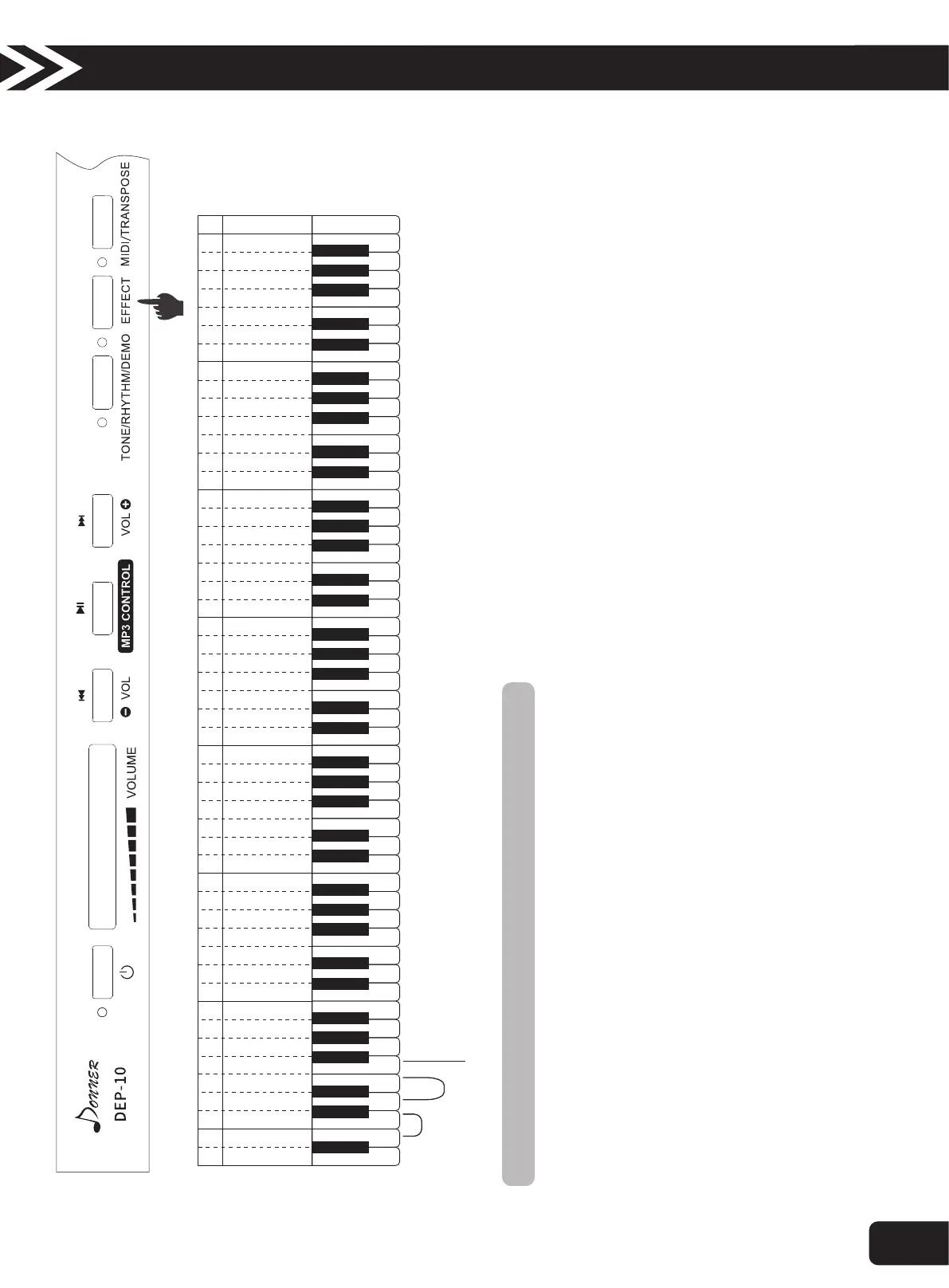
12.Recording
Recording function includes record and play the playing music. There are two tracks.
Track 1 Record & Play:
l 1. Press the “EFFECT” button and press “white B2” meanwhile on the Track 1, start to record the track 1.
l 2. When you play on the keyboards or step on the pedal, which starts to record the notes.
l 3. Press “EFFECT” again and press “white B2” on the Track 1 to stop the track 1 recording.
l 4. Press the “EFFECT” button and press “white C1” meanwhile on the Track 1, start to play the track 1 recorded notes.
Track 1 Record & Play:
l 1. Press the “EFFECT” button and press “white D1” meanwhile on the Track 2, start to record the track 2.
l 2. When you play on the keyboards or step on the pedal, which starts to record the notes.
l 3. Press “EFFECT” again and press “white D1” on the Track 2 to stop the track 2 recording.
l 4. Press the “EFFECT” button and press “white E1” meanwhile on the Track 2, start to play the track 2 recorded notes.
Track 1 & 2 Simultaneous Playing:
l Press “EFFECT” and “white F1” meanwhile , to play the reconded notes on the track 1 & 2 simultaneously.
Storage capacity is about 5000 characters. Storage content includes foot pedal operation and notes transformation. For example, when the amount of
pedal operation increases, the number of keyboard symbols played decreases relatively.
A B A BC D E F G A BC D E F G A BC D E F G A BC D E F G A BC D E F G A BC D E F G A BC CD E F G
A
2
B
2
C
1
D
1
E
1
F
1
G
1
A
1
B
1
A
BC D E F G a bc d e f g
1 1 1 1 1 1 1 2 2 2 2 2 2 2 3 3 3 3 3 3 3 4 4 4 4 4 4 4 5
c d e f g a b c d e f g a b c d e f g a b c d e f g a b c
Track 1
Track 2
Play All
Operation Guide
9



 To Next Page