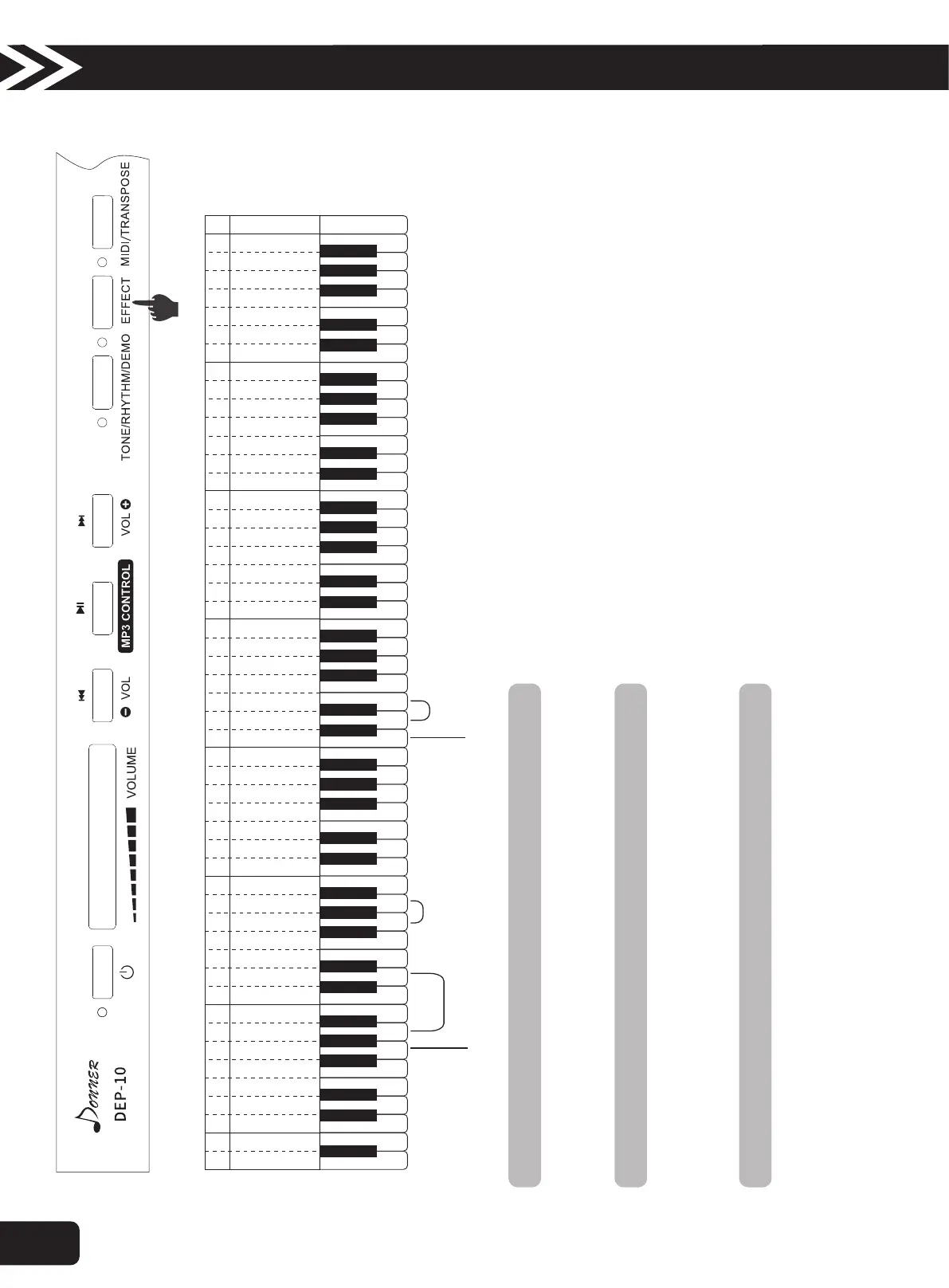
9.Dynamics Response Switch
10.Metronome Switch
1. Press the “EFFECT” button and press “ white G1” meanwhile to turn ON/ OFF the Metronome Switch.
2. Press the “EFFECT” button and press “ white A1-D” meanwhile in the Beat Selection zone to choose the types of beat, 4 types at total.
3. Press the “EFFECT” button and press “ white G-A” meanwhile in the Tempo Adjustment zone to adjust the tempo of metronome.
11.Effect Control
1. Press the “EFFECT” button and press “ white d1” meanwhile in the Tone Effect zone to turn ON/OFF the Trill effect.
2. Press the “EFFECT” button and press “ white e1” meanwhile in the Tone Effect zone to turn ON/OFF the Suspension effect.
3. Press the “EFFECT” button and press “ black #d1” meanwhile in the Tone Effect zone to turn ON/OFF the DSP effect.
+Tempo Adjustment-
Dynamics Switch
A BC D E F G A BC D E F G A BC D E F G A BC D E F G A BC D E F G A BC D E F G A BC CD E F G
1
D
1
E
1
F
1
G
1
A
1
B
1
A
BC D E F G a bc d e f g
1 1 1 1 1 1 1 2 2 2 2 2 2 2 3 3 3 3 3 3 3 4 4 4 4 4 4 4 5
c d e f g a b c d e f g a b c d e f g a b c d e f g a b c
Beat Selection
Metronome Switch
Tone Effect
A B
A
2
B
2
C
Press the “EFFECT” button and press “white C1” meanwhile, to turn ON / OFF dynamics response.
●The default is “ON”.
Operation Guide
8



 To Next Page