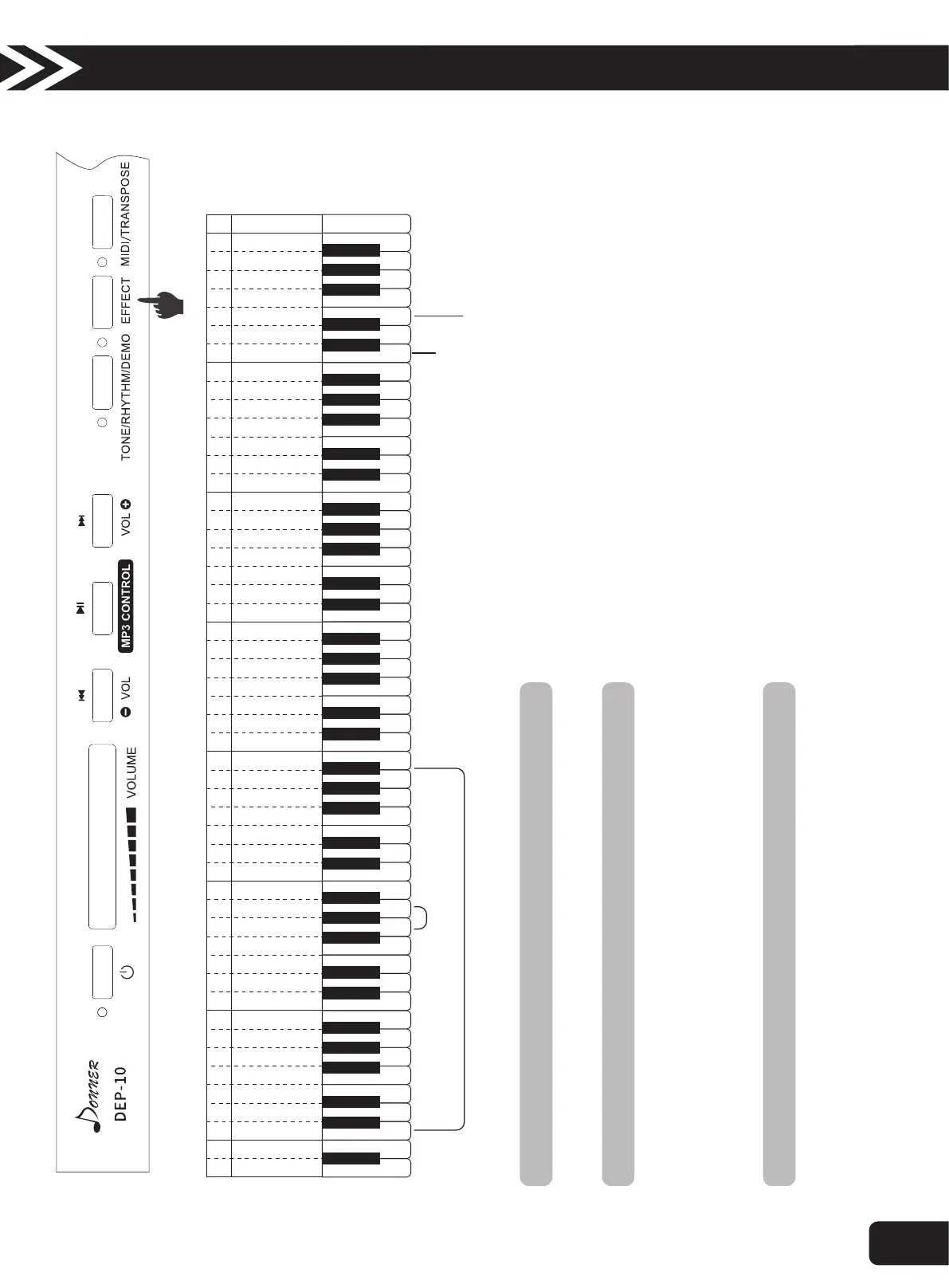
6.Tempo Adjustment
A BD E F G A BC D E F G A BC D E F G A BC D E F G A BC D E F G A BC D E F G A BC CD E F G
D
1
E
1
F
1
G
1
A
1
B
1
A
BC D E F G a bc d e f g
1 1 1 1 1 1 1 2 2 2 2 2 2 2 3 3 3 3 3 3 3 4 4 4 4 4 4 4 5
c d e f g a b c d e f g a b c d e f g a b c d e f g a b c
+Tempo Adjustment-
Chord
Chord Keys Zone
Synchronize
When playing rhythms, press “EFFECT” button and meanwhile press “white G/A” to adjust the tempo of rhythm.
7.Chords
1. When playing rhythms, press “EFFECT” button and meanwhile press “white c4”, play rhythms and chords with one finger in the left chord keys
zone (1-34 keys from left).
Press “EFFECT” button and meanwhile press “white c4” to stop playing the rhythms or chords.
2. When playing rhythms, press “EFFECT” button and meanwhile press “white d4”, play rhythms with multi-fingers in the left chord keys zone (1-34
keys from left).
8.Synchronized Startup
You can set this product so that when you play chord accompaniment on the keyboard, you can start playing rhythm at the same time.
1. In the state of chord, press “EFFECT” button, and meanwhile press “white e4”, enter synchronous start standby state.
2. Play the chord (1-34 keys from left) and the accompaniment and chord will begin to play.
3. To cancel the synchronization state, press the "EFFECT" button, and meanwhile press the "white e4" button, you can stop.
C
1
A B
A
2
B
2
C
Operation Guide
7



 To Next Page