RECORD 1 PLAY
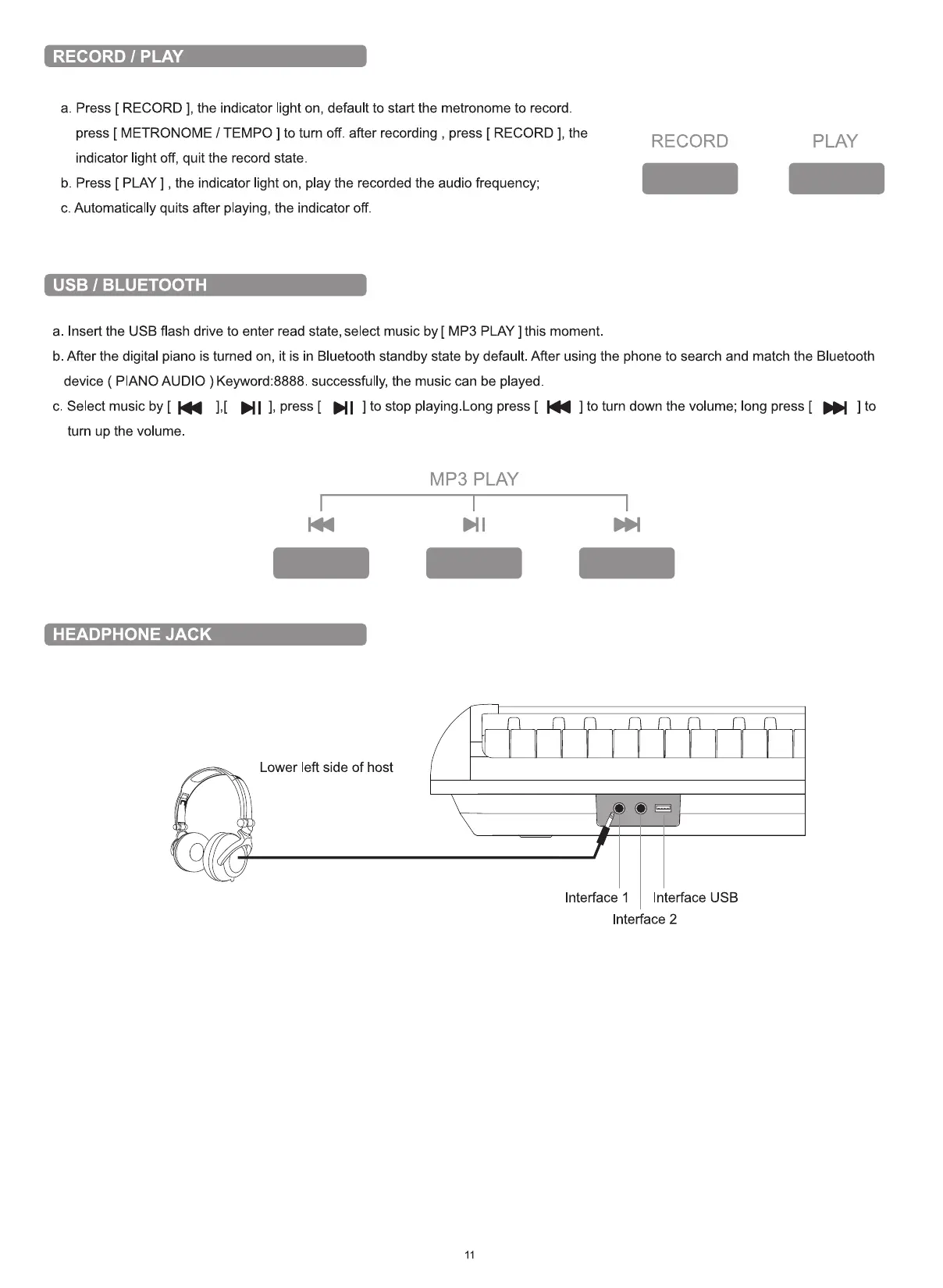
a. Press [ RECORD ], the indicator light on, default to start the metronome to record
press [ METRONOME / TEMPO ] to turn off. after recording , press [ RECORD l, the
indicator light off, quit the record state.
b. Press [ PLAY ] , the indicator light on, play the recorded the audio frequency;
c. Automatically quits after playing, the indicator off
USB 1 BLUETOOTH
a. Insert the USB flash drive to enter read state, select music by [ MP3 PLAY ] this moment.
RECORD PLAY
b. After the digital piano is turned on, it is in Bluetooth standby state by default. After using the phone to search and match the Bluetooth
device ( PIANO AUDIO ) Keyword:8888. successfully, the music can be played
c. Select music by [ ],[ ], press [ ] to stop playing.Long press [ ] to turn down the volume; long press [ ] to
turn up the volume
HEADPHONE JACK
Lower left side of host
MP3 PLAY
11
Interface I Interface USB
Interface 2


 To Next Page