CHORD
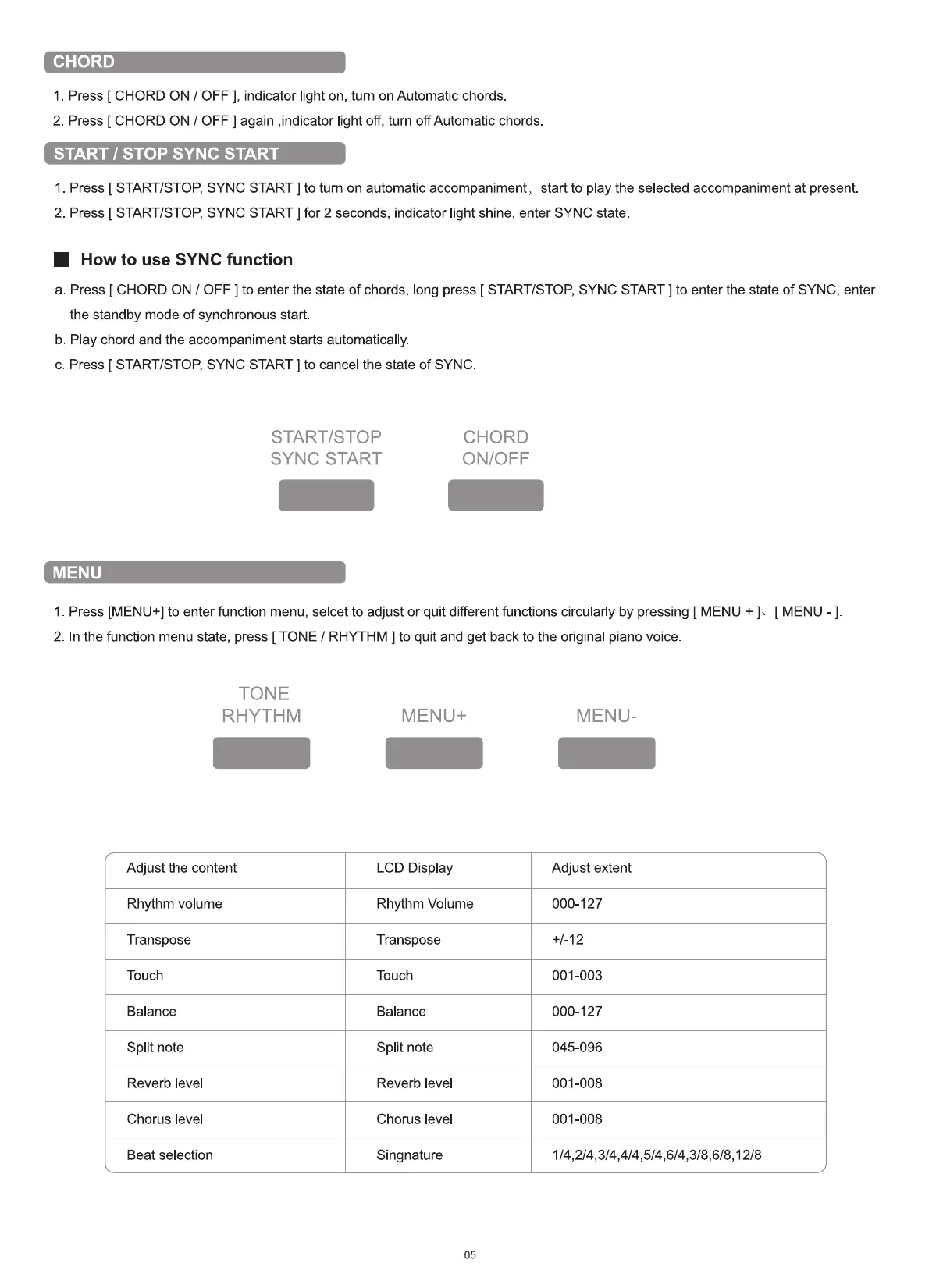
I. Press [ CHORD ON / OFF ], indicator light on, turn on Automatic chords
2. Press [ CHORD ON / OFF ] again ,indicator light off, turn off Automatic chords
START / STOP SYNC START
1 Press [ START/STOP, SYNC START ] to turn on automatic accompaniment, start to play the selected accompaniment at present
2. Press [ START/STOP, SYNC START ] for 2 seconds, indicator light shine, enter SYNC state.
• How to use SYNC function
a. Press [ CHORD ON / OFF ] to enter the state of chords, long press [ START/STOP, SYNC START ] to enter the state of SYNC, enter
the standby mode of synchronous start.
b. Play chord and the accompaniment starts automatically.
c. Press [ START/STOP, SYNC START ] to cancel the state of SYNC.
START/STOP
SYNC START
MENU
CHORD
ON/OFF
1. Press [MENU+] to enter function menu, selcet to adjust or quit different functions circularly by pressing [ MENU +
2. In the function menu state, press [ TONE / RHYTHM ] to quit and get back to the original piano voice
[ MENU
TONE
Adjust the content
Rhythm volume
Transpose
Touch
Balance
Split note
Reverb level
Chorus level
Beat selection
MENU+
LCD Display
Rhythm Volume
Transpose
Touch
Balance
Split note
Reverb level
Chorus level
Singnature
05
MENU-
Adjust extent
000-127
+1-12
001-003
000-127
045-096
001-008
001-008


 To Next Page