A. Rhythm volume adjustment
Afterselectingthe rhythmvolume,adjustthe volumeby " DATAA " .Adjustextent:000-127
B. Transpose
This can makenotesto be movedup or down 12semitoneswithinan octaveextentby pressing"V DATAA" Adjustextent:
C. Touch
The digitalpianohasthreetouch curves.Adjustit by "V DATAA" Adjust extent: 001-003.
D. Balance
Adjust the dual voice by pressing "V DATA A" under the balance state. Adjust extent: 001-127.
E. Split note
"V DATA A" Adjustextent: 045-096
Adjust the split note by pressing
F. Reverb level
Adjust reverb level by pressing "V DATA A". Adjust extent: 001-008.
G. Chorus level
Selectthe choruslevel bypressing " V DATA A". Adjustextent: 001-008.
H. Beat selection
Selectthe beat by pressing "V DATA A" There are nine kindsof beatcan be selected:1/4,2/4,3/4,4/4,5/4,6/4,3/8,6/8,12/8.
DEMO
V DATA A
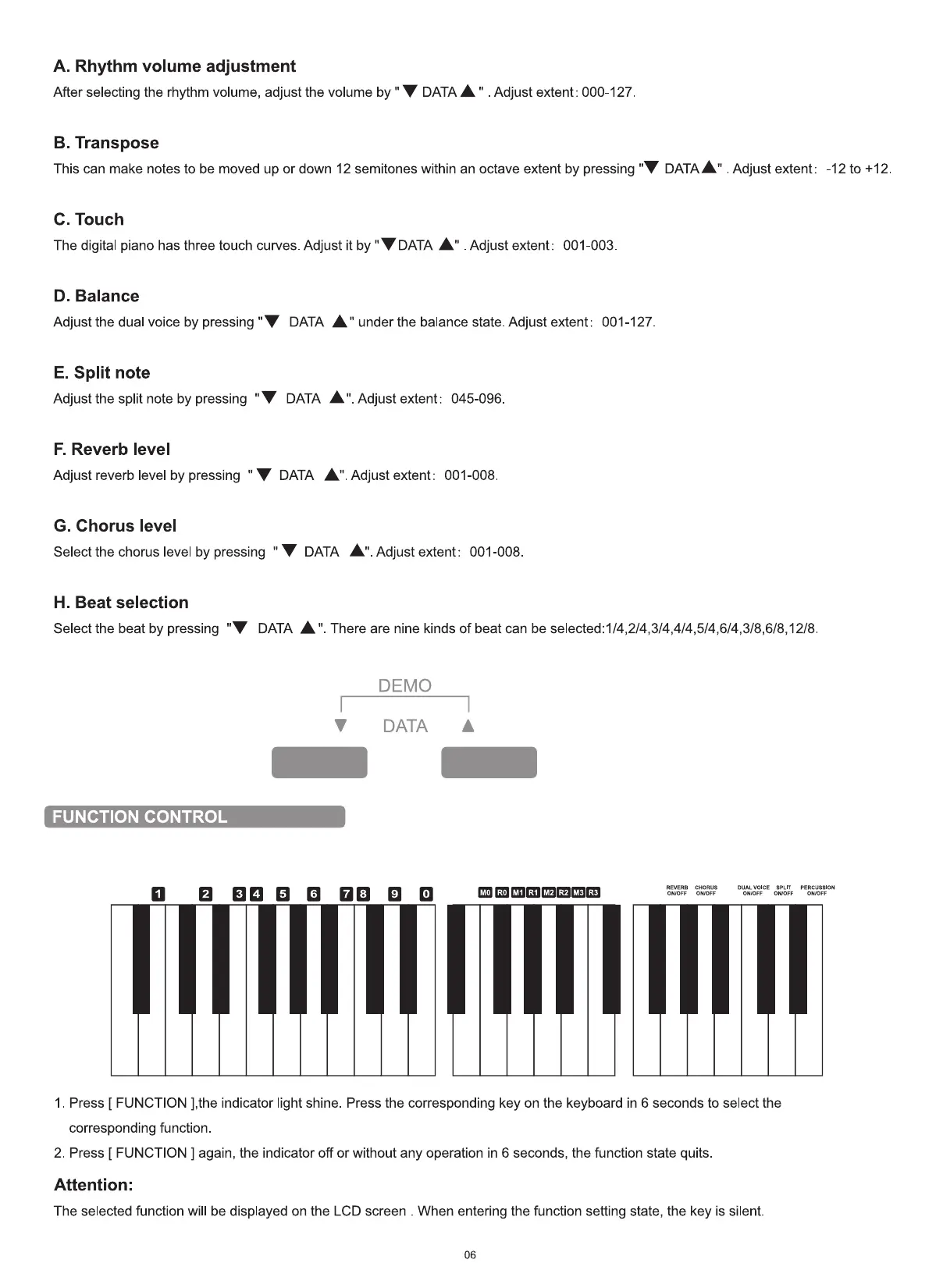
FUNCTION CONTROL
-12 to +12
MO RO MI RI M2 R2 M3 R3
REVERB CHORUS SPLIT PERCUSSION
ONIOFF ONIOFF OWOFF
1. Press [ FUNCTION ],the indicator light shine Press the corresponding key on the keyboard in 6 seconds to select the
corresponding function.
2. Press [ FUNCTION ] again, the indicator off or without any operation in 6 seconds, the function state quits.
Attention:
The selected function will be displayed on the LCD screen . When entering the function setting state, the key is silent.
06


 To Next Page