9
The
“HOPPER
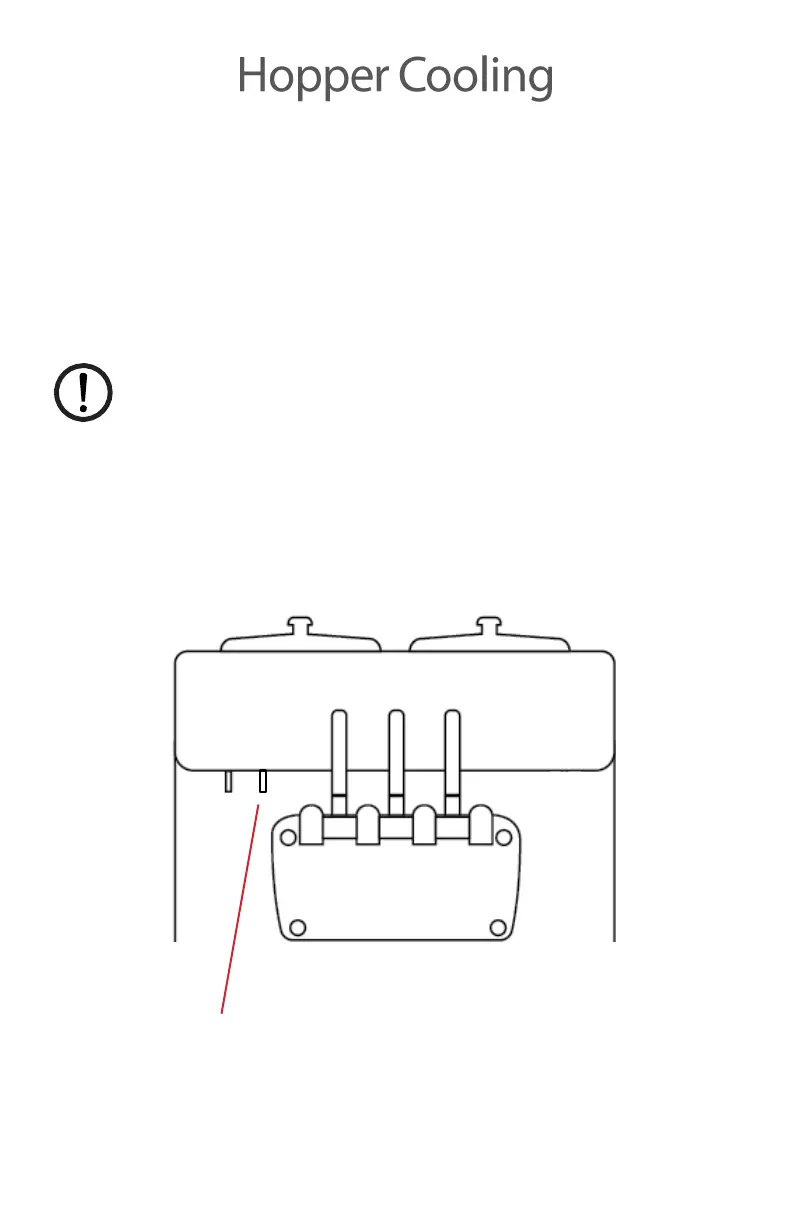
COOLING” switch is located under the control panel next to
the “MAIN
POWER”
switch. To use this feature
simply
switch this
from
the
off position to the on position.
This feature
is
not
a
controlled function. When the switch
is
in
the
on position, the compressor
is
constantly cooling the hopper
and
it
will not shut off unless the switch is manually placed into the
off
position.
If
the switch
is left in
the
on
position
for an
exteneded
amount of time, the contents in the hopper can
freeze.
HOPPER COOLING SWITCH


 To Next Page