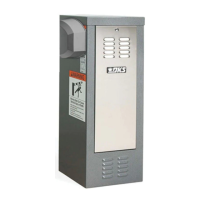
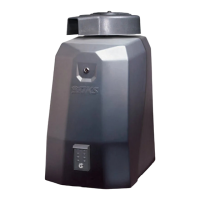
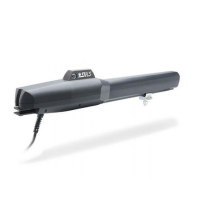
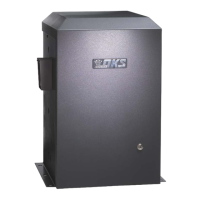
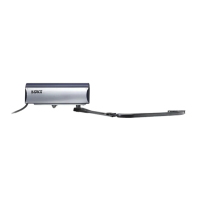
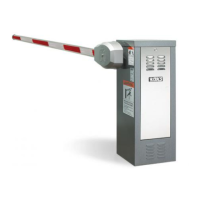
This document outlines the installation and wiring procedures for a High Voltage Kit, designed to modify the input AC voltage of specific DoorKing gate operators. The kit enables these operators to function with 208, 230, 460, or 575 VAC power, rather than their standard 115 VAC. It is crucial to note that this kit is exclusively for DoorKing 115 VAC 6500, 6300, 9000, 9150, or 1600 Series operators and should not be used with any other models.
The primary function of this kit is to integrate a step-down transformer into the gate operator's electrical system. This transformer converts the higher input AC voltages (208, 230, 460, or 575 VAC) down to the 115 VAC required by the operator's internal components. This allows the specified DoorKing operators to be deployed in environments where only higher voltage AC power is readily available, expanding their versatility and application range.
Usage Features:
The installation process is broken down by operator model, ensuring clear and specific instructions for each compatible unit. Before beginning, users must select the appropriate input voltage plug and connect it to the step-down transformer after it has been securely mounted within the operator.
A critical aspect of using this kit involves understanding the AC input power wire limitations. A detailed table provides guidelines for wire size (AWG) and maximum run distances in feet for various input voltages and motor horsepower ratings (1/2 HP and 1 HP). These distances are based on NEC guidelines, allowing for a maximum 3% voltage drop, with an additional 10% reduction to account for other system losses. If the required wire run exceeds these maximum distances, installing a service feeder is recommended. For large gauge wires, a separate junction box is necessary for the operator connection. An external power disconnect switch is always required, and local building codes must be consulted.
A significant safety feature emphasized throughout the document is the warning against running high voltage rated wire insulation in the same conduit as low voltage rated wire insulation. These must be kept in separate conduits to prevent electrical interference and potential hazards.
For each operator model (6500, 6300, 9000, 9150, and 1600 Series), the document provides step-by-step instructions for mounting the step-down transformer. For the Model 6500, the transformer is bolted into position using existing holes. The Model 6300 requires mounting the transformer on four existing threaded studs. Similarly, the Model 9000 uses four nuts and bolts to secure the transformer. The Model 9150 involves mounting the transformer on four existing threaded studs below the motor, with a helpful tip to flip the operator upside down for easier access. For the 1600 Series, the installation involves removing a screw, unbolting a ground wire, carefully removing the circuit board, bolting the transformer to existing threaded studs on the back of a supplied plate, and then carefully reinstalling the plate and circuit board.
Across all models, the operator must be properly grounded to ensure safe operation. Diagrams clearly illustrate the wiring connections for the transformer plug, input voltage plug, and the operator's 115 VAC power terminal. The transformer plug configuration shows connections for Black/White, Open, Brown, Black, and Blue wires, leading to the operator's 115 VAC power terminal (White and Black) and chassis ground (Green).
Maintenance Features:
While the document doesn't explicitly detail ongoing maintenance, it strongly emphasizes critical pre-operational checks that directly impact the longevity and safe functioning of the system. The most crucial maintenance-related instruction is a prominent "DANGER HIGH VOLTAGE!" warning, coupled with the directive to "Double check your chosen input voltage plug BEFORE applying power to the step-down transformer. Failure to choose the CORRECT input voltage plug for your desired input voltage WILL damage operator and VOID warranty." This highlights the importance of correct initial setup as a preventative measure against damage and the need for subsequent repairs or replacements.
Another important note for all installations is to "Keep wires away from moving parts." This is a fundamental maintenance practice that prevents wear and tear on wiring, which could lead to electrical shorts or disconnections over time. Ensuring wires are properly routed and secured away from mechanical components will minimize the risk of damage and extend the operational life of the system.
For dual gate operator installations, a specific usage feature with maintenance implications is highlighted: when installing on bi-parting gates, only the PRIMARY gate operator requires a step-down transformer and AC input power wire. Furthermore, the AC input power wire run maximum distance must be reduced by ONE-HALF for these setups. This consideration helps maintain proper voltage delivery and prevents potential issues that could arise from extended wire runs in a dual gate configuration.
For installations involving an optional heater, users are directed to refer to the "high voltage AC power wire size and distance limitations" table provided with the heater kit. This ensures that the wiring for the heater, which is an additional electrical load, is also correctly sized and installed to prevent overheating or insufficient power delivery, thereby contributing to the overall reliability and safety of the system.
In summary, this High Voltage Kit provides a robust solution for adapting DoorKing gate operators to higher voltage environments. Its design focuses on clear, model-specific installation instructions, critical safety warnings, and preventative measures that contribute to the long-term reliability and safe operation of the gate system. The emphasis on correct initial setup and proper wire management serves as the primary "maintenance" guidance, aiming to prevent issues before they occur.


 To Next Page
 General