EasyManua.ls Logo

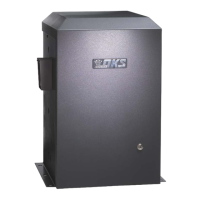
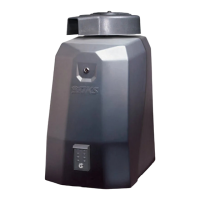
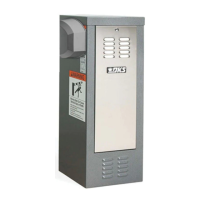
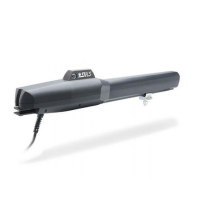
DoorKing 9150 Series - User Manual

DoorKing 9150 Series
52 pages
Print Icon
To Next Page IconTo Next Page
Loading...
Use this manual for circuit board 4602-010 Revision A or higher.
WARNIN
G
MOVING GATE CAN CAUSE
Op
e
rate ga
t
e
only w
he
n
gate
a
rea
is
i
n
s
ight
a
nd free
of people
and
o
bs
t
ruct
ions
.
D
o not
a
llow
ch
il
dr
en
t
o play
in
gate a
rea
or oper
at
e
ga
t
e.
Do not
s
t
a
nd in ga
t
e
path or w
al
k
t
hrou
gh
pa
t
h
w
hile ga
t
e
i
s
mo
ving.
Read owner’
s manual an
d sa
f
et
y
ins
t
r
uc
ti
on
s
.
SERIOUS
INJURY OR DEATH
C
LASS
CERT
IFIED
TO
CA
N/CS
A
C22.
2
NO.
247
CO
N
FORM
S
TO
A
N
SI
/
UL
-
325
VEHICU
L
AR
GA
T
E
O
PE
R
AT
OR
HP
5
3
3
8
2
MO
DE
L
S
ER
IA
L
V
OLTS
PH
A
SE
A
M
PS 60
Hz
MAX GATE
LOAD
D
oorK
i
ng, In
c
.
,
In
g
l
ewood,
C
A
Installation/Owner’s Manual
Series 9150
Series 9150
Series 9150
TM
Copyright 2012 DoorKing, Inc. All rights reserved.
Date Installed:
Installer/Company Name:
Phone Number:
Leave Manual with Owner
Vehicular Slide Gate Operator
UL 325 Compliant
Circuit Board
Serial Number
and Revision Letter:
Convenience Open Optional
9150-065-V-12-12

Table of Contents

Questions and Answers

  • J
    Jonathan DuffyJul 27, 2025
    Why DoorKing 9150 Gate Opener opens but does not close?
    • D
      Don JohnsonJul 27, 2025
      If your DoorKing Gate Opener opens but will not close, here are some things to check: * Check the input LEDs. If any are ON, it indicates a problem with a keying device, holding the gate open. * Inspect the secondary safety devices. If any are activated, they will hold the gate open, indicating an issue with the safety device. * Examine the loop detectors. Activation can hold the gate open, suggesting a problem with the loop detector or ground loop. * The operator may be in a “soft shutdown.” Activate any keying device to see if the operator returns to normal operation. * If automatic close is desired, make sure SW 1, switch 2 is ON and set the timer open from 1-23 seconds. * You can also bypass the circuit board and check the motor.
  • B
    Brandon WiseAug 4, 2025
    How to troubleshoot DoorKing 9150 when power LED is OFF?
    • H
      Holly JimenezAug 4, 2025
      If your DoorKing Gate Opener is not running and the power LED is off, here's what to check: * Ensure the AC power to the operator is turned on. * The transformer might be overheated; turn the power off, let the board cool down for a few minutes, and then test again. Also, check for low 115 VAC power and any low voltage shorts. * Verify that there is 115 VAC at the high voltage terminal. If the voltage reads 0, inspect the incoming power wires or consider replacing the circuit board.
  • R
    Robert McleanAug 8, 2025
    What to do if DoorKing 9150 opens a short distance, then stops and reverses?
    • W
      William SantanaAug 8, 2025
      If your DoorKing Gate Opener opens a short distance, then stops and reverses, consider the following: * Verify that the clutch is properly adjusted and not slipping. * Disconnect the gate from the operator to ensure it slides freely without any binding. * Readjust the reverse sensitivity. * Make sure that excess wires do not obstruct the magnetic pickup transistors on the control board, as electrical interference can diminish the magnetic field. * Confirm that the magnetic pickup transistors on the control board are within 1/8 inch of the clear plastic protective cover above the black plastic magnetic spring assembly on the main shaft. * If the issue persists, further troubleshooting or circuit board replacement may be necessary.
  • T
    tcolemanAug 17, 2025
    Why DoorKing Gate Opener starts closing, then reverses?
    • L
      Leah GordonAug 17, 2025
      If your DoorKing Gate Opener starts to close, then reverses to open, here’s what to investigate: * Make sure the clutch is properly adjusted and not slipping. * Readjust the reverse sensitivity. * Disconnect the gate from the gate operator to ensure it slides freely without any binding. * Check the loop detector LEDs and input LEDs; any flashing ON will cause the gate to reverse. * Inspect the Magnetic Sensor LEDs on the circuit board. If either LED is not blinking as the operator is running, check that the magnetic pickup transistors are within 1/8 inch of the protective plastic cover above the magnet assembly on the main shaft. * If problems persist, further troubleshooting or replacing the circuit board may be needed.
  • M
    Mitchell ElliottAug 21, 2025
    Why DoorKing 9150 closes and then re-opens?
    • A
      Ashley DuarteAug 21, 2025
      If your DoorKing Gate Opener closes then re-opens, here’s what you should check: * Check for any input or loop detector LEDs that are ON. * Verify that the operator is running in the proper direction. * Check the SELF-TEST DIP switch setting; SW 1, switch 6 should be OFF.
  • D
    davischerylOct 30, 2025
    What to do if DoorKing 9150 closes but won't open?
    • L
      leslievazquezOct 30, 2025
      If your DoorKing Gate Opener closes but will not open, consider these steps: * The operator might be in a “soft shutdown.” Check the input LEDs. If any are ON, momentarily disconnect, then reconnect the wire going to the respective terminal. The operator should then open. * Verify that the operator is running in the correct direction. Turn the power OFF, and then back ON. Activate a keying device. The operator should run in the open direction. If the operator runs in the close direction, turn the power OFF and change the direction switch SW 1, switch 1. If the operator now opens but will not close, refer to related troubleshooting steps. * Ensure that each LED on the control board lights up when the keying device connected to that terminal is activated. If an LED does not light, mom...
  • M
    Meredith GravesNov 11, 2025
    What to check if DoorKing Gate Opener won't run but power LED is ON?
    • R
      Robert WareNov 11, 2025
      If your DoorKing Gate Opener is not running but the power LED is on, here are some things to check: * If a photo-cell is used as a secondary entrapment prevention device, make sure that its beam isn't blocked. * Ensure the chain isn't too tight, as this can cause the operator to stall. * Bypass the circuit board and check the motor: Turn the power switch off and remove the circuit board. Place a jumper wire from the 117 VAC SWITCHED terminal to the BLUE wire on the 8 pin POWER connector on the control board. CAUTION – HIGH VOLTAGE. Turn the power switch on. The motor should run. Turn the power switch OFF and remove the jumper. With power still OFF, place a jumper wire from the 117 VAC SWITCHED terminal to the RED wire on the 8 pin POWER connector on the control board. CAUTION – HIGH...

Summary

Gate Safety and Installation Standards

Important Safety Instructions

Essential guidelines for safe operation and installation to prevent injury.

Installation Requirements

Procedures and requirements for proper gate operator installation according to standards.

UL 325 Entrapment Protection

Details entrapment protection requirements for gate operator classes.

Gate Requirements and Protection

Slide Gate Requirements

Specifies standards for gate construction and openings to ensure safety and compliance.

Slide Gate Protection

Details entrapment protection devices and their placement for safe gate operation.

Installation Procedures

Hardware for the Gate

Essential gate hardware for reliable and long-lasting gate operator performance.

Physical Stops for the Gate

Importance of physical stops for open and close gate positions for automatic limit setting.

Typical Gate Types

Illustrates common gate types compatible with the Model 9150 operator.

Operator Mounting Positions

Details various mounting options (front, rear, center, ceiling) for the gate operator.

Underground Conduit Requirements

Guidelines for installing conduit for power and control wiring according to safety standards.

Pad, Post or Ceiling Mount Setup

Describes mounting configurations with or without junction boxes for different installation types.

Mounting Operator and Chain

Instructions for correctly positioning the operator and attaching the drive chain.

Installation of Warning Signs

Guidance on installing warning signs to alert users of potential hazards.

Chain Tray Kit Installation

Information on installing a chain tray kit for gates longer than 20 ft.

Power, Wiring, and Controls

High Voltage Wire Runs

Details AC power wire size and distance limitations for safe connections.

High Voltage Terminal Connection

Instructions for routing and connecting AC power wiring to the operator.

Main Terminal Description

Detailed description of each terminal on the main control board.

Control Wiring for Single;Primary Operator

Wiring diagrams for common control devices for single operator setups.

Auxiliary Device Wiring

How to wire auxiliary devices like alarm reset stations and gate trackers.

Bi-Parting Gates Wiring

Wiring instructions for dual operator systems with bi-parting gates.

Adjustments and Operation

Circuit Board Description and Adjustments

Description of the circuit board components, LEDs, and DIP switches.

DIP-Switch SW 1 and SW 2 Settings

Detailed guide to programming the operator using DIP switches for various functions.

Automatic Open; Close Limit Adjustment

Procedure for setting gate open and close limits using automatic "Multiple Gate Cycles".

Clutch Adjustment

Instructions for adjusting the mechanical slip clutch for safety and proper operation.

Inherent Reverse Sensor Adjustment

How to adjust the inherent reversing sensor for entrapment protection.

Shutdown Conditions

Explanation of soft and hard shutdowns and how they affect operator response.

Manual Gate Operation

Procedures for manual operation during power outages or equipment failures.

Optional Features and Maintenance

Convenience Open System Setup

Configuration for the optional convenience open system with DC power.

Maintenance Schedule

Recommended monthly checks for operator components to ensure proper function.

Troubleshooting Guide

Common symptoms and solutions for diagnosing and fixing operator issues.

Accessory Items

List of optional accessory items available for the Model 9150 gate operator.

DoorKing 9150 Series Specifications

General IconGeneral
Motor1/2 HP
Duty CycleContinuous
Maximum Users1000
Maximum Gate Weight1000 lbs
Maximum Gate Length20 feet
Power115 VAC
Safety StandardsUL 325
Input Voltage115 VAC or 230 VAC (depending on model)
Relay Outputs2
CommunicationRS-485
Motor TypeAC
Gate Speed (90 degrees)12-15 seconds
Gate Weight Capacity1000 lbs
Gate Width Capacity20 feet
Control OptionsKeypad, Card Reader, Loop Detector

Related product manuals