2
MX 2000/2500/3000 MX25ATCE26
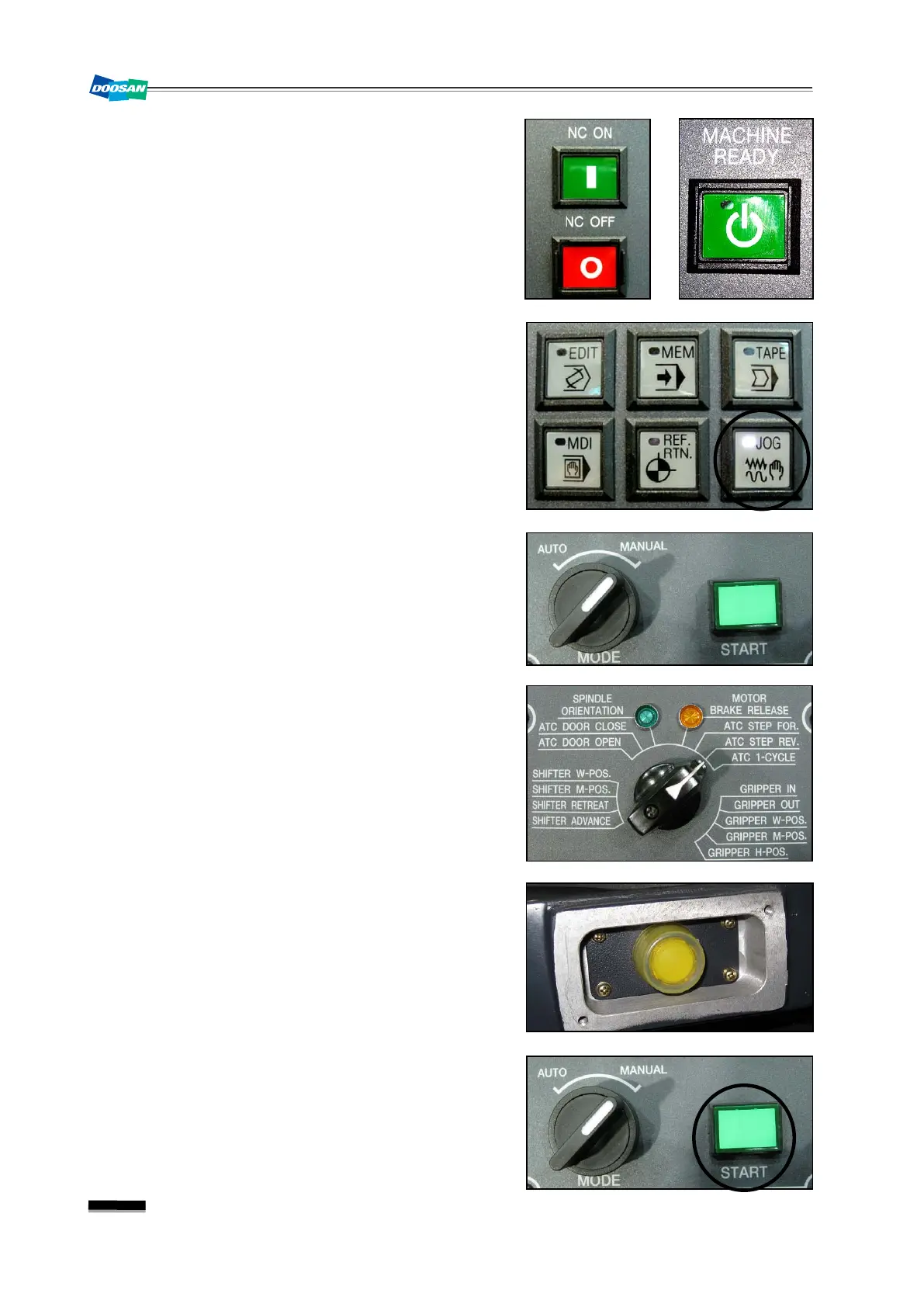
1) If this happens due to the emergency stop or power
failure, take an appropriate measure to solve the
problem
and turn the power back on before entering
Machine Ready.
2) Select the
“JOG”
mode in the main OP.
3) Turn the mode selection switch in the ATC manual
OP to
“MANUAL”
.
4) Turn the mode switch in the ATC manual OP to
“ATC STEP REV.”
.
5) Use the manual Spindle Tool Clamp/Unclamp
switch in the milling spindle to perform the tool
clamping.
6) Repeat pressing briefly the “START” button in the
ATC manual OP until the main changer arm moves
to the home position where it doesn't move further.



 To Next Page