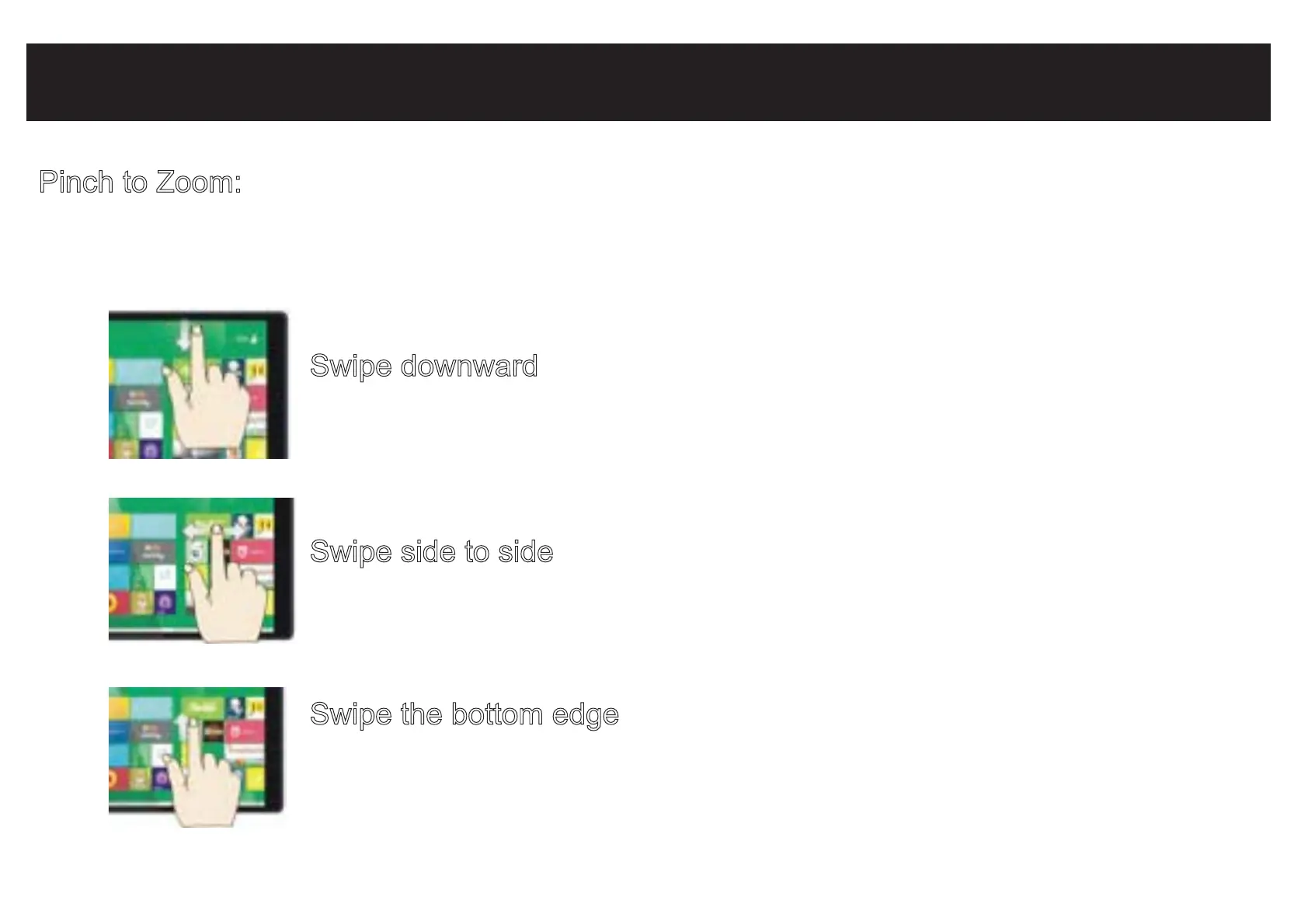
Common Finger Gestures
Pinch to Zoom: In some apps (such as Maps, Browser, and Gallery), you can zoom
in and out by placing two fingers on the screen at once, and pinching
them together (to zoom out) or spread them apart (to zoom in.)
Swipe downward
Swipe down from top edge and access app commands.
Swipe side to side
Swipe finger side to side to move an image.
Swipe the bottom edge
Swipe upward from the bottom edge to choose an item on the
bar of app commands.


 To Next Page