Using Micro USB, Bluetooth Devices, & Viewing on HDTV
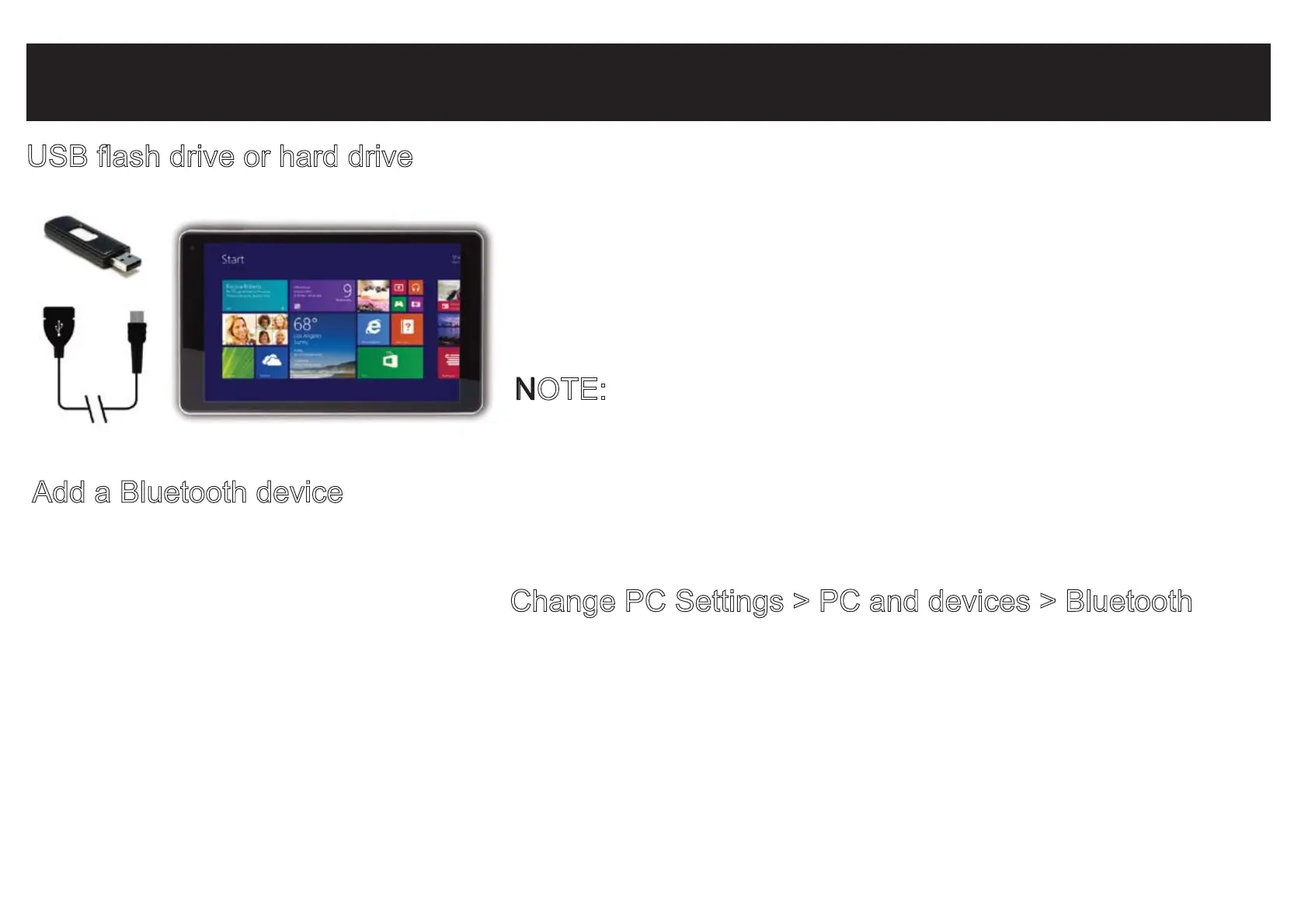
USB flash drive or hard drive
Insert a USB flash drive or external hard drive into the
USB port using the included transfer cable. In addition,
you can add an external mouse, connect a keyboard,
or other USB compatible device.
NOTE:
The first time you plug in a USB accessory,
Windows will install the necessary software for you
(if applicable).
Add a Bluetooth device
Add or “pair” a Bluetooth compatible device with your Tablet as follows:
1. Power on the compatible Bluetooth device and make it discoverable.
2. Open the SETTINGS charm, tap Change PC Settings > PC and devices > Bluetooth
.
3. Make sure Bluetooth is powered on, then wait while Windows searches for the device.


 To Next Page