Camera Function Guide
From the Start Menu select the Camera tile.
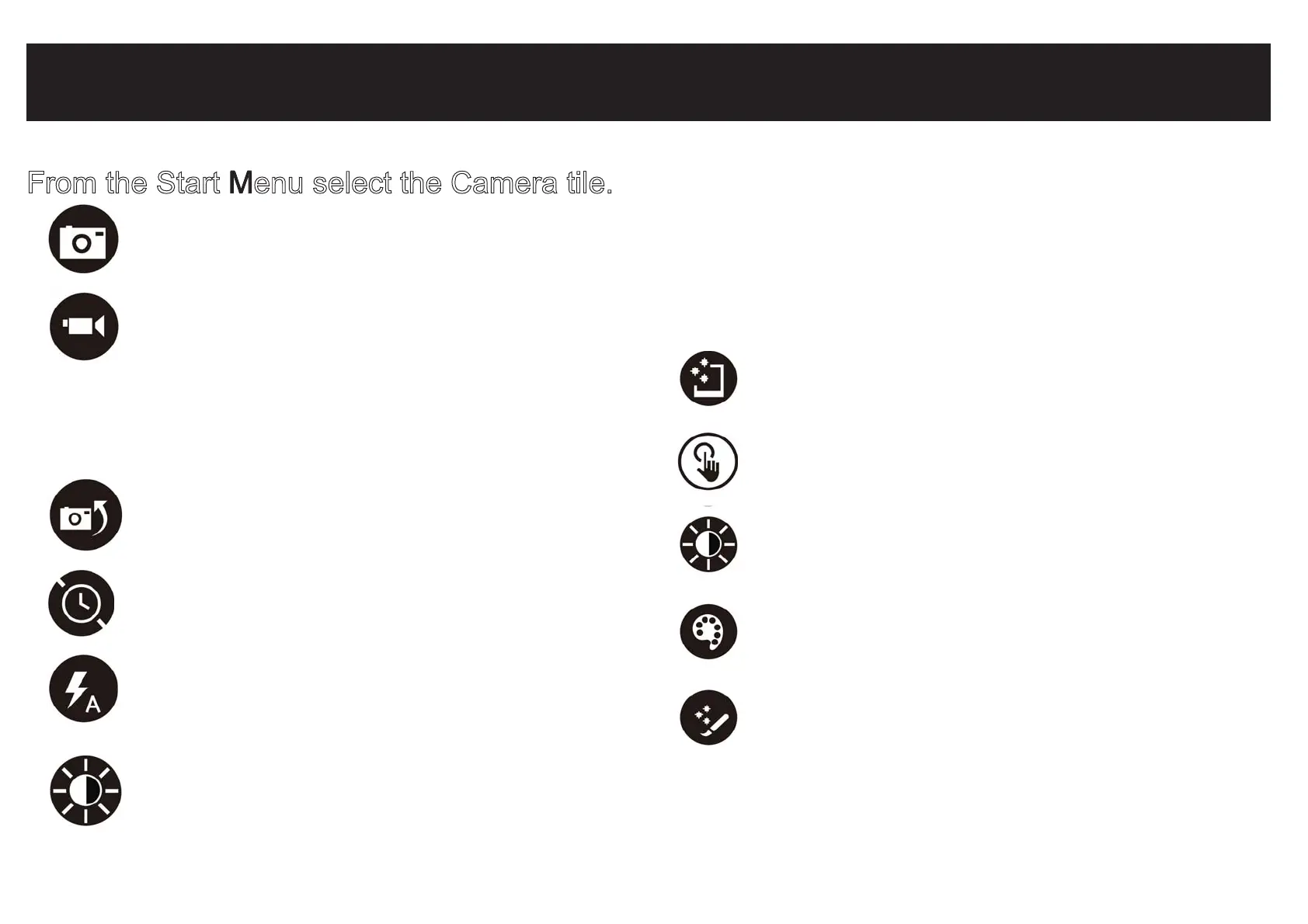
Tap to take a photograph.
Tap to start video. Red light appears.
Tap again to stop.
Swipe finger from bottom edge of screen to
access more camera features.
Photo Editor: Swipe finger from bottom edge
of screen when viewing photo.
CHANGE CAMERA: Tap to switch between
front and rear cameras.
AUTO FIX: Select from various adjustments to
improve your photograph.
BASIC FIXES: Basic fixes include rotation, crop,
straighten. No Red Eye feature.
LIGHT: Light adjustments include brightness,
contrast, highlights, shadow.
COLOR: Adjustments include temperature, tint,
saturation and enhancement.
EFFECTS: Includes selective focus and
vignette.
TIMER: Tap repeatedly to adjust timer interval
from 3 sec. or 10 sec.
FLASH: Not supported on theis device as there
is no LED light feature.
EXPOSURE: Adjust bar up / down to allow more
light into the photograph or video.


 To Next Page