3
INSTALLATION
THE MONITOR WILL TAKE APPROXIMATELY 2 MINUTES TO POWER UP
CABLE
Cable diameter of 1mm
2
Stranded (twisted) MUST be used to achieve distances specified.
Recommended: 4 Core Security - 14/020 2 Conductors per Bus Line Wire
Cat 5 – All Conductors
Lock release will require an additional 2 cores for 12V Power feed to door station
Alternative Cables may be used
- Cable distances and picture quality may be compromised.
- Figure 8 Cable is NOT recommended for signal wires.
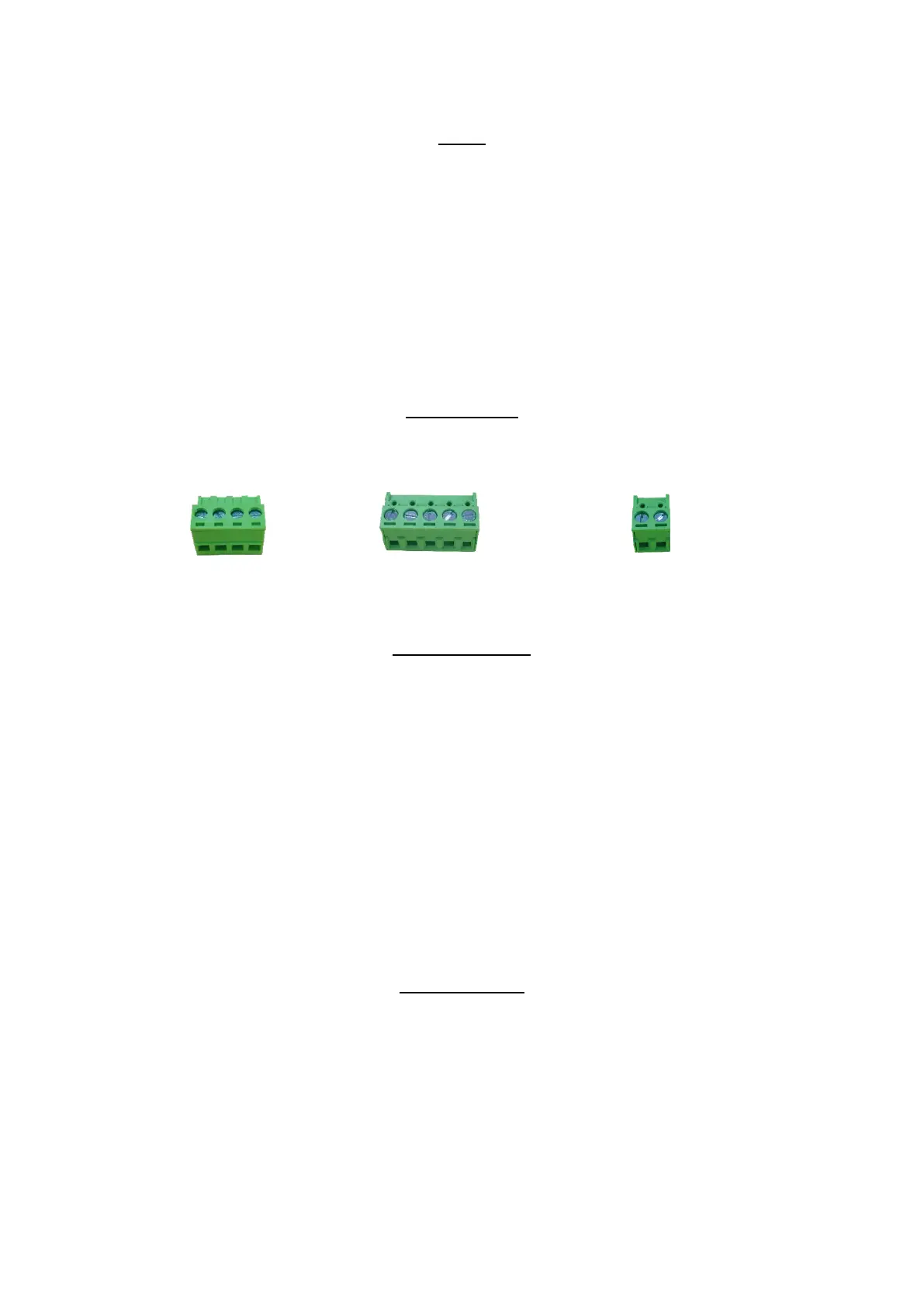
CONNECTIONS
The following connectors are supplied please ensure correct plugs are used
Wi-Fi and Internet
• This Intercom can work as a standalone intercom, no requirements for Wi-Fi or Mobile app services
• For Wi-Fi App connections the system requires quality internet and Wi-Fi at the monitor location
• Speeds Greater than 1.2Mbps upload are recommended for quality and reliability
• Many ISP (Internet Service Providers) restrict activity within supplied routers/modems. An IT
specialist may be required to “unlock” these restrictions. This may fall outside standard installation
and Dorani Tech support as it is a 3
rd
party device
• Dorani bears NO responsibility for connection problems caused by 3
rd
party devices (modems,
routers, mobile devices) outside the Dorani product.
• Warranty does not apply if the issues are 3
rd
party related
• Dorani advise that connection to mobile devices enables communication and unlocking of your
intercom system from a remote location – please ensure your mobile device has a HIGH LEVEL of
security activated.
PROGRAMMING
WHEN MORE THAN 1 MONITOR IS INSTALLED THIS MUST BE PROGRAMMED refer page 11
WHEN MORE THAN 1 DOOR STATION IS INSTALLED THIS MUST BE PROGRAMMED refer page 12
LOCK RELEASE TIME IS 5 SECONDS TIME ADJUST refer page 10
Bus Modules
+VT25 slim door
Door Statio
n
EX : VT25 slim door


 To Next Page
 Loading...