8
LOCK RELEASE SETTINGS MASTER MONITOR DORVT22
SETTINGS – MASTER MONITOR DORVT22
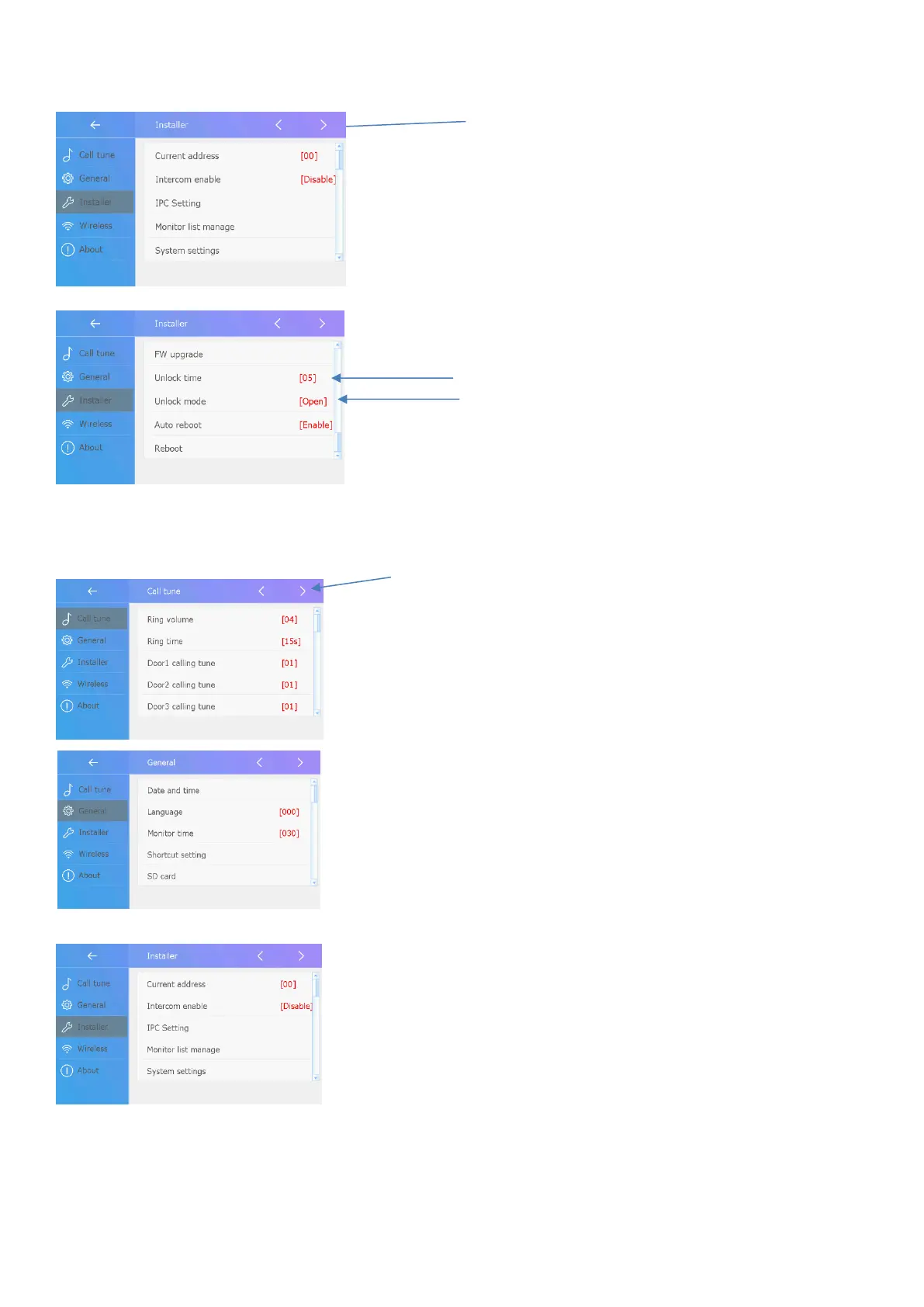
Call Tune
Adjust Call Tune Settings of each door
station individually, and intercom tones
Adjust ringing time of door stations
General
Adjust Date/Time
Adjust Monitor ON time
Change Shortcut bar on LHS of monitor
SD Card Settings/Format
Enter Settings Menu
Enter Installer Menu
Press Page ½ Button
Adjust Lock Time
Adjust Normally Open / Closed
Installer
Enabling Intercom Function
System Settings (Installer level Code 12345678
Adjusts Divert Time, Resolution
Adjust lock Settings



 To Next Page