11 / 12
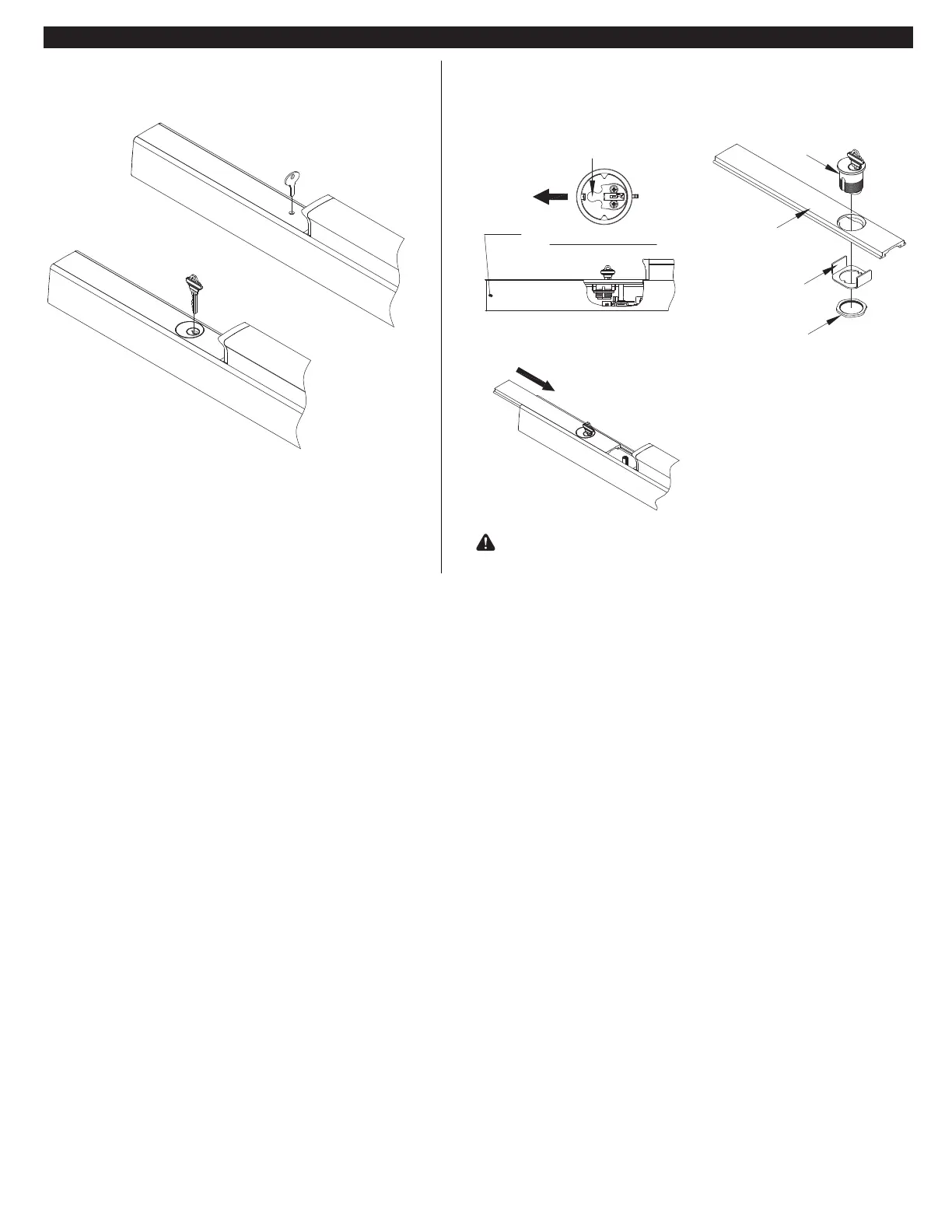
DOGGING (PANIC EXIT DEVICES ONLY)
DOGGING ACTIVATION
Cylinder Key
Flat Tool/ or Hex Key
Cylinder
Lock Nut
BOTTOM VIEW
CYLINDER DOGGING INSTALLATION
Hinge
Side
Cylinder
Cylinder
Locating
whasher
Cam
Cover Plate
If cylinder is not installed, remove cover plate and install
cylinder with cam orientation as shown below.
Depress push bar and turn flat/hex key or
cylinder key one full turn for dogging check.
For Alarm (AL) or Latch Monitoring (LM) panel installations,
follow the instructions supplied with those porducts.
Install cylinder to the cover plate with
the cam facing towards the hinges.
Slide cover in
to position on
the rail.


 To Next Page