CAUTION
Installation must be performed only by authorized persons in
accordance with the instructions in the service manual. Always verify
the functionality and coverage ratio after installation and programming.
Step-by-step installation guide
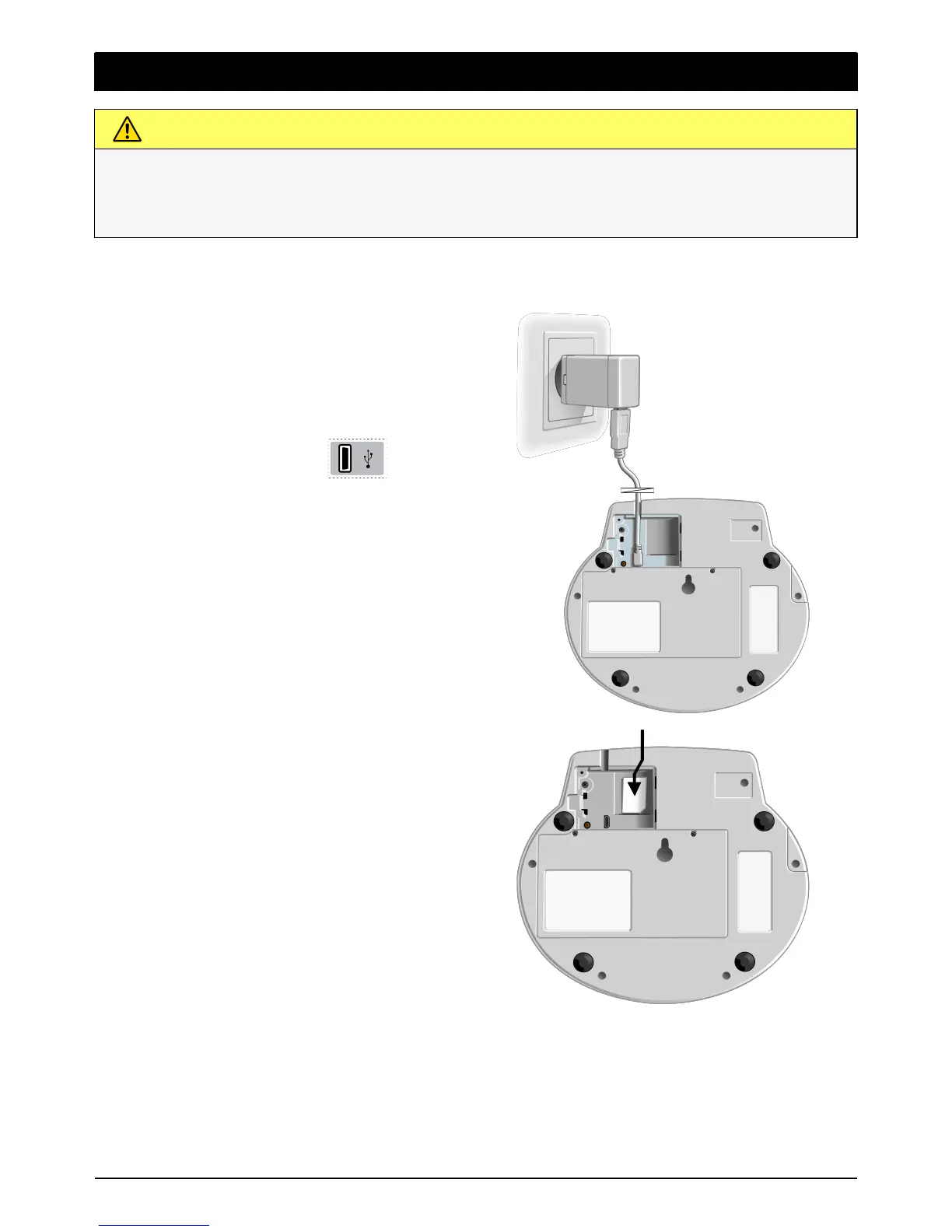
1
Unmount the cover and the
safety screw over the SIM card
and mains connector.
Connect the power adaptor to
the power outlet and
to the USB port
on the
Doro CareMobile.
2 Push the SIM card into the SIM
card holder. The Doro CareMo-
bile has a built-in switch in the
rack for the SIM card. The device
is powered on when the SIM
card is inserted in the SIM card
holder. Remove the SIM card to
power off.
Mount the cover and the safety
screw over the SIM card and
mains connector.
Note! The power supply shall be placed so the information text Do not to
unplug sticker is visible.
For further advice regarding installation, contact your supplier.


 To Next Page