1
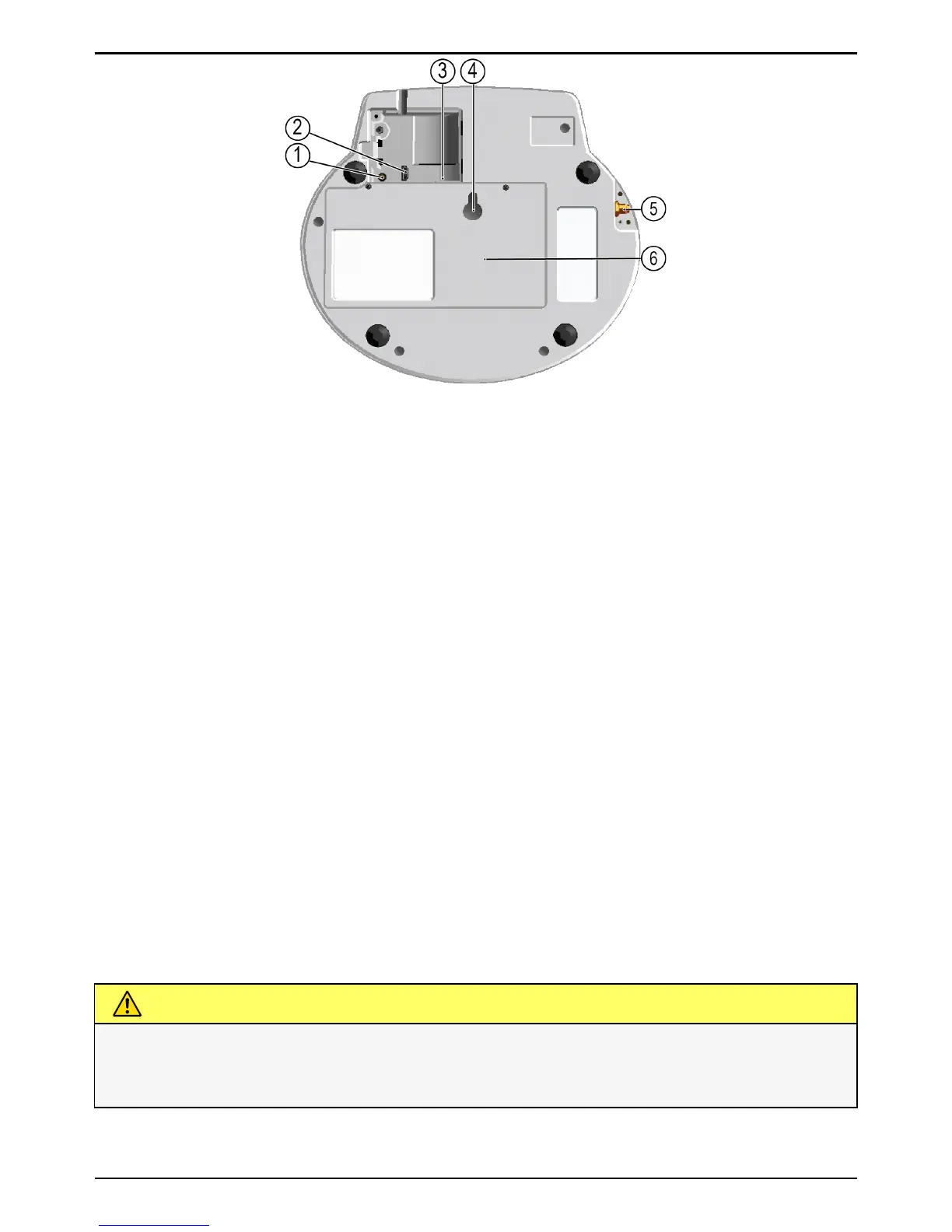
Volume Loudspeaker volume adjustable in three
(3) levels.
2 USB port
Power supply
3
Power switch
The device is powered on when the SIM
card is inserted in the SIM card holder.
To power off the device, remove the SIM
card from the SIM card holder.
4 Hole for wall mounting
– – –
5 Antenna connector
Doro CareMobile has a built-in antenna
that is optimised for best reception. In
cases where the operator's coverage is in-
adequate where Doro CareMobile is lo-
cated, you can attach an external
antenna to the SMA connector, this is ac-
tivated automatically. NOTE! Aerials only
approved of Doro Care and adapted for
Doro CareMobile may be used.
6
Battery compartment
– – –
CAUTION
The covers to the compartments on the back side may only be opened
by authorized persons in accordance with the instructions in the
service manual.


 To Next Page